


 Healthcare Software Development Services
 Healthcare App Development Services
 Real Estate Web Development Services
 Real Estate App Development Company
 E-Commerce App Development Services
 E-Commerce Web Development Services
 Blockchain E-commerce Development Company
 Fintech Software Development
 Fintech App Development Services
 E-Learning App Development Services
 Restaurant App Development Company
 Mobile Game Development Company
 Travel App Development Company
 Automotive Web Design
 AI Traffic Management System
 AI Inventory Management Software
 Logistics App Development Services
 Machine Learning Development
 ChatGPT integration services
  AI Development Company
  AI Integration Services
  Natural Language Processing Company
 Mobile App Development
  IOS App Development
  Android App Development
  Cross-Platform App Development
  Augmented Reality (AR) App Development
  Virtual Reality (VR) App Development
  Web App Development
  SaaS App Development
 Custom Software Development Services
  Flutter
  React Native
  Swift (IOS)
  Kotlin (Android)
  Mean Stack Development
  AngularJS Development
  MongoDB Development
  Nodejs Development
  Database Development
 Ruby on Rails Development
 Expressjs Development
  Full Stack Development
  Web Development Services
  Laravel Development
  LAMP Development
  Custom PHP Development
  .Net Development
  User Experience Design Services
  User Interface Design Services
  Automated Testing
  Manual Testing
  Digital Marketing Services
 Ride-Sharing And Taxi Services
 Food Delivery Services
 Grocery Delivery Services
 Transportation And Logistics
 Car Wash App
 Home Services App
 ERP Development Services
 CMS Development Services
 LMS Development
 CRM Development
 DevOps Development Services
 AI Business Solutions
 AI Cloud Solutions
 AI Chatbot Development
 API Development
 Blockchain Product Development
 Cryptocurrency Wallet Development
 About Talentelgia
  Our Team
  Our Culture
 Healthcare App Development Services
 Real Estate Web Development Services
 E-Commerce App Development Services
 E-Commerce Web Development Services
 Blockchain E-commerce
Development Company
Blockchain E-commerce
Development Company Fintech App Development Services
 Blockchain Fintech
Development Company
Blockchain Fintech
Development Company E-Learning App Development Services
 Restaurant App Development Company
 Mobile Game Development Company
 Travel App Development Company
 AI Traffic Management System
 AI Inventory Management Software
 AI Development Company
 ChatGPT integration services
 AI Integration Services
 Machine Learning Development
 Machine learning consulting services
 Blockchain Development
 Blockchain Software Development
 Smart contract development company
 NFT marketplace development services
 Asset tokenization companies
 DeFi Wallet Development Company
 IOS App Development
 Android App Development
 Cross-Platform App Development
 Augmented Reality (AR) App
Development
Augmented Reality (AR) App
Development Virtual Reality (VR) App Development
 Web App Development
 Flutter
 React
Native
React
Native Swift
(IOS)
Swift
(IOS) Kotlin (Android)
 MEAN Stack Development
 AngularJS Development
 MongoDB Development
 Nodejs Development
 Database development services
 Expressjs Development
 Full Stack Development
 Web Development Services
 Laravel Development
 LAMP
Development
LAMP
Development Custom PHP Development
 User Experience Design Services
 User Interface Design Services
 Automated Testing
 Manual
Testing
Manual
Testing About Talentelgia
 Our Team
 Our Culture
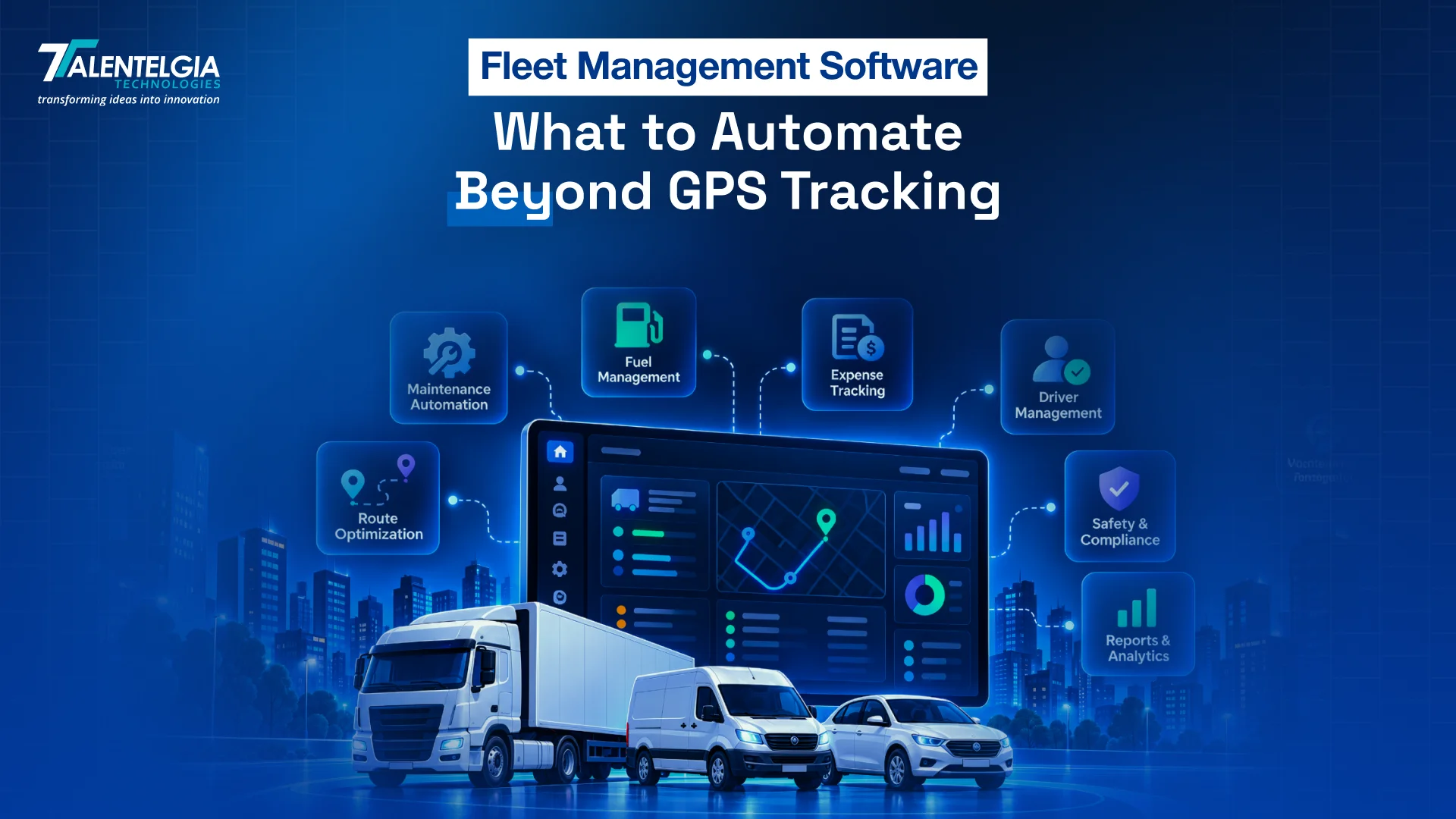
Fleet management software should automate what happens after GPS tracking detects an event. Instead of stopping at vehicle location, it can turn data from vehicles, drivers, and connected systems into actions across maintenance, inspections, safety, fuel, dispatch, compliance, and vehicle downtime.
GPS tracking provides visibility, but visibility alone does not complete the work. A vehicle may reach a scheduled maintenance threshold, fail an inspection, deviate from its planned route, show unusual fuel consumption, or approach a compliance deadline. If each event still requires someone to check the information, decide what to do, and manually follow up, much of the operational workload remains unchanged.
The value of fleet automation comes from connecting these events to defined workflows. A mileage threshold can create a maintenance task, an inspection failure can trigger an escalation, and a route exception can notify dispatch while recording the outcome.
The objective is not to automate every decision. It is to reduce repetitive work while keeping people involved where judgment, safety, and accountability matter. This article explores what fleet management software can automate beyond simply putting vehicles on a map.
What Is Fleet Management Software?
Fleet management software is a system used to coordinate vehicles, drivers, maintenance, operations, compliance, and related fleet data from a connected platform.
GPS and telematics are important inputs, but they are only part of the system. Modern platforms can combine location data with vehicle information, driver activity, inspection records, maintenance schedules, fuel data, dispatch information, and operational reports.
That distinction is important when comparing fleet tracking software with broader fleet platforms.
Fleet Management Software vs. GPS Tracking
| GPS Tracking | Fleet Management Software |
| Shows vehicle location | Connects location with operational data |
| Provides trip history | Maintains vehicle and maintenance history |
| Creates geofence alerts | Can initiate workflows from exceptions |
| Tracks movement | Connects movement with dispatch and delivery activity |
| Reports location events | Combines safety, fuel, maintenance and compliance data |
| Answers “Where is it?” | Helps answer “What happened and what should happen next?” |
Current fleet software platforms increasingly describe telematics as the data layer and fleet software as the system that turns that data into alerts, workflows, reports, and operational decisions.
Platform Science, for example, describes fleet software as collecting data from telematics, ELD systems, GPS devices, and mobile applications before converting it into dashboards, alerts, and automated workflows. Geotab’s current feature guidance similarly places GPS alongside maintenance, fuel, driver behavior, compliance, analytics, and integrations rather than treating tracking as the entire category.
What Does Fleet Management Software Typically Manage?
A connected platform may bring together:
- Vehicle records and availability
- Driver profiles and assignments
- GPS and telematics data
- Preventive maintenance
- Digital inspections
- Fuel consumption
- Driver safety
- Dispatch and routing
- Compliance records
- Documents and expiry dates
- Work orders
- Fleet utilization
- Operational analytics
- Third-party integrations
The important point is not how many modules a platform offers.
It is how those modules work together.
A maintenance system that knows a vehicle’s mileage is more useful than a reminder stored in a separate calendar. A dispatch system that knows vehicle location can respond differently to a delayed job than one relying on phone calls.
Why Go Beyond GPS Tracking?
GPS creates visibility. Visibility alone does not create action.
Consider a vehicle that stops unexpectedly for 45 minutes. A tracking system can show the location and duration of the stop. A connected fleet workflow can use additional information to determine whether the stop is normal.
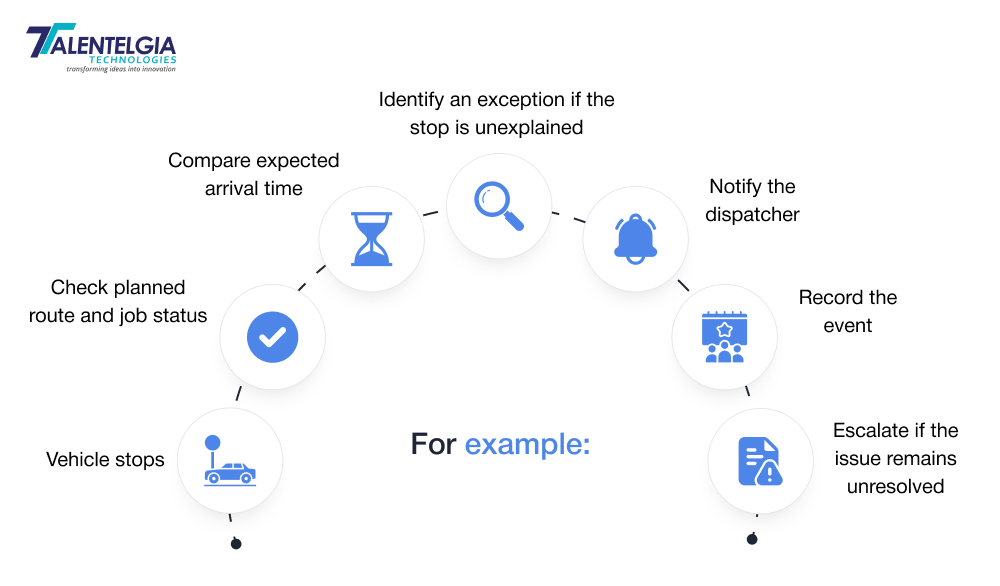
The second approach does not necessarily require AI. It can be built with straightforward rules and connected data.
Visibility Does Not Automatically Create Action
Fleet teams often manage operational information across several places:
- Spreadsheets
- Messaging applications
- Paper inspection forms
- Calendar reminders
- Maintenance logs
- Fuel records
- GPS dashboards
- Accounting systems
- Dispatch tools
The problem is not simply that these tools exist. The problem is that information can become fragmented between them.
A maintenance manager may know a service is due. A dispatcher may know the vehicle is assigned to tomorrow’s route. A finance team may know the repair cost. If those records do not connect, someone has to join the information manually.
Workflow automation reduces that dependency.
Recent fleet-automation guidance from Azuga describes the same shift: software can use telematics data to trigger maintenance reminders, inspection prompts, dispatch updates, and compliance tasks rather than relying on managers to initiate each step manually.
What Should Fleet Management Software Automate?
The strongest use cases are repetitive processes with clear triggers, defined actions, and measurable outcomes. A useful way to evaluate any automation is:
Trigger → Automated action → Human involvement → Outcome
Not every workflow should be completely automatic. Some should stop at notification or recommendation so a manager can make the final decision.
Preventive Maintenance
Maintenance is one of the clearest areas for automation because many service events already have measurable triggers.
A system can use:
- Mileage
- Engine hours
- Calendar intervals
- Diagnostic trouble codes
- Vehicle usage
- Previous service records
Instead of asking a manager to check a spreadsheet every morning, the platform can identify vehicles approaching a service threshold and initiate the appropriate workflow.
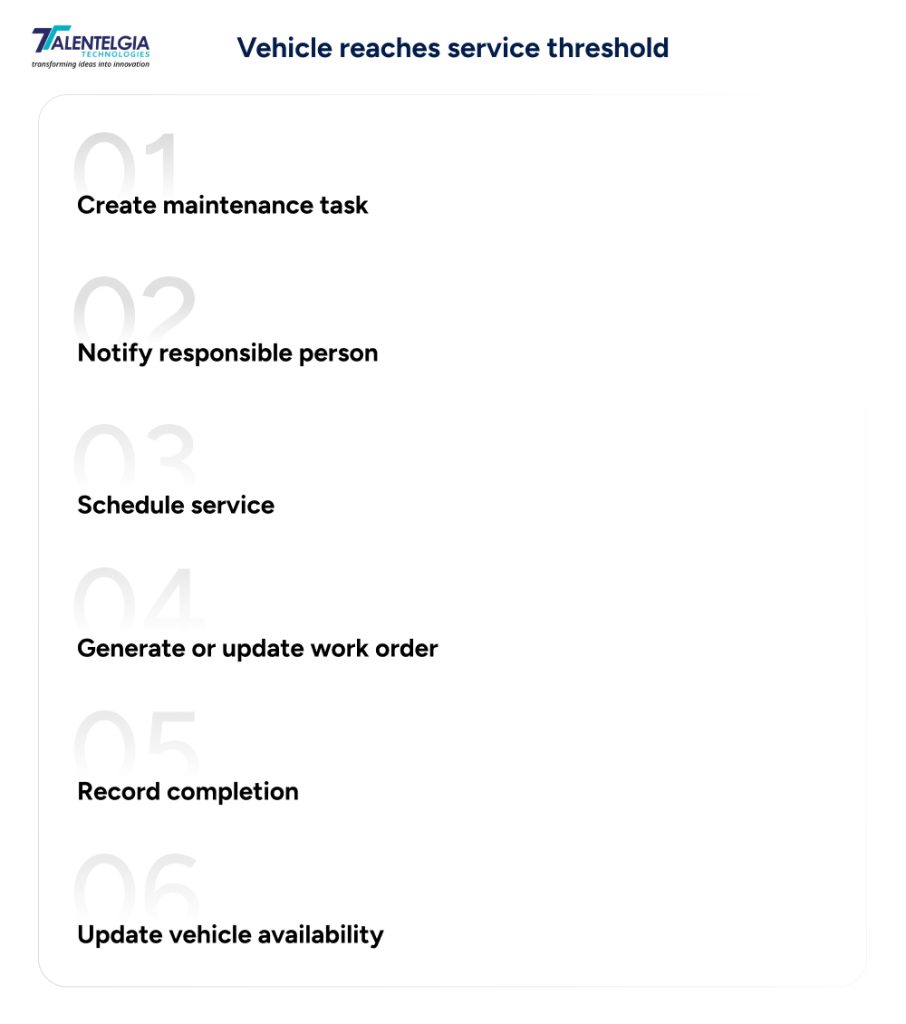
Telematics can make usage-based maintenance more precise because odometer and engine-hour data can be captured directly from connected systems. Geotab’s 2026 maintenance material describes the use of real-time telematics and automated maintenance processes to connect vehicle usage data with service planning.
The important distinction is between reminding and managing maintenance.
A reminder says service is due.
A workflow can move the task toward completion.
Need custom maintenance workflows? Explore Talentelgia’s logistics software development services.
Digital Vehicle Inspections
Inspections are another strong automation candidate because the process is repetitive and produces structured information.
A digital inspection can capture:
- Vehicle condition
- Defects
- Photos
- Driver comments
- Inspection time
- Vehicle identification
- Follow-up status
The workflow can then connect the inspection result to maintenance.
Inspection completed
→ Defect identified
→ Vehicle flagged
→ Maintenance task created
→ Responsible team notified
→ Repair recorded
→ Vehicle cleared
This creates a connected chain instead of storing the inspection as a document that someone must review later.
For regulated fleets, the exact inspection and recordkeeping requirements depend on the jurisdiction and operation. In the United States, FMCSA rules address driver vehicle inspection reports and inspection, repair, and maintenance responsibilities. The software should support the applicable requirements rather than assuming one workflow works everywhere.
This is also where vehicle fleet management software can become a system of record rather than simply a tracking dashboard.
Driver Safety and Behavior
Driver monitoring is often treated as an alerting feature.
A more useful approach is to create a repeatable safety workflow.
Potential triggers include:
- Speeding
- Harsh braking
- Harsh acceleration
- Excessive idling
- Repeated safety events
- Route-related exceptions
- Other available telematics events
The system can classify events and identify patterns rather than treating every incident equally.
Repeated speeding events
→ Detect pattern
→ Assess frequency and severity
→ Notify manager
→ Assign coaching
→ Record the action
→ Monitor future events
This distinction matters.
One isolated event may require awareness. A repeated pattern may justify coaching or investigation. Automation should therefore support the manager rather than automatically making consequential employment decisions.
For fleets subject to U.S. electronic logging requirements, ELD systems also provide automatically recorded data such as location, engine hours, and vehicle miles. FMCSA makes clear that ELDs have a defined compliance role and are not themselves a substitute for every form of vehicle-performance monitoring.
Fuel Monitoring and Anomaly Detection
Fuel management becomes more useful when it moves beyond recording transactions. A connected system can compare:
Fuel transaction + vehicle mileage + location + consumption history
to identify unusual activity.
Potential workflows include:
- Unusual fuel consumption
- Excessive idling
- Unexpected refueling
- Fuel-level changes while stationary
- Declining fuel efficiency
- Repeated anomalies on a vehicle or route
For example:
Fuel level drops unexpectedly while vehicle is stationary
→ Generate exception
→ Check location and vehicle status
→ Notify fleet manager
→ Record investigation
→ Escalate if required
Fuel automation can also focus on idling.
The U.S. Department of Energy notes that a heavy-duty truck can consume about 0.8 gallons of fuel per hour while idling. The actual impact varies by vehicle, engine, operating conditions, and auxiliary equipment, but the figure illustrates why idle monitoring can matter for fuel-intensive fleets.
The objective is not to assume every idle event is wasteful. Drivers may need to idle for legitimate operational or safety reasons.
Route and Dispatch Exceptions
Route planning is often presented as an optimization problem.
In practice, fleet teams also need to manage what happens when the planned route stops matching reality.
Useful triggers include:
- Route deviation
- Unexpected stop
- Delayed arrival
- Changed ETA
- Missed delivery window
- Vehicle becoming unavailable
- Driver or vehicle reassignment
A practical workflow could look like this:
Vehicle is predicted to miss delivery window
→ Flag exception
→ Notify dispatcher
→ Recalculate ETA
→ Review available vehicles
→ Reassign job if appropriate
→ Update customer status
The important word is appropriate.
Fleet software should not blindly reroute or reassign vehicles without considering driver status, vehicle capability, delivery requirements, working-time constraints, or operational priorities. The best fleet automation combines rules with human override.
This is particularly important in logistics operations where a route decision can affect multiple downstream deliveries.
Compliance and Document Expiration
Compliance administration is another area where simple automation can remove repetitive work.
Depending on the jurisdiction and fleet type, records may include:
- Vehicle registration
- Insurance
- Permits
- Inspections
- Driver licenses
- Certifications
- Safety documentation
- Regulatory records
The workflow can be straightforward:
Document approaching expiry
→ Send reminder
→ Escalate if unresolved
→ Flag vehicle or driver status
→ Restrict assignment if configured
→ Record renewal
The exact compliance rules differ by country, vehicle type, and operation. Software should therefore provide configurable workflows rather than hard-code one regulatory model.
For U.S. fleets, for example, FMCSA’s ELD rules cover electronic records of duty status for applicable commercial drivers. ELD technology automatically records defined vehicle and driving information, but the compliance workflow around that data still depends on carrier processes and regulatory requirements.
Automation is most useful when it turns compliance from a periodic manual check into a continuous process.
Breakdown and Fault Response
A fault code is information.
A fault-response workflow turns that information into action.
| Consider: Diagnostic fault detected→ Determine severity→ Flag vehicle→ Notify maintenance team→ Create work order→ Check vehicle availability→ Schedule repair→ Record resolution→ Return vehicle to service |
Not every fault requires immediate intervention. Some can be monitored. Others may require the vehicle to stop operating. That makes severity rules important.
A fleet platform should allow teams to define which events are informational, which require review, and which require escalation. This is where telematics data becomes operationally useful.
The software is no longer simply saying that something happened inside the vehicle. It is helping the organization coordinate the response.
Fleet Utilization
Fleet utilization is often measured after the fact. Automation can help surface underused or overburdened assets earlier.
The platform can identify:
- Low vehicle utilization
- Excessive idle time
- Vehicles frequently unavailable
- Uneven workload distribution
- Repeated downtime
- Assets approaching replacement thresholds
For example:
Vehicle utilization falls below defined threshold
→ Flag asset
→ Compare availability and demand
→ Review assignments
→ Identify possible reallocation
→ Add finding to utilization report
The final decision should remain with the fleet or operations team. Software can identify a pattern. It cannot always understand why a vehicle is underused. A specialized vehicle may have low mileage but still be essential for emergency coverage. Automation should therefore surface the exception rather than blindly recommend disposal.
Reports and Operational Alerts
Reporting is another area where automation should reduce work rather than create more dashboards.
Instead of opening several systems each morning, a manager can receive an exception-focused summary covering:
- Vehicles requiring maintenance
- Unresolved safety events
- Fuel anomalies
- Excessive idling
- Compliance items
- Delivery exceptions
- Downtime
- Utilization
- Cost trends
The principle is simple:
Normal activity stays in the background. Exceptions receive attention. This changes the role of reporting.
A dashboard tells a manager what is happening. Exception management helps determine what deserves attention first.
The right fleet management solutions should therefore measure whether automation reduces unresolved tasks, response times, downtime, or administrative effort rather than simply counting the number of alerts generated.
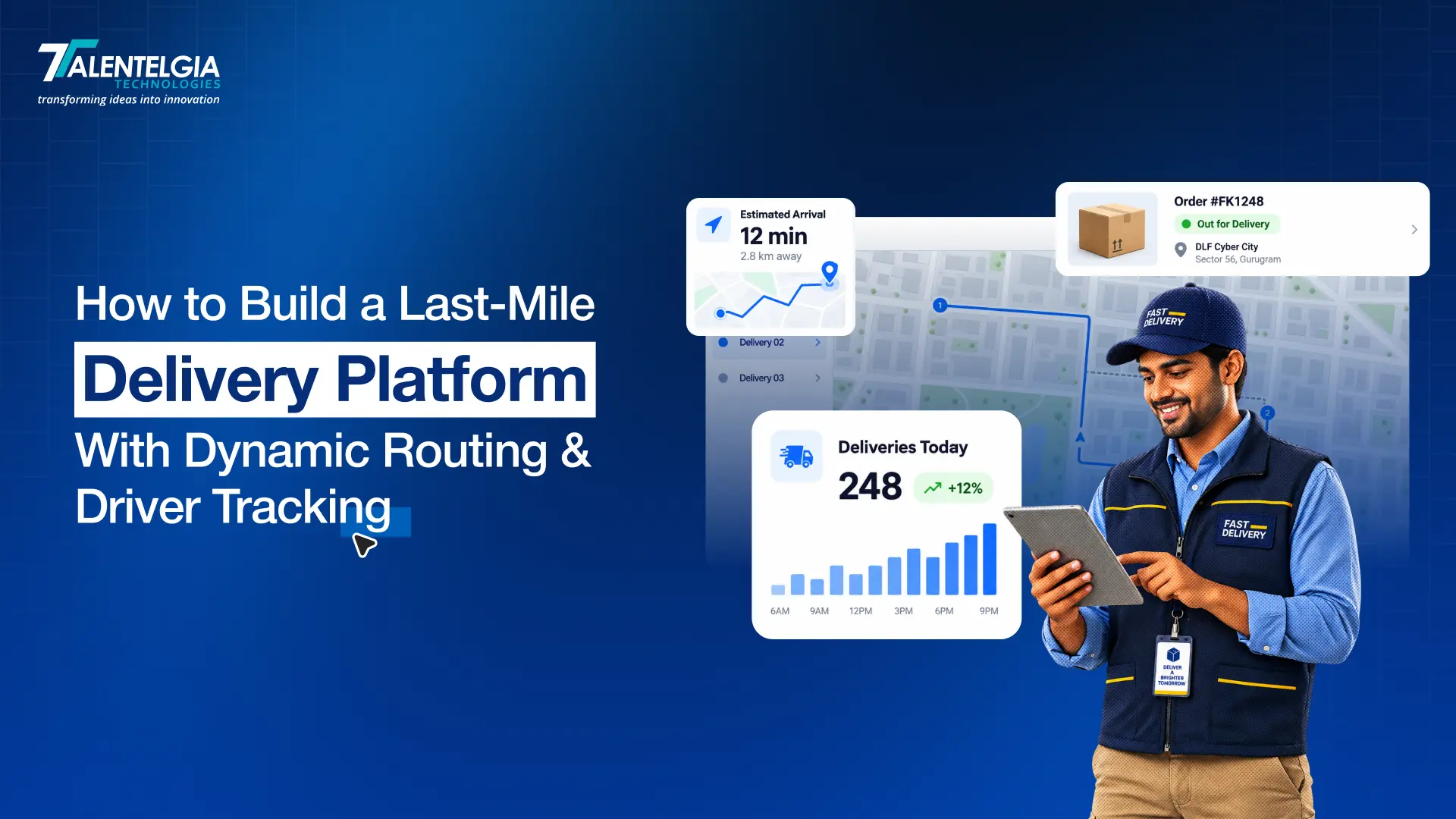
Also Read: How to Build a Last-Mile Delivery Platform With Dynamic Routing & Driver Tracking
From Tracking to Fleet Automation
Fleet automation can be viewed as a progression rather than a single feature.
| Level | What the system does | Example |
| Track | Captures location and vehicle data | Vehicle location |
| Monitor | Detects events | Speeding alert |
| Automate | Starts defined workflows | Maintenance task |
| Predict | Identifies likely future events | Potential component issue |
| Optimize | Supports broader operational decisions | Fleet allocation |
This model also explains why two platforms can both advertise “GPS tracking” yet offer very different operational capabilities.
A basic tracking system may show vehicle locations and generate alerts, while a broader fleet platform can connect that information with maintenance, dispatch, compliance, fuel data, and operational workflows.
The next step is predictive capability, where historical and real-time data can be analyzed to identify patterns that may require attention before they become larger problems. Optimization takes the process further by considering multiple operational constraints when supporting decisions around routes, vehicles, drivers, or capacity. However, not every fleet needs predictive AI to benefit from automation. Many repetitive tasks can already be handled effectively through straightforward rules, such as creating a maintenance task when a vehicle reaches a mileage threshold or escalating an unresolved compliance issue.
Where AI Fits Into Fleet Management Automation
AI has a useful role in fleet operations, but it should not be presented as a requirement for every workflow. Rules work well when the relationship is clear:
If mileage exceeds X → create maintenance task.
AI becomes more relevant when the system must identify patterns across multiple variables.
Potential applications include:
- Predictive maintenance
- Fuel anomaly detection
- ETA prediction
- Driver-behavior pattern analysis
- Document classification
- Safety-event prioritization
- Natural-language reporting
- Operational recommendations
For example, a predictive maintenance system might consider historical faults, operating conditions, usage patterns, and service history to identify a vehicle that deserves inspection. That is different from a simple mileage reminder. The same distinction applies to routing.
A rule can reroute a vehicle after a defined road closure. A predictive model may estimate arrival times using historical and current conditions.
Neither approach is universally better.
The right technology depends on the problem.
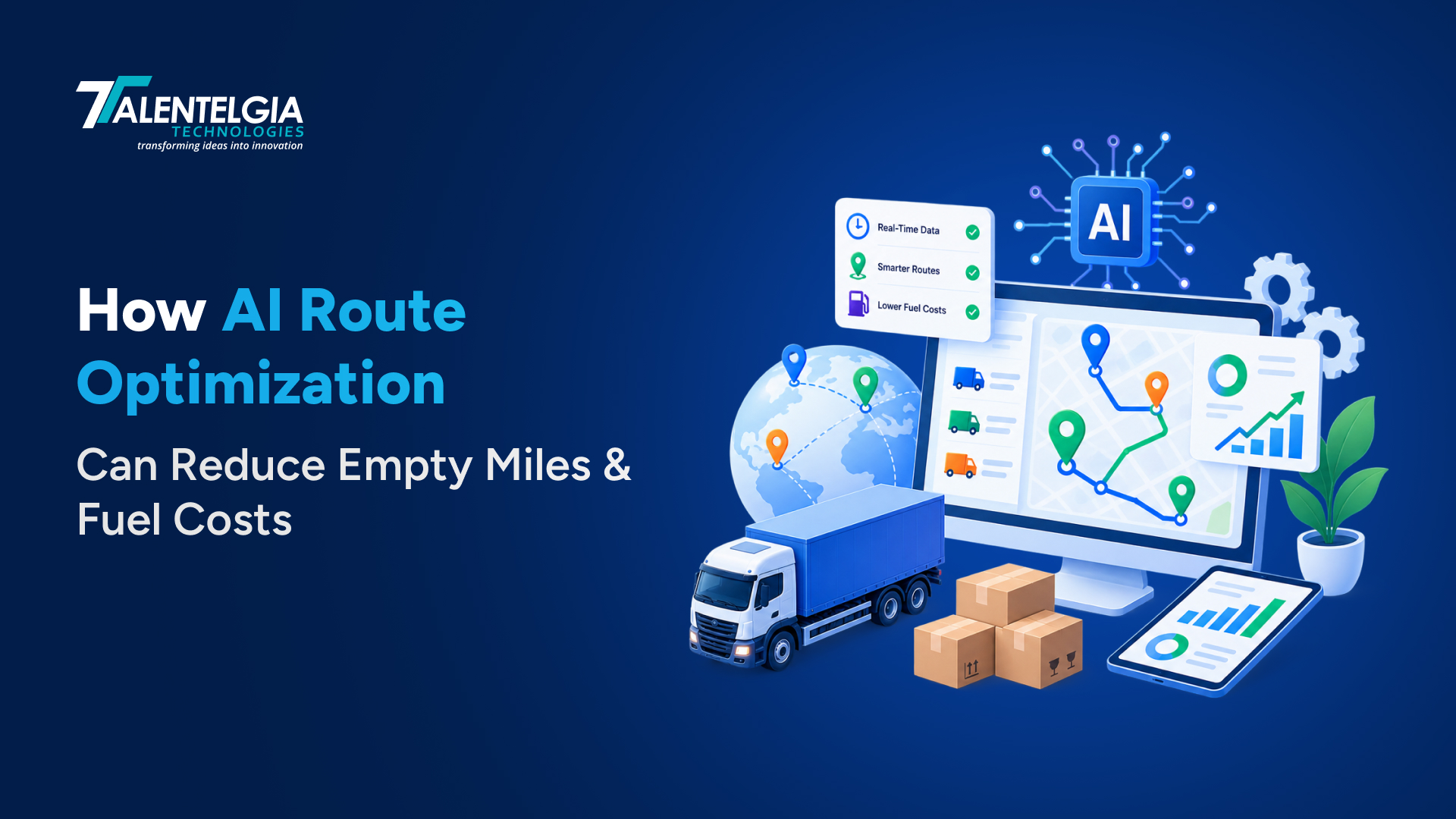
Also Read: AI In Logistics: Everything You Need To Know
How to Evaluate Fleet Management Software for Automation
Once the automation opportunities are clear, feature lists become less useful. The better question is:
What happens automatically when something changes?
Ask vendors questions that expose the actual workflow capabilities of their platform.
1. What can trigger a workflow?
Can triggers use:
- GPS events?
- Mileage?
- Engine hours?
- Fault codes?
- Inspection results?
- Driver behavior?
- Dates?
- Fuel data?
- Delivery status?
2. Can one event trigger multiple actions?
For example:
Fault detected → create work order → notify maintenance → update vehicle status.
If the platform can only send an email, it may provide alerts without providing meaningful workflow automation.
3. Can workflows be customized?
Fleet operations differ by vehicle type, location, customer, route, and business rules. A platform should allow appropriate configuration rather than forcing every operation into one fixed process.
4. Can humans approve automated actions?
Some decisions should remain under human control. Look for approval steps, overrides, escalation rules, and permissions.
5. Can unresolved exceptions escalate?
A useful workflow should answer:
What happens if nobody acts?
That may mean a second notification, manager escalation, task reassignment, or status change.
6. Does it integrate with existing systems?
This is critical for larger operations.
Useful integrations may include:
- ERP
- TMS
- Accounting
- CRM
- Maintenance systems
- Fuel systems
- HR platforms
- Mapping services
- Telematics providers
- APIs and webhooks
Current buyer guidance from Salesforce and Platform Science places integration, APIs, customization, and interoperability among the important considerations when evaluating fleet platforms.
A disconnected fleet platform can become another data silo.
7. Is there an audit trail?
For operational and compliance workflows, teams should be able to see:
- What triggered the event
- What action was taken
- Who approved it
- When it happened
- Whether it was completed
- What happened afterward
8. Can automation be measured?
Do not measure automation only by the number of rules created.
Measure outcomes such as:
- Response time
- Unresolved exceptions
- Maintenance completion
- Vehicle downtime
- Administrative workload
- Fuel anomalies
- Safety-event recurrence
- Delivery exceptions
That is the difference between implementing automation and proving that it works.
Conclusion: Move From Knowing Where Vehicles Are to Knowing What Happens Next
GPS tracking answers an important question: Where is the vehicle? Modern fleet operations need to answer what comes next. That means connecting vehicle data with maintenance, inspections, driver safety, fuel, dispatch, compliance, customer workflows, and business systems.
This is where Talentelgia can help organizations move beyond standalone tracking tools. As a logistics software development company, Talentelgia can build connected logistics platforms around the way a business actually operates, including custom fleet workflows, mobile applications, API integrations, dashboards, and automation.
For businesses with complex requirements, custom logistics software development services can connect fleet data with existing ERP, TMS, CRM, billing, or operational systems rather than creating another isolated dashboard. Talentelgia can also incorporate AI/ML where predictive maintenance, anomaly detection, document processing, or intelligent recommendations genuinely add value.
Planning a connected fleet platform? Talk to our logistics software development company to build custom solutions for your operations.
FAQs
Fleet management software centralizes vehicle, driver, maintenance, tracking, compliance, fuel, and operational data in one system. It can go beyond location visibility by triggering workflows, assigning tasks, sending alerts, recording inspections, and connecting fleet activity with broader business systems efficiently.
Beyond GPS tracking, fleet management software can automate maintenance reminders, inspection workflows, driver-safety alerts, fuel anomaly checks, dispatch exceptions, document-expiry notifications, breakdown escalation, utilization reporting, and other repetitive tasks. The goal is to turn operational events into defined actions instead of leaving every follow-up to staff.
Yes. Fleet management software for small businesses can reduce manual administration by organizing vehicle records, maintenance schedules, inspections, compliance documents, and driver activity. Smaller operators can start with essential workflows and expand automation as their fleet, locations, reporting requirements, and operational complexity increase
Fleet tracking software primarily focuses on vehicle location, movement, routes, and related telematics data. Fleet management software covers a broader operational scope, connecting tracking with maintenance, inspections, safety, fuel, compliance, dispatch, reporting, and workflow automation. Tracking can therefore become one component of a larger management platform.
Talentelgia combines custom software engineering with logistics, mobile, API integration, cloud, AI/ML, QA, and DevOps capabilities. Its logistics practice supports transportation platforms and connected workflows, while its engineering teams can build or extend software around specific operational requirements instead of forcing every business into the same workflow.
Talentelgia provides custom logistics software development services covering web platforms, mobile applications, APIs, integrations, workflow automation, AI/ML, cloud engineering, QA, and DevOps. These capabilities can support systems for fleet operations, transportation workflows, driver applications, customer portals, real-time visibility, and connected business processes.
Yes. Talentelgia can develop custom platforms around defined fleet and logistics workflows, including dashboards, mobile applications, APIs, integrations, automation, and analytics. Custom development is particularly relevant when an organization needs proprietary dispatch logic, legacy-system integration, specialized compliance workflows, or operational processes that standard products cannot accommodate.
A realistic custom-software range depends on scope. Talentelgia states that focused MVPs can cost $5,000–$40,000, mid-complexity business applications $40,000–$100,000, and complex enterprise software $100,000–$500,000+. Logistics platforms with advanced integrations and automation generally require project-specific estimation.
Yes. Talentelgia develops API and integration services that can connect logistics applications with ERP, CRM, SaaS, payment, cloud, and other business systems. Integration can help synchronize operational data, reduce duplicate entry, and create connected workflows across fleet, dispatch, customer, finance, and other business functions.
Yes. AI can be incorporated where it supports a defined operational use case, such as predictive maintenance, anomaly detection, route optimization, document processing, or intelligent recommendations. Our agency’s AI/ML development process includes use-case definition, data assessment, model selection or integration, application development, testing, deployment, and monitoring.









 Sales Enquiries:
  Business queries:
  HR:
HR: 


