



 Healthcare Software Development Services
 Healthcare App Development Services
 Real Estate Web Development Services
 Real Estate App Development Company
 E-Commerce App Development Services
 E-Commerce Web Development Services
 Blockchain E-commerce Development Company
 Fintech Software Development
 Fintech App Development Services
 E-Learning App Development Services
 Restaurant App Development Company
 Mobile Game Development Company
 Travel App Development Company
 Automotive Web Design
 AI Traffic Management System
 AI Inventory Management Software
 Logistics App Development Services
 Machine Learning Development
 ChatGPT integration services
  AI Development Company
  AI Integration Services
  Natural Language Processing Company
 Mobile App Development
  IOS App Development
  Android App Development
  Cross-Platform App Development
  Augmented Reality (AR) App Development
  Virtual Reality (VR) App Development
  Web App Development
  SaaS App Development
 Custom Software Development Services
  Flutter
  React Native
  Swift (IOS)
  Kotlin (Android)
  Mean Stack Development
  AngularJS Development
  MongoDB Development
  Nodejs Development
  Database Development
 Ruby on Rails Development
 Expressjs Development
  Full Stack Development
  Web Development Services
  Laravel Development
  LAMP Development
  Custom PHP Development
  .Net Development
  User Experience Design Services
  User Interface Design Services
  Automated Testing
  Manual Testing
  Digital Marketing Services
 Ride-Sharing And Taxi Services
 Food Delivery Services
 Grocery Delivery Services
 Transportation And Logistics
 Car Wash App
 Home Services App
 ERP Development Services
 CMS Development Services
 LMS Development
 CRM Development
 DevOps Development Services
 AI Business Solutions
 AI Cloud Solutions
 AI Chatbot Development
 API Development
 Blockchain Product Development
 Cryptocurrency Wallet Development
 About Talentelgia
  Our Team
  Our Culture
 Healthcare App Development Services
 Real Estate Web Development Services
 E-Commerce App Development Services
 E-Commerce Web Development Services
 Blockchain E-commerce
Development Company
Blockchain E-commerce
Development Company Fintech App Development Services
 Blockchain Fintech
Development Company
Blockchain Fintech
Development Company E-Learning App Development Services
 Restaurant App Development Company
 Mobile Game Development Company
 Travel App Development Company
 AI Traffic Management System
 AI Inventory Management Software
 AI Development Company
 ChatGPT integration services
 AI Integration Services
 Machine Learning Development
 Machine learning consulting services
 Blockchain Development
 Blockchain Software Development
 Smart contract development company
 NFT marketplace development services
 Asset tokenization companies
 DeFi Wallet Development Company
 IOS App Development
 Android App Development
 Cross-Platform App Development
 Augmented Reality (AR) App
Development
Augmented Reality (AR) App
Development Virtual Reality (VR) App Development
 Web App Development
 Flutter
 React
Native
React
Native Swift
(IOS)
Swift
(IOS) Kotlin (Android)
 MEAN Stack Development
 AngularJS Development
 MongoDB Development
 Nodejs Development
 Database development services
 Expressjs Development
 Full Stack Development
 Web Development Services
 Laravel Development
 LAMP
Development
LAMP
Development Custom PHP Development
 User Experience Design Services
 User Interface Design Services
 Automated Testing
 Manual
Testing
Manual
Testing About Talentelgia
 Our Team
 Our Culture
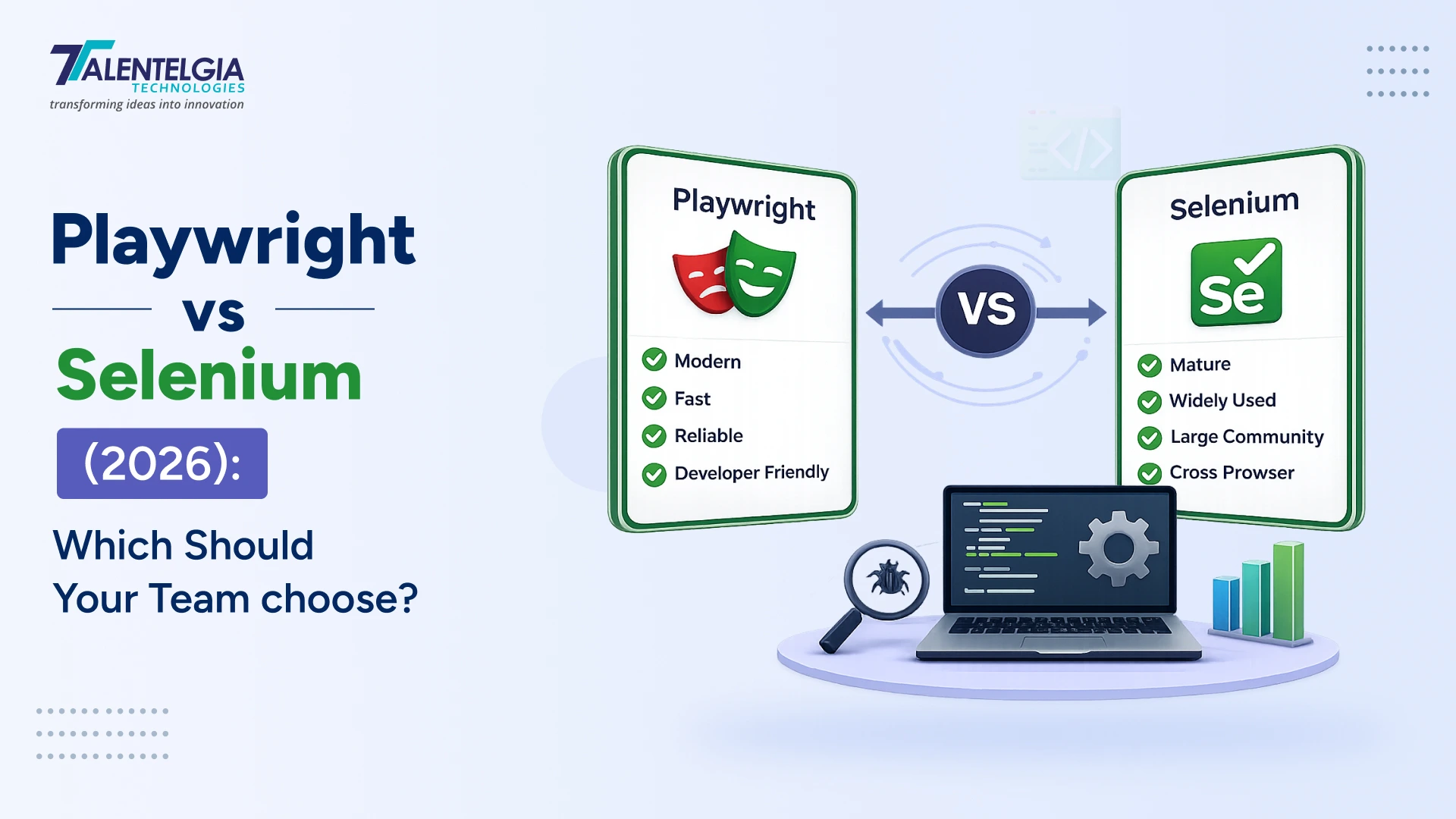
Picking the best automation tool is a crucial step for anyone, be it someone who has just started their career or someone experienced in the field of software testing. In 2026, the Playwright vs Selenium debate is more relevant than ever as modern applications require speedy, reliable, and scalable test automation.
Selenium and Playwright are both strong software testing tools, but they were created to serve different purposes. For beginners, students, and professionals alike, the question is now not “which tool is superior?” but rather “which tool better aligns with my projects, goals, and career development?” This article will provide an evidence-based comparison of Playwright and Selenium, including their main characteristics and technical differences, actual application in business, and career-oriented aspects.
Understanding Test Automation in 2026: Overview of Playwright & Selenium
Before the debate between Playwright and Selenium makes any sense, you need to understand what problem both tools exist to solve. Browser automation involves writing code that simulates user behavior in a web browser —clicking buttons, filling out forms, and navigating pages—and then running it automatically whenever your application changes. This allows one QA engineer to perform manual testing of your software after every pull request, or to simply launch a set of tests in a few minutes.
The two dominant tools in this space, Playwright and Selenium, represent two very different generational answers to the same problem. Selenium arrived in 2004 and defined the category for over a decade. Playwright launched in 2020 and has been redefining it ever since. Understanding why they work differently is the key to understanding which one belongs in your test suite.
Playwright vs Selenium: The Difference
| Dimension | Playwright | Selenium |
|---|---|---|
| Protocol | Chrome DevTools Protocol (CDP) / WebSocket | W3C WebDriver / HTTP per command |
| Origin | Microsoft, 2020 (ex-Puppeteer team) | ThoughtWorks, 2004 (Jason Huggins) |
| Browser Support | Chromium, Firefox, WebKit (modern engines) | Chrome, Firefox, Safari, Edge, IE, Opera, legacy |
| Languages | JS/TS, Python, Java, C# | Java, C#, Python, Ruby, JavaScript, Kotlin |
| Auto-Waiting | Built-in — automatic on every action | Manual — developer must write explicit waits |
| Setup Speed | 1 command, browsers auto-downloaded | More manual; driver management required |
| Execution Speed | ~290ms/action; 42% faster than Selenium | ~536ms/action; 3–5s driver init per session |
| Test Stability | 92% stable; 35% fewer CI retries | 72% stable; timing issues common |
| Parallel Tests | Native via Browser Contexts in one process | Via Selenium Grid (separate infrastructure) |
| Network Interception | Built-in — mock, throttle, abort, inspect | Not native — requires third-party proxy tools |
| Debugging Tools | Trace Viewer, Playwright Inspector, video capture | External tools needed; verbose setup |
| Shadow DOM/iframes | Native support — no workarounds needed | Manual switchTo() and frame traversal |
| Mobile Emulation | Built-in device profiles for 100+ devices | External tools or cloud services required |
| Community Adoption | 45.1% (rising) · 74K+ GitHub stars | 22.1% (declining) · 32K GitHub stars |
| Ecosystem Depth | Growing rapidly — 4 years vs Selenium’s 20-year history | 20+ years of integrations across every major tool |
| Best For | Modern SPAs, React/Angular/Vue apps, new projects | Legacy apps, IE support, existing large suites |
What Is Playwright?
In 2020, the team from Microsoft developed Playwright, a modern framework for automating browser processes. This system was created to work with single-page, dynamic, and complex applications, as well as with applications that use JavaScript.
The main aspect of the Playwright framework is that tests must be reliable by their nature and not because the developer has included the necessary code. Every operation that is performed in Playwright includes the check of the actionability of elements; the system checks whether an element is visible and active before applying any actions. This is a crucial decision as it reduces the number of flakiness cases that happen in Selenium tests.
Playwright brings several features that directly improve developer and QA productivity:
Auto-Waiting vs. Manual Waits
Playwright automatically waits for elements to be visible, enabled, and stable before every interaction. Selenium requires explicit WebDriverWait and ExpectedConditions – miss one, and you get a Thread.sleep() hack that makes tests both slow and brittle.
Programming Languages
Playwright: JS/TS, Python, C#, Java. Selenium: Java, C#, Python, Ruby, JavaScript, Kotlin. Ruby and Kotlin support is exclusive to Selenium — a real consideration for teams with existing test suites in those languages.
Initial Configuration
Playwright: one command (npm init playwright@latest) downloads browsers and scaffolds the project. Selenium now includes Selenium Manager for auto-driver downloads, but still requires more manual configuration and dependency management.
Concurrency Model
Playwright runs parallel tests natively within a single process using lightweight Browser Contexts. Selenium requires Selenium Grid (separate infrastructure) for true parallelism, adding setup and maintenance overhead.
Device Simulation
Playwright includes built-in device emulation profiles for hundreds of devices (iPhone, Pixel, iPad) with correct viewport, user-agent, and touch event simulation. Selenium requires external configuration or BrowserStack/LambdaTest for device testing.
How To Run Playwright Tests: Side-by-Side Code Examples
Playwright is designed to be quick to bootstrap. Because Playwright includes Auto-Waiting and built-in parallel execution, many teams spend less time on framework plumbing and more time writing meaningful tests.
Example #1: Basic Login Test
import { test, expect } from ‘@playwright/test’;
test(‘user can log in’, async ({ page }) => {
// No driver setup needed — page is ready
await page.goto(‘https://example.com/login’);
// Auto-Waitings for element to be visible
await page.fill(‘#email’, ‘user@test.com’);
await page.fill(‘#password’, ‘secret123’);
await page.click(‘button[type=”submit”]’);
// Assert we reached the dashboard
await expect(page)
.toHaveURL(/dashboard/);
});
Example #2: Network Interception (API Mocking)
test(‘mocks API response’, async ({ page }) => {
// Intercept and mock the API call
await page.route(
‘**/api/users’,
route => route.fulfill({
status: 200,
body: JSON.stringify([{
id: 1,
name: ‘Test User’
}])
})
);
await page.goto(‘https://example.com’);
await expect(page
.getByText(‘Test User’))
.toBeVisible();
});
What Is Selenium?
Selenium is an open-source suite of tools for browser automation, created by Jason Huggins in 2004 at ThoughtWorks. It has been the industry standard for web UI testing for over two decades, and that longevity carries genuine advantages: a massive ecosystem of integrations, tutorials, and community knowledge; support for six programming languages (Java, C#, Python, Ruby, JavaScript, and Kotlin); and compatibility with a remarkably wide range of browsers, including legacy environments like Internet Explorer and Opera that Playwright will never support.
Selenium operates through the W3C WebDriver standard, an abstraction layer that communicates with browser-specific driver executables (ChromeDriver, GeckoDriver, SafariDriver) via HTTP. This standardization is both Selenium’s greatest strength and its primary architectural limitation. The standard enables the broad compatibility that makes Selenium viable in so many enterprise environments. The HTTP overhead is what makes it measurably slower than Playwright’s direct browser communication.
Selenium remains powerful because of its ecosystem reach and long-term adoption:
Coverage Range
Playwright covers Chromium, Firefox, and WebKit (all modern browsers). Selenium supports these plus IE, Opera, and older browser versions. For most teams in 2026, Playwright’s coverage is sufficient — IE is officially retired and represents less than 1% of global traffic.
Developer Experience
Playwright ships with a Trace Viewer (interactive timeline of every test action), Playwright Inspector (step-through debugger), and built-in video recording on failure. Selenium debugging depends on external tools and manual configuration.
Integrations & Community
Selenium has 20+ years of integrations with TestNG, JUnit, Cucumber, Jenkins, Azure DevOps, BrowserStack, Sauce Labs, and virtually every enterprise tool ever built. Playwright’s ecosystem is growing rapidly but does not yet match Selenium’s breadth.
API Mocking & Interception
Playwright has built-in network interception: mock API responses, throttle connections, abort requests, inspect all network traffic. Selenium has no native network interception — third-party tools like BrowserMob Proxy are required.
Complex Web Elements
Playwright natively handles Shadow DOM elements and iframes without special workarounds. Selenium requires verbose driver.switchTo() and manual shadow root traversal that frequently breaks across browser updates.
How To Run Selenium Tests: Side-by-Side Code Examples
Selenium test execution starts by choosing a language binding and a runner. That makes Selenium slightly more demanding to configure, but also highly adaptable for teams that need custom execution environments, legacy browser support, or distributed grid orchestration.
Example #1: Basic Login Test
from selenium import webdriver
from selenium.webdriver.common.by import By
from selenium.webdriver.support.ui import WebDriverWait
from selenium.webdriver.support import expected_conditions as EC
driver = webdriver.Chrome()
wait = WebDriverWait(driver, 10)
driver.get(‘https://example.com/login’)
# Must manually wait for elements
email = wait.until(
EC.presence_of_element_located(
(By.ID, ’email’))
)
email.send_keys(‘user@test.com’)
password = driver.find_element(By.ID, ‘password’)
password.send_keys(‘secret123’)
btn = driver.find_element(By.CSS_SELECTOR,
‘button[type=”submit”]’)
btn.click()
assert ‘dashboard’ in driver.current_url
driver.quit() # Must manually close
Example #2: Network Interception (API Mocking)
# Selenium has NO built-in network interception.
# Requires BrowserMob Proxy or similar third-party tool.
#
# Setup requires:
# 1. Install browsermob-proxy
# 2. Start proxy server separately
# 3. Configure Chrome to route through proxy
# 4. Set up request interceptor in proxy
# 5. Wire proxy into ChromeOptions
#
# This is typically 50+ lines of setup
# before you can write a single test assertion.
#
# Some teams use mitmproxy, others use
# Selenium Wire — neither is built-in
# and all require external dependencies
# and maintenance.
from selenium import webdriver
from seleniumwire import webdriver as wire_driver
driver = wire_driver.Chrome()
# … additional proxy setup required
Architecture: Key Differences Between Playwright vs Selenium
Every performance, reliability, and capability difference between Playwright and Selenium ultimately traces back to a single architectural decision: how each tool communicates with the browser. Understanding this is understanding 80% of the debate.
Playwright: Direct Browser Communication
Playwright connects directly to the browser’s internal DevTools Protocol over a persistent WebSocket. Commands travel in one hop: test script → browser. The connection stays open for the entire test session, eliminating the setup/teardown overhead of per-command HTTP requests.
● Test Script
↓ WebSocket (persistent)
● Browser DevTools Protocol
↓ Direct
● Browser Engine
Selenium: WebDriver Abstraction Layer
Selenium routes every command through the W3C WebDriver protocol: test script → HTTP request → browser driver process → browser. Each command is a separate HTTP request-response cycle. The driver process (ChromeDriver, GeckoDriver) adds 3–5 seconds of initialization overhead per session.
● Test Script
↓ HTTP (per command)
● Browser Driver (ChromeDriver, etc.)
↓ W3C WebDriver Protocol
● Browser Engine
The practical consequence: Playwright averages 290ms per action versus Selenium’s 536ms, based on TestDino’s February 2026 benchmarks. On a 250-test end-to-end suite against a React SPA, Playwright finished in 3 minutes 48 seconds; Selenium took 6 minutes 52 seconds — a 45% difference per run. If your CI runs that suite 20 times per day across PRs and merges, the difference is over an hour of pipeline time saved daily.
Selenium’s WebDriver architecture is not a flaw; it is a deliberate design choice that enables the W3C standard’s remarkable cross-browser compatibility. It is a trade-off: universal compatibility in exchange for an extra abstraction layer. Whether that trade-off is worth it depends entirely on whether that compatibility actually matters for your application.
Playwright or Selenium, Which One To Choose?
For most new projects that target modern browsers, Playwright is the better default. It is faster to set up, includes built-in Auto-Waitings, and offers a smoother debugging experience. The decision to stay on Selenium is usually a decision to protect an existing investment, not a decision based on Selenium’s technical superiority for new work.
| Choose Playwright When | Choose Selenium When |
|---|---|
| You’re starting a new automation project from scratch | You have a large existing Selenium test suite that works — migration ROI is unclear |
| Your application uses React, Angular, Vue, or any modern SPA framework | Your team writes tests in Ruby or Kotlin |
| Your team uses JavaScript/TypeScript, Python, Java, or C# | You need to test Internet Explorer or very old browser versions |
| Test execution speed and CI pipeline duration matter | Legacy enterprise applications that predate modern web standards |
| Test flakiness from timing issues is your current biggest problem | Your enterprise toolchain is deeply integrated with Selenium (TestNG, JUnit, etc.) |
| You need built-in network interception and API mocking | Cloud testing platforms with your specific browser/OS combinations are Selenium-only |
| Debugging failed CI tests is difficult with your current tools | Your QA team’s existing expertise is heavily Selenium-invested |
| You need to run tests in parallel without infrastructure overhead | |
| Mobile emulation and responsive design testing are required | |
| Your team values developer experience and modern tooling |
Migrating From Selenium To Playwright: The Practical Path
The most common mistake is attempting a “big bang” migration — rewriting every Selenium test to Playwright overnight. Almost universally, this approach fails. The practical path is incremental adoption.
Run Both Frameworks in Parallel: Don’t Replace
Start by adding Playwright to your existing project without removing Selenium. Write all new feature tests in Playwright. This gives you immediate value without the risk of breaking existing coverage, and lets your team build Playwright fluency gradually on lower-stakes new tests.
Identify Your Flakiest Selenium Tests First
Audit your existing Selenium suite for tests that fail unpredictably, require Thread.sleep() hacks, or need frequent maintenance due to timing issues. These are the highest-value candidates for early migration — Playwright’s Auto-Waiting directly addresses their failure mode.
Use Playwright’s Codegen for Rapid Translation
Playwright’s built-in codegen command records browser interactions and generates Playwright test code automatically. While the output isn’t production-ready without refinement, it dramatically reduces the time to translate existing test scenarios: npx playwright codegen example.com.
Map Selenium Concepts to Playwright Equivalents
WebDriverWait → removed (Playwright Auto-Waitings). driver.findElement(By.css) → page.locator(). driver.executeScript() → page.evaluate(). driver.switchTo().frame() → page.frameLocator(). The mental model is simpler; most Selenium idioms have cleaner Playwright equivalents.
Set a Sunset Date for the Old Suite — Don’t Maintain Both Forever
Running two parallel test suites indefinitely doubles your maintenance burden. After 6–12 months of parallel operation, define a concrete date to retire migrated Selenium tests. Incremental without a deadline often means “permanent double overhead.”
Final Words: Which One Should You Choose?
The answer is clearer than it has been in any previous year. For teams starting fresh on modern web applications, Playwright delivers measurably faster tests, lower flakiness, superior debugging, and a significantly better developer experience out of the box. The architectural advantage is real, and the benchmark data confirms it.
For teams with substantial existing Selenium investments, large suites, enterprise integrations, Ruby or Kotlin test code, the calculation changes. Migration is a real cost, and a working Selenium suite that meets your needs is not a problem to solve. The goal is reliable software delivery, not framework novelty.
Whichever you choose, the investment pays off most when the tool fits your team’s workflow, not when it matches a benchmark. We at Talentelgia Technologies help you pick the one that solves your actual testing challenges and build from there. Contact us today!












 Sales Enquiries:
  Business queries:
  HR:
HR: 


