



 Healthcare App Development Services
 Real Estate Web Development Services
 E-Commerce App Development Services
 E-Commerce Web Development Services
 Blockchain E-commerce Development Company
 Fintech App Development Services
 Fintech Web Development
 Blockchain Fintech Development Company
 E-Learning App Development Services
 Restaurant App Development Company
 Mobile Game Development Company
 Travel App Development Company
 Automotive Web Design
 AI Traffic Management System
 AI Inventory Management Software
 Machine Learning Development
 ChatGPT integration services
  AI Development Company
  AI Integration Services
  Generative AI Development Services
  Natural Language Processing Company
 Mobile App Development
  IOS App Development
  Android App Development
  Cross-Platform App Development
  Augmented Reality (AR) App Development
  Virtual Reality (VR) App Development
  Web App Development
  SaaS App Development
 Flutter
  React Native
  Swift (IOS)
  Kotlin (Android)
  Mean Stack Development
  AngularJS Development
  MongoDB Development
  Nodejs Development
  Database Development
 Ruby on Rails Development
 Expressjs Development
  Full Stack Development
  Web Development Services
  Laravel Development
  LAMP Development
  Custom PHP Development
  .Net Development
  User Experience Design Services
  User Interface Design Services
  Automated Testing
  Manual Testing
  Digital Marketing Services
 Ride-Sharing And Taxi Services
 Food Delivery Services
 Grocery Delivery Services
 Transportation And Logistics
 Car Wash App
 Home Services App
 ERP Development Services
 CMS Development Services
 LMS Development
 CRM Development
 DevOps Development Services
 AI Business Solutions
 AI Cloud Solutions
 AI Chatbot Development
 API Development
 Blockchain Product Development
 Cryptocurrency Wallet Development
 About Talentelgia
  Our Team
  Our Culture
 Healthcare App Development Services
 Real Estate Web Development Services
 E-Commerce App Development Services
 E-Commerce Web Development Services
 Blockchain E-commerce
Development Company
Blockchain E-commerce
Development Company Fintech App Development Services
 Finance Web Development
 Blockchain Fintech
Development Company
Blockchain Fintech
Development Company E-Learning App Development Services
 Restaurant App Development Company
 Mobile Game Development Company
 Travel App Development Company
 Automotive Web Design
 AI Traffic Management System
 AI Inventory Management Software
 AI Development Company
 ChatGPT integration services
 AI Integration Services
 Machine Learning Development
 Machine learning consulting services
 Blockchain Development
 Blockchain Software Development
 Smart contract development company
 NFT marketplace development services
 Asset tokenization companies
 DeFi Wallet Development Company
 IOS App Development
 Android App Development
 Cross-Platform App Development
 Augmented Reality (AR) App
Development
Augmented Reality (AR) App
Development Virtual Reality (VR) App Development
 Web App Development
 Flutter
 React
Native
React
Native Swift
(IOS)
Swift
(IOS) Kotlin (Android)
 MEAN Stack Development
 AngularJS Development
 MongoDB Development
 Nodejs Development
 Database development services
 Expressjs Development
 Full Stack Development
 Web Development Services
 Laravel Development
 LAMP
Development
LAMP
Development Custom PHP Development
 User Experience Design Services
 User Interface Design Services
 Automated Testing
 Manual
Testing
Manual
Testing About Talentelgia
 Our Team
 Our Culture
Inventory management software can cost anywhere from $25 per month to well over $500,000 for a fully custom enterprise build. It is a very clear example of how different businesses operate and what they actually need from an inventory management system.
The problem is that most businesses go into the buying process focused on the subscription price and nothing else. They miss implementation fees, data migration costs, per-user charges, integration expenses, and the hardware that quietly adds up on the side. By the time the first invoice lands, the real number looks nothing like what was quoted.
That is why we have made this thorough guide. Here, we will be discussing every layer of how much inventory management software costs – starting from what the pricing model looks like, what factors push costs up or down, and which expenses tend to catch businesses off guard.
What Is Inventory Management Software?
Inventory management software is a digital system that businesses use to organize, track, and control their stock, like raw materials and finished goods, in a warehouse in real-time. Businesses, with the use of solutions, can replace the majority of human processes like updating, managing, and going through spreadsheets and paper logs with automated tracking, alerts, and reporting. It gives them an accurate, up-to-date view of what they have, where it is, and when they need more.
Who Uses Inventory Management Software?
It is used across industries by businesses that store materials and finished goods – but the list is broader than most people expect:
| Industry | Primary Use Case |
|---|---|
| Retail & eCommerce | Stock syncing across channels, preventing stockouts |
| Manufacturing | Raw material tracking, production planning |
| Healthcare & Pharma | Compliance, expiry tracking, lot control |
| Food & Beverage | Perishable inventory, batch tracking |
| Logistics & 3PL | Multi-warehouse visibility, order fulfillment |
| Automotive | Parts inventory, supplier management |
Key Benefits of Inventory Management Systems
Real-Time Stock Visibility – Know exactly what you have, where it is, and what needs replenishing – at any moment, across every location.
Reduced Carrying Costs – Overstocking ties up cash. The right system keeps stock levels optimized so your money isn’t sitting on shelves collecting dust.
Fewer Stockouts & Oversells – Automated alerts and demand forecasting mean you stop losing sales to empty shelves or overselling products you don’t actually have.
Process Automation – Reorder triggers, purchase order generation, and stock reconciliation happen automatically – cutting down manual work and human error significantly.
Smarter Decision-Making – Sales trend data, inventory turnover reports, and demand forecasts give you the insight to make better buying and stocking decisions, especially during peak seasons.
Inventory Management Software vs ERP Systems
These two software programs are often confused with each other. But they solve different problems.
Inventory Management Software goes deep on one domain: tracking stock, managing warehouses, automating reorders, and optimizing fulfillment. It’s specialized, faster to implement, and purpose-built for businesses where stock control is the core operational challenge.
Enterprise Resource Planning (ERP development services) go wide. It connects inventory, finance, HR, procurement, and manufacturing into a single centralized system, trading depth for breadth across your entire business.
| Inventory Software | ERP System | |
|---|---|---|
| Focus | Stock and warehouse operations | Entire business operations |
| Implementation | Weeks | Months to years |
| Best For | SMBs, multi-warehouse retailers | Large enterprises, multi-entity operations |
| Learning Curve | Low | High |
| Inventory Depth | Advanced and specialized | Basic to moderate |
Main Pricing Models for Inventory Management Software
Before comparing monthly prices, you must identify a tool’s core pricing model. It dictates exactly how your inventory management software costs will scale as your operational footprint grows. For warehouse operations, choosing the wrong model can penalize your business for expanding.
Flat-Rate Pricing
Software comes with a fixed monthly fee regardless of how many users you add. Be it a team of 2 people or 10, the amount remains the same. Most times, it is a pretty economical option for warehouses that prefer seasonal hiring, part-time staff, or cross-trained pickers with rotating shifts.
Per-User Pricing
Per-user pricing charges businesses based on the number of employees accessing the platform. This model is affordable initially, but costs can increase gradually as the warehouse grows.
| Team Size | $29/User | $49/User | $75/User |
|---|---|---|---|
| 2 Users | $58 | $98 | $150 |
| 5 Users | $145 | $245 | $375 |
| 8 Users | $232 | $392 | $600 |
| 10 Users | $290 | $490 | $750 |
For warehouse operations with rotating shifts, seasonal hiring, or temporary staff, flat-rate pricing is often more cost-effective than per-user licensing.
Most vendors also separate pricing into:
- Named users – licenses assigned to specific employees
- Concurrent users – shared access for shift-based teams
Concurrent licensing offers more flexibility but generally comes with higher base pricing.
Subscription-Based Pricing
Most modern inventory management tools work like a Netflix subscription. You pay a recurring amount on a monthly or annual basis. In return, the software vendor takes care of everything running in the background: keeping the system online, securing your data, fixing bugs, and rolling out updates. You just log in and use it.
| Business Size | Typical Monthly Cost | Common Features Included |
|---|---|---|
| Small businesses | $25–$100/month | Stock tracking, reporting, barcode scanning |
| Mid-sized businesses | $100–$500/month | Multi-location inventory, integrations |
| Enterprise businesses | $500–$2,000+/month | Advanced automation, analytics, forecasting |
The biggest advantage of this pricing is lower upfront investment. Companies want to avoid expensive server infrastructure and are always on the lookout for platforms that can scale more easily as operations expand. However, recurring subscription fees can rise quickly when businesses add more users, warehouses, or automation features.
Tiered Pricing Plans
| Pricing Tier | Typical Monthly Cost | Best For |
|---|---|---|
| Free/Freemium | $0 | Startups, micro businesses |
| Entry-Level | $49–$110/month | Small ecommerce operations |
| Mid-Range | $150–$500/month | Growing warehouse teams |
| Enterprise | $349+/month | Complex multi-location operations |
| Sortly Ultra offers QR label printing and basic reporting for around $49/month.Zoho Inventory’s free plan supports limited users and order volume but excludes advanced warehouse capabilities.Odoo Community is technically free to download, but businesses still need to budget for hosting, setup, and database administration. |
Free plans seem to reduce expenses initially for growing businesses. This is why low-cost inventory management software has become increasingly popular among startups, small e-commerce brands, and single-warehouse operations.
However, most businesses outgrow these limitations and move towards the paid platforms that offer more scalable inventory management capabilities.
But that doesn’t mean tiered pricing does not come with issues. The challenge with tiered pricing is that businesses sometimes upgrade entire plans just to access one advanced feature, and that leads to unnecessary cost increases.
Transaction or Usage-Based Pricing
Some vendors price inventory software based on operational activity rather than users alone. Inventory management software costs may depend on:
- Monthly order volume
- SKU count
- Inventory movements
- API requests
- Warehouse locations
This model works well for seasonal businesses because costs fluctuate with business activity. However, rapidly growing companies may face unpredictable expenses as transaction volumes increase.
For example, businesses processing thousands of ecommerce orders monthly may exceed transaction limits quickly, forcing upgrades into significantly higher pricing tiers.
One-Time Licensing Model
Although less common today, some inventory systems still offer one-time licensing, primarily for on-premise deployments.
| Cost Area | Typical Range |
|---|---|
| Software license | $1,000–$10,000+ |
| Infrastructure setup | $10,000–$50,000+ |
| Annual maintenance | 15–25% of the license cost |
What Factors Affect Inventory Management Software Cost?
The sticker price of any inventory management system never tells the actual cost. Several underlying factors can give you an idea about the price your business will pay for inventory management software. Understanding them will definitely help you prevent costly surprises later.
Business Size and User Count
Most platforms price per seat. That means every warehouse associate, purchasing manager, or field technician that is added to the system will increase your monthly bill.
- Small operations typically spend $25–$100/month
- Mid-market businesses $200–$500/month
- Enterprise-level organizations can exceed $2,000/month depending on scale and configuration.
Deployment Model
Cloud-based systems are hosted on the vendor’s servers and accessed through a browser or app. That simply means there is no need to invest in hardware or an IT team. Updates happen automatically in the background. These systems operate on monthly or annual subscriptions, making them the more accessible choice for small to mid-sized businesses.
On-premise solutions, by contrast, are installed directly on your company’s own servers and hardware. You own the software outright, which gives you greater control over data and customization. The tradeoff is a significant upfront investment. Initial implementation alone can run $10,000 to $50,000+, with ongoing IT maintenance, hardware refresh cycles, and annual upgrade fees typically adding another 15–25% of the original license cost each year.
If you are a growing business, cloud-based systems will offer a better ROI as there are lower barriers to entry, and scalability is built in. On-premise systems are a sensible decision for larger enterprises that require specialized infrastructure or strict data sovereignty requirements.
Feature Tier and Add-On Modules
Base plans cover core receiving and stock tracking.
Inventory management software equipped with capabilities such as demand forecasting, multiple warehouse capability, serial number management, AI Integration, Bill of Materials management, and bar-code scanning normally falls into the higher categories, or it may be offered as separate modules at prices between $100-$800 per month.
Integration Requirements
Connecting your inventory system to accounting platforms, eCommerce channels, CRMs, or ERP systems is seldom free. Custom API access, third-party connectors, and legacy system bridges each carry additional development or licensing fees that compound quickly across multiple integrations.
Transaction Volume and SKU Count
Many vendors tier their pricing around monthly order volume, inventory adjustments, or active SKU counts. If your platform requirements go beyond these built-in thresholds, it leads to overage charges or forces an immediate plan upgrade. That is why it is very important to benchmark your actual operations values before you actually commit to the software.
Support and Implementation
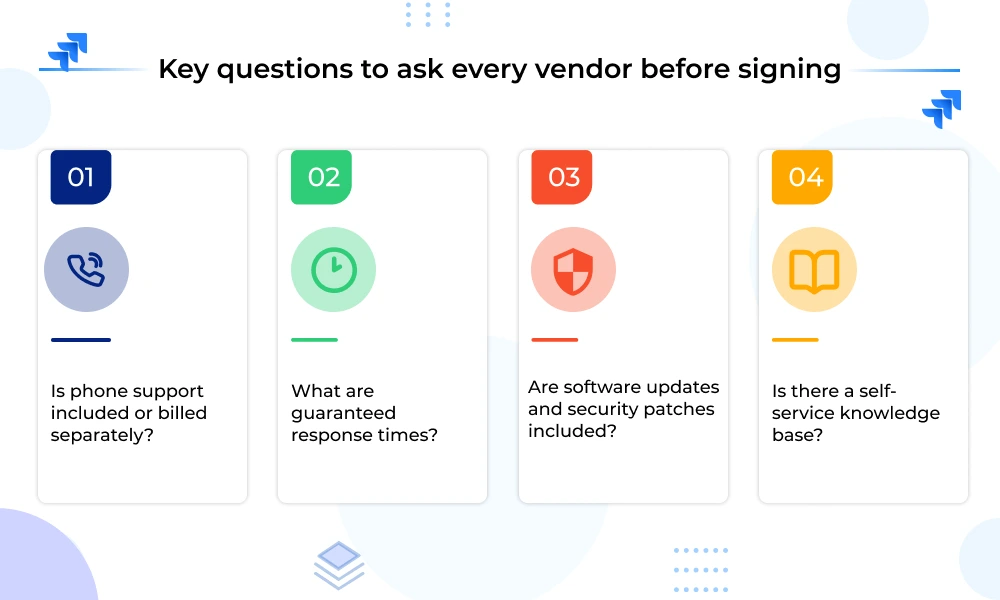
Standard email support is often bundled in. Phone support, dedicated account managers, and SLA-backed response times are premium additions and cost up to $100 to $1,000+/month. Make sure you also consider onboarding, staff training, and data migration. These implementation costs are frequently underestimated but consistently real.
Core Inventory Management Software Costs Businesses Must Consider
The actual inventory management software cost is spread across multiple categories. Each of them is capable of inflating your total investment if not considered at the right time: –
Implementation and Setup Costs
Implementation costs frequently match or exceed your first year of subscription fees, yet they’re consistently underestimated during budget planning.
| Setup Type | Typical Cost | Timeline | Best For |
|---|---|---|---|
| Vendor-guided / Self-service | $0 – $1,000 | 2 – 6 weeks | Small businesses, clean data, simple workflows |
| Mid-sized rollout | $15,000 – $75,000 | 6 – 16 weeks | Multi-location, custom workflows |
| Enterprise (NetSuite, Acumatica) | $100,000+ | 4 – 6 months | Manufacturing, lot tracking, complex fulfillment |
Consultant billing rates:
- Project Managers: $150 – $200/hour
- Solution Architects: $200 – $250/hour
- Senior Developers: $250 – $300/hour
Choosing the cheapest implementation bid almost always costs more in rework, delays, and operational disruption after go-live.
Data Migration Costs
Moving data from spreadsheets or legacy ERP systems into a new platform is one of the most technically demanding and underpriced phases of any rollout.
Typical cost range: $10,000 – $40,000
What drives the higher cost of inventory management software:
- Poor data hygiene – duplicates, inconsistent formats, and missing fields all add consultant hours
- Multiple source systems – consolidating data from several disconnected databases compounds complexity
- Regulated data – records requiring PII redaction or compliance formatting before import
What the migration process actually involves:
- Data extraction from existing spreadsheets, ERP, or databases
- Cleaning and deduplication
- Structural transformation to match the new system’s schema
- Multiple test import runs to identify errors
- Final validation and cutover
| Expect two to four weeks of dedicated effort. Businesses with clean, centralized data sit closer to $10,000. Those consolidating years of fragmented records from multiple systems approach $40,000. |
Employee Training and Onboarding Costs
| Training Format | Typical Cost | Best For |
|---|---|---|
| Train-the-Trainer | $5,000 – $10,000 | Teams with strong internal leads |
| Direct End-User Training (20–50 staff) | $15,000 – $25,000 | Larger teams, warehouse-heavy operations |
| Remote / Virtual Training | Lower cost, less effective for floor staff | Distributed teams with basic workflows |
Role-specific considerations:
- Admin and purchasing staff – Adapt quickly through standard software training
- Warehouse teams – Require hands-on practice with mobile devices, barcode scanners, and physical workflows; remote delivery consistently underperforms here
Don’t overlook post-launch training costs. System updates, new features, and staff turnover make ongoing education a recurring budget line.
Integration Costs
Your inventory system is only as useful as the tools it connects to. Integration costs are one of the most frequently underestimated components of total ownership.
| Integration Type | Typical Cost |
|---|---|
| Pre-built connectors (Celigo, Boomi) | $200 – $800/month per connection |
| Full stack (QuickBooks + Shopify + Amazon + ShipStation) | $1,000 – $4,000/month |
| Custom API build per connection | $5,000 – $25,000 one-time |
| API call fees (per transaction) | $0.01 – $0.05 per call |
Common integrations businesses require:
- Accounting – QuickBooks, Xero
- eCommerce – Shopify, WooCommerce, Amazon
- Shipping – ShipStation, FedEx, UPS
- CRM – Salesforce, HubSpot
- Payments – Stripe, Square
Custom API builds cost less upfront but require developer maintenance every time either connected system updates, making middleware platforms more economical over a 2–3 year horizon.
Hardware Costs
Software alone doesn’t run a warehouse. Physical devices are a non-negotiable part of the total inventory management software cost for any operation handling real inventory movement.
| Hardware | Unit Cost |
|---|---|
| Enterprise Mobile Computers (Zebra, Honeywell) | $1,500 – $3,500 each |
| Desktop Barcode Scanners | $200 – $800 each |
| Industrial Label Printers | $500 – $2,000 each |
| RFID Readers | $1,000 – $3,000+ each |
Maintenance and Support Costs
Every vendor packages support differently. And for businesses where system downtime can directly affect orders, shipments, or revenue, the default support tier is rarely enough.
| Support Level | Typical Monthly Cost | What’s Included |
|---|---|---|
| Basic (Email Only) | Included | Ticket-based support, knowledge base access |
| Standard (Phone + Email) | $100 – $300/month | Business hours phone support |
| Premium | $300 – $1,000+/month | Priority SLAs, dedicated account manager, 24/7 availability |
Hidden Expenses of Inventory Management Software
Data Storage Overages
- Most plans include 10–100 GB of storage; exceeding it costs $0.10–$1.00 per additional GB/month
- Vendors count archived records and backup copies against your quota
- Heavy SKU catalogs with product images hit these limits faster than expected
Bandwidth Charges
- Frequent bulk data exports or continuous integration syncs trigger transfer fees
- Expect $0.05–$0.20 per GB beyond your plan’s included allowance
Customization and Configuration Fees
- Custom workflows, approval logic, or reporting dashboards cost $100–$250/hour
- Even simple customizations consume 10–40 billable hours
- Post-launch change orders are billed at rates 20–40% higher than initial implementation pricing
Annual Price Escalations
- Most contracts include automatic renewal clauses with 3–7% annual price increases
- A $2,500/month plan at 5% annual escalation costs $2,888/month by year four
- Early termination penalties range from 25–100% of the remaining contract value
Consulting and Advisory Fees
- Guidance on feature deployment or system optimization is billed separately
- External consultants charge $150–$300/hour for advisory work not covered under your support plan
Wrapping Up
Real inventory management software cost includes implementation, hardware, training, data migration, and fees that don’t show up until after you’ve signed. Businesses that budget only for the subscription are almost always get surprised by the invoice.
The ones that get it right treat the software as a long-term investment and not just a quick single-time purchase. So, clean your data early, know your order volumes before you commit, and ask vendors for full cost breakdowns, not just the headline number. Do that, and you won’t just avoid budget surprises, you’ll build a system that actually scales with your business.
FAQs
Why is inventory management software so expensive?
The software itself is only part of the cost. Expenses also include implementation, data migration, integrations, employee training, hardware, customization, and ongoing support. Enterprise systems require more configuration and infrastructure, which increases costs significantly.
Is cloud-based inventory software better than on-premise software?
Cloud-based software is easier to deploy, more affordable upfront, and scalable for growing businesses. On-premise systems provide greater control and customization but require significant investments in servers, maintenance, and IT staff.
Do inventory management systems charge per user?
Many vendors use per-user pricing, where businesses pay for each employee accessing the platform. Others offer flat-rate or concurrent-user models, which can be more cost-effective for warehouse operations with rotating staff.
Can free inventory management software support growing businesses?
Free plans work well for startups and small operations with limited inventory. However, most businesses eventually upgrade to paid systems for advanced features, automation, integrations, and higher transaction limits.











 Write us on:
  Business queries:
  HR:
HR: 


