


 Healthcare Software Development Services
 Healthcare App Development Services
 Real Estate Web Development Services
 Real Estate App Development Company
 E-Commerce App Development Services
 E-Commerce Web Development Services
 Blockchain E-commerce Development Company
 Fintech Software Development
 Fintech App Development Services
 E-Learning App Development Services
 Restaurant App Development Company
 Mobile Game Development Company
 Travel App Development Company
 Automotive Web Design
 AI Traffic Management System
 AI Inventory Management Software
 Logistics App Development Services
 Machine Learning Development
 ChatGPT integration services
  AI Development Company
  AI Integration Services
  Natural Language Processing Company
 Mobile App Development
  IOS App Development
  Android App Development
  Cross-Platform App Development
  Augmented Reality (AR) App Development
  Virtual Reality (VR) App Development
  Web App Development
  SaaS App Development
 Custom Software Development Services
  Flutter
  React Native
  Swift (IOS)
  Kotlin (Android)
  Mean Stack Development
  AngularJS Development
  MongoDB Development
  Nodejs Development
  Database Development
 Ruby on Rails Development
 Expressjs Development
  Full Stack Development
  Web Development Services
  Laravel Development
  LAMP Development
  Custom PHP Development
  .Net Development
  User Experience Design Services
  User Interface Design Services
  Automated Testing
  Manual Testing
  Digital Marketing Services
 Ride-Sharing And Taxi Services
 Food Delivery Services
 Grocery Delivery Services
 Transportation And Logistics
 Car Wash App
 Home Services App
 ERP Development Services
 CMS Development Services
 LMS Development
 CRM Development
 DevOps Development Services
 AI Business Solutions
 AI Cloud Solutions
 AI Chatbot Development
 API Development
 Blockchain Product Development
 Cryptocurrency Wallet Development
 About Talentelgia
  Our Team
  Our Culture
 Healthcare App Development Services
 Real Estate Web Development Services
 E-Commerce App Development Services
 E-Commerce Web Development Services
 Blockchain E-commerce
Development Company
Blockchain E-commerce
Development Company Fintech App Development Services
 Blockchain Fintech
Development Company
Blockchain Fintech
Development Company E-Learning App Development Services
 Restaurant App Development Company
 Mobile Game Development Company
 Travel App Development Company
 AI Traffic Management System
 AI Inventory Management Software
 AI Development Company
 ChatGPT integration services
 AI Integration Services
 Machine Learning Development
 Machine learning consulting services
 Blockchain Development
 Blockchain Software Development
 Smart contract development company
 NFT marketplace development services
 Asset tokenization companies
 DeFi Wallet Development Company
 IOS App Development
 Android App Development
 Cross-Platform App Development
 Augmented Reality (AR) App
Development
Augmented Reality (AR) App
Development Virtual Reality (VR) App Development
 Web App Development
 Flutter
 React
Native
React
Native Swift
(IOS)
Swift
(IOS) Kotlin (Android)
 MEAN Stack Development
 AngularJS Development
 MongoDB Development
 Nodejs Development
 Database development services
 Expressjs Development
 Full Stack Development
 Web Development Services
 Laravel Development
 LAMP
Development
LAMP
Development Custom PHP Development
 User Experience Design Services
 User Interface Design Services
 Automated Testing
 Manual
Testing
Manual
Testing About Talentelgia
 Our Team
 Our Culture
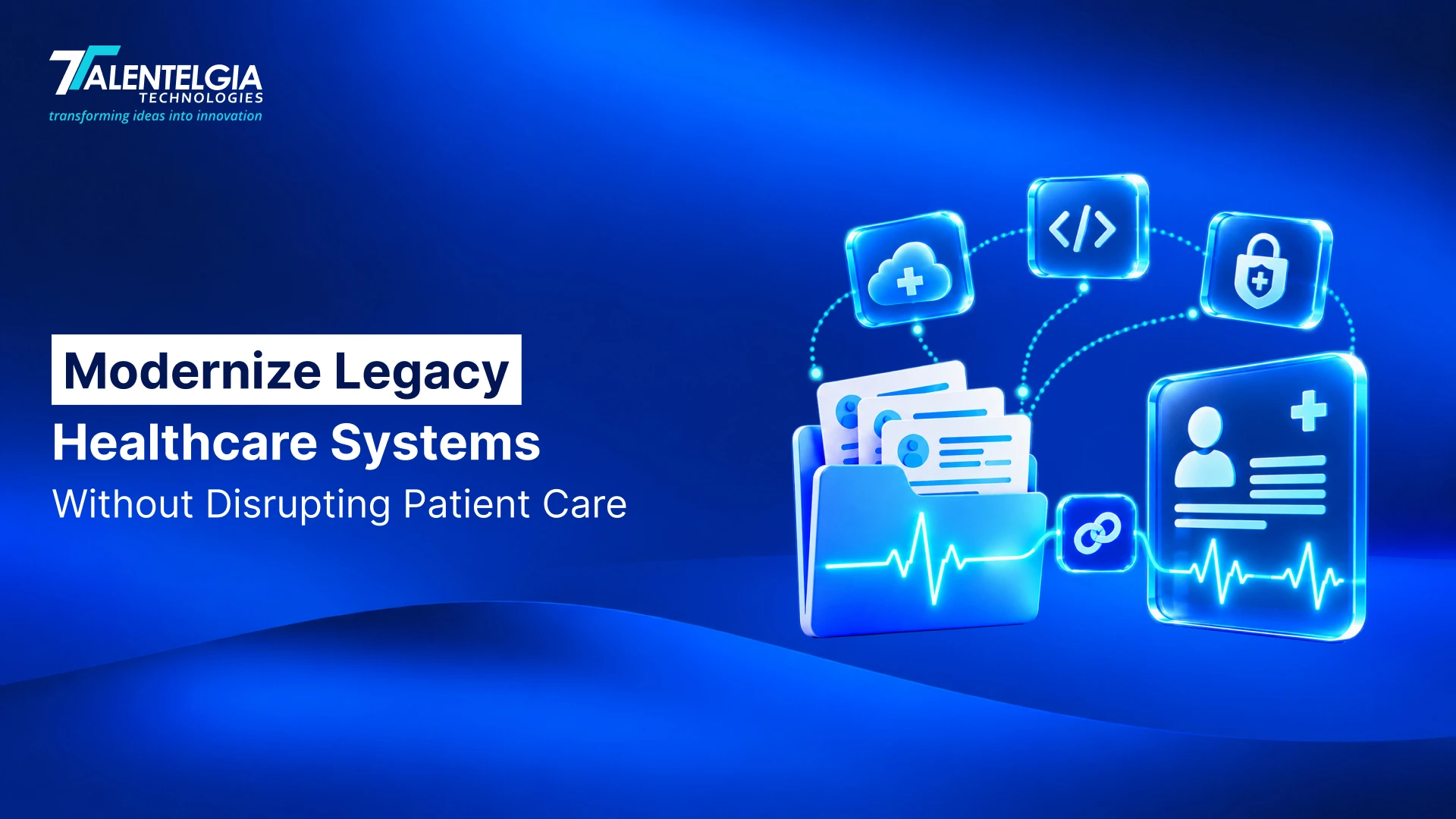
Healthcare providers can modernize legacy systems without disrupting patient care by upgrading applications, data infrastructure, and integrations in controlled phases rather than replacing critical systems all at once. The challenge is that healthcare software rarely operates in isolation. An application may support patient records, clinical documentation, orders, laboratory results, imaging, scheduling, billing, pharmacy workflows, or communication between providers.
That makes healthcare legacy modernization less about replacing old technology and more about managing change around systems that clinicians already depend on. A successful modernization program must preserve access to accurate patient information, maintain critical integrations, protect sensitive data, and give clinical teams a reliable path through every transition.
The safest approach is therefore not “old system versus new system.” It is a controlled progression: assess dependencies, prioritize risk, modernize the right components, synchronize data, validate clinical workflows, transition users in stages, and monitor the environment before retiring what remains of the legacy platform.
What Is Healthcare Legacy Modernization?
Healthcare legacy modernization is the process of updating, restructuring, integrating, replacing, or retiring older healthcare applications and infrastructure so they can support current clinical, operational, security, and interoperability requirements.
A legacy system is not necessarily defined by its age. A relatively old application may still be supported, secure, stable, and appropriate for its role. Conversely, a newer system can become a modernization concern if it is difficult to integrate, dependent on unsupported components, expensive to maintain, or unable to support important workflows.
What makes a healthcare system a modernization concern?
Common warning signs include:
- Unsupported operating systems, databases, or application components
- Limited or fragile integrations
- Difficult-to-maintain custom code
- Inaccessible or poorly structured data
- Repeated manual data entry
- Security controls that are difficult to maintain
- Dependence on a small number of specialists
- Inability to support new clinical or patient-facing applications
- Undocumented interfaces and business rules
Modernization does not always mean replacement
Healthcare providers have several options, depending on what is valuable in the existing system.
| Approach | What changes |
| Rehosting | The application moves to a different infrastructure environment |
| Replatforming | The underlying platform or runtime is upgraded |
| Refactoring | The application code is restructured while preserving useful functionality |
| Rearchitecting | The system’s underlying architecture is redesigned |
| Encapsulation | Existing functionality is exposed through APIs or an integration layer |
| Replacement | The application is replaced with another platform or custom solution |
| Archiving | Historical data is retained while the operational application is retired |
The important decision is not “How do we replace this old system?” but “What needs to change, what should remain, and what can be safely separated?”
Why Legacy Healthcare Systems Are Harder to Modernize
A healthcare application can contain years of operational knowledge that never made it into formal documentation. A scheduling system may encode rules around appointments and departments. A clinical application may contain workflows that providers have adapted to over years of use. A billing platform may include organization-specific logic for claims and reimbursement.
Replacing the software therefore means potentially changing the way people work.
Legacy applications often sit inside critical clinical workflows
Consider a patient’s journey through a healthcare organization. Registration may create the patient record, an EHR may manage clinical information, a laboratory system may process an order, an imaging system may produce results, and a pharmacy system may manage medication-related activity.
The visible application is only one part of the workflow.
If modernization changes how one component exchanges information, the effect can appear somewhere else entirely. A technically successful deployment can still create operational problems if an interface stops delivering results, a role loses access, or a workflow requires information that the new system does not expose in the same way.
Healthcare systems form an interconnected ecosystem
A typical environment can look something like:
EHR → Laboratory → Imaging → Pharmacy → Billing → Payer → Patient Application → External Provider
The exact architecture differs between organizations, but the principle is consistent: dependencies matter.
This is why an application inventory alone is insufficient. Healthcare providers also need a map of interfaces, data flows, scheduled jobs, manual handoffs, authentication dependencies, devices, and downstream consumers.
Patient data is not ordinary application data
Healthcare modernization also has a second layer of complexity: the information being moved or exposed can directly affect patient care.
Patient identity, clinical history, medication information, diagnostic results, encounter records, documents, timestamps, and audit history all need to retain their meaning as systems change.
The objective is not simply to move records from database A to database B. It is to ensure that the information remains accurate, available to authorized users, traceable, and usable in the clinical context where it is needed.
Healthcare cannot simply pause while the architecture changes
A provider may be able to schedule a maintenance window for some systems. It cannot treat every clinical workflow as a normal software release.
That is the fundamental constraint behind healthcare legacy modernization:
What Can Go Wrong When Legacy Healthcare Systems Are Modernized Poorly?
Modernization risk is often described in technical terms: failed deployments, incompatible software, migration errors, or infrastructure problems. In healthcare, those technical failures can quickly become workflow failures.
| Modernization failure | Potential consequence |
| Incorrect patient-data mapping | Clinicians may see incomplete or incorrectly associated information |
| Broken integration | Orders, results, referrals, or other information may not reach the right system |
| Poor performance | Clinical and administrative workflows take longer to complete |
| Authentication failure | Authorized users may be unable to access required information |
| Missing historical data | Clinicians lose important context during care |
| Duplicate records | Patient identity and data integrity become harder to manage |
| Incomplete audit trails | Security and governance processes become harder to verify |
| Failed cutover | Critical operations may be interrupted |
| No rollback procedure | Recovery from a failed transition takes longer |
The biggest modernization risk is not necessarily that the new software fails. It is that the new software works technically while the clinical workflow around it no longer works as expected.
That is why clinical continuity needs to be treated as an engineering requirement, not merely a change-management objective.
How to Assess Legacy Healthcare Systems Before Modernizing Them
A modernization project should begin with discovery rather than development. Before deciding what to rebuild, providers need to understand what the existing environment actually does.
1. Map application dependencies
Document:
- Applications and modules
- Databases
- Infrastructure
- Authentication services
- External systems
- Scheduled processes
- Background jobs
- File transfers
- Third-party services
This establishes the technical dependency graph.
2. Map clinical workflow dependencies
Then look beyond the technology.
For every critical workflow, identify:
- Who performs it?
- What information do they need?
- Which application provides that information?
- Which systems receive the resulting data?
- What happens when one dependency is unavailable?
A workflow map often reveals dependencies that an application diagram misses.
3. Map data dependencies
Identify:
- Patient identifiers
- Clinical records
- Historical information
- Structured and unstructured data
- Data ownership
- Retention requirements
- Source-of-truth systems
- Data transformation rules
Particular attention should be paid to information that exists in several systems but is not necessarily identical across them.
4. Map integration dependencies
Document:
- HL7 interfaces
- FHIR APIs
- REST APIs
- Integration engines
- Webhooks
- File exchanges
- Medical devices
- Third-party platforms
- Payer connections
For each integration, determine what data moves, how often it moves, what happens when delivery fails, and who depends on it.
5. Assess security and compliance dependencies
Review:
- Identity and access management
- Authentication
- Authorization
- Encryption
- Audit logging
- Data exposure
- Vulnerabilities
- Privileged access
- Backup and recovery
For US healthcare organizations, HIPAA’s Security Rule requires appropriate safeguards for the confidentiality, integrity, and availability of electronic protected health information. The practical security controls still need to be determined according to the organization’s risks and environment.
6. Classify business and clinical criticality
Not every system deserves the same modernization priority.
A useful portfolio can classify applications as:
Critical → High → Medium → Low
The priority should reflect clinical impact, security exposure, technical risk, business value, and feasibility.
Modernization priority should be based on clinical impact and technical risk, not simply on which application is oldest.
Need to assess a legacy healthcare platform? Talk to Talentelgia about a risk-based modernization roadmap.
Choose the Right Healthcare Modernization Strategy
Once the environment is understood, the next decision is what to do with each system. Applying the same strategy to every application is rarely practical.
Rehost when infrastructure is the primary problem
Rehosting can make sense when an application remains functionally useful, but its infrastructure needs to change.
However, moving an application does not automatically fix poor architecture, outdated dependencies, or difficult workflows. Rehosting is an infrastructure decision, not a substitute for application modernization.
Replatform when the underlying platform is limiting operations
A provider may retain the application while moving to a newer database, runtime, hosting model, or supported platform.
This can reduce infrastructure constraints without immediately rewriting the application.
Refactor when the application still provides valuable functionality
Refactoring is appropriate when the existing business or clinical logic is useful but the codebase has become difficult to maintain.
The objective is to improve maintainability and changeability without accidentally removing rules that users rely on.
Rearchitect when the existing architecture blocks future development
A monolithic application may make every change dependent on the entire system.
Rearchitecting can separate responsibilities, introduce services, improve APIs, or establish clearer boundaries between domains. It requires more architectural work, but it can provide a better foundation when the existing structure has become the main constraint.
Encapsulate when the legacy core still works
This is particularly useful in healthcare.
A provider does not necessarily need to rewrite a stable legacy application simply because newer applications need access to its data or functionality.
An integration layer can provide a controlled boundary:
Legacy Healthcare System
↓
API / Integration Layer
↓
Modern Services & Applications
↓
Providers / Patients / External Systems
This allows new capabilities to develop around the existing system while the organization determines which legacy components should eventually be replaced.
Replace when the existing system cannot reasonably evolve
Replacement becomes more appropriate when the system is unsupported, insecure, unable to meet critical requirements, or more expensive and risky to maintain than a suitable alternative.
The replacement decision should still account for data migration, workflow changes, integrations, training, and rollback.
Archive or retire when the application is no longer operationally required
Some systems primarily contain historical information.
In such cases, keeping the entire application running may create unnecessary infrastructure and security overhead. A controlled archive can preserve required records while allowing the operational system to be retired.
| Situation | Potential approach |
| Stable application, poor infrastructure | Rehost |
| Stable core, outdated platform | Replatform |
| Valuable application, high technical debt | Refactor |
| Architecture blocks future development | Rearchitect |
| Stable legacy system needing modern integration | Encapsulate |
| Unsupported or unsuitable application | Replace |
| Historical-only application | Archive/retire |
The objective is not to maximize the amount of technology that gets rebuilt. It is to modernize the parts that create the greatest clinical, operational, security, or strategic constraint.
How to Modernize Without Disrupting Patient Care
This is where healthcare legacy modernization becomes fundamentally different from a conventional software replacement.
The safest pattern is:
Assess → Prioritize → Modernize → Synchronize → Validate → Transition → Monitor
Step 1: Map critical clinical workflows
Do not begin with the codebase. Begin with the work.
Identify the workflows that cannot fail and understand what happens from beginning to end.
For example, instead of testing only whether a laboratory integration works, map the complete journey:
Order created → Order transmitted → Laboratory receives order → Test processed → Result returned → Result associated with patient → Clinician receives result
Every step represents a dependency that modernization needs to preserve.
Step 2: Divide modernization into controlled waves
Avoid treating the transformation as:
Old system → New system
A safer model is:
Legacy → Modern component → Validate → Expand → Repeat
The modernization boundary can be a module, department, location, workflow, service, or user group.
The right boundary depends on the architecture and clinical risk.
Step 3: Build modern components alongside the legacy environment
Parallel operation gives teams an opportunity to compare behavior before committing the organization to a complete transition.
For example:
┌───────────────────┐
│ Modern Component │
└─────────┬─────────┘
│
Patient / Clinical ───── Integration Layer
Workflow │
│
┌─────────▼─────────┐
│ Legacy System │
└───────────────────┘
The purpose is not to keep two systems running forever. It is to create a controlled period in which data, workflows, performance, and integrations can be compared.
Step 4: Synchronize and reconcile data
Data synchronization is only useful if the organization can determine whether the two environments agree.
Validation should consider:
- Record counts
- Patient identity
- Field mapping
- Relationships
- Timestamps
- Clinical values
- Documents
- Historical information
- Updates made during the transition
A migration can complete successfully at the database level while still producing clinically significant discrepancies.
Step 5: Test real clinical scenarios
A technical test might ask:
Does the API return a successful response?
A clinical test asks:
Can the clinician complete the workflow from beginning to end with the correct information?
That difference matters.
Workflow testing should include normal scenarios, exceptions, integration failures, high-volume conditions, permission differences, and recovery situations.
Step 6: Roll out incrementally
Depending on the organization, rollout may occur:
- Department by department
- Location by location
- Module by module
- User group by user group
- Feature by feature
A phased rollout creates smaller failure domains and allows lessons from one stage to inform the next.
Step 7: Define rollback criteria before deployment
Rollback should not be an improvised decision made after something goes wrong.
Before cutover, define:
- What constitutes unacceptable failure?
- Who has authority to stop the rollout?
- How will traffic return to the previous system?
- What happens to transactions created during the transition?
- How will data be reconciled afterward?
- How will users be informed?
The answers should be documented, tested, and understood by technical and operational teams.
Step 8: Decommission only after proving continuity
The old system should not be retired simply because the replacement is live.
Before decommissioning, verify:
- Data reconciliation is complete
- Required historical information remains accessible
- Critical workflows work as expected
- Integrations have been migrated or retired
- Recovery procedures are tested
- Retention obligations are satisfied
- Security and access controls are reviewed
The goal is not to promise zero downtime. The goal is controlled continuity with defined recovery paths when something does not go according to plan.
Also Read: Types of Healthcare Software in 2026
How to Protect Patient Data During Healthcare System Modernization
Data migration should be treated as its own engineering workstream rather than as the final step of application deployment.
A practical sequence is:
Extract → Transform → Map → Validate → Reconcile → Load → Verify
Protect PHI throughout the migration
Migration environments can temporarily expose sensitive information to more systems, accounts, administrators, scripts, and infrastructure than normal production operations.
Controls should therefore address:
- Encryption in transit and at rest where appropriate
- Least-privilege access
- Authentication
- Secure migration environments
- Audit logging
- Secrets management
- Data masking where appropriate
- Controlled administrator access
- Backup and recovery
- Secure disposal of temporary data
HHS describes the HIPAA Security Rule in terms of protecting the confidentiality, integrity, and availability of ePHI. It also emphasizes risk analysis, access controls, audit controls, authentication, and transmission security. These principles are particularly relevant during modernization because the migration itself creates new data flows and temporary access paths.
Preserve data integrity, not just data volume
“All database rows arrived” is not a meaningful acceptance criterion on its own.
A migrated patient record must remain:
- Correctly associated with the patient
- Structurally valid
- Clinically meaningful
- Accessible to authorized users
- Traceable
- Consistent with required historical context
Clinical owners should participate in validating transformations where a mapping error could change how information is interpreted.
Separate active data from historical data
Not every historical record needs to remain inside the new transactional application.
A provider may determine that active information belongs in the new system while older records are maintained in a controlled archive with appropriate access and retention controls.
That can simplify the target application without sacrificing historical availability.
Modernize Healthcare Interoperability Alongside the Application
Interoperability is often where legacy modernization becomes difficult.
A provider may have an EHR using established HL7 interfaces, a laboratory system with its own integration requirements, an imaging environment using DICOM, newer patient-facing applications using FHIR APIs, and third-party services communicating through REST APIs.
Modernization therefore needs an interoperability architecture, not just a collection of new endpoints. This can require healthcare software development services that extend beyond application development, including API development, integration work, data transformation, and the modernization of patient-facing or internal applications. These services need to fit the provider’s existing interoperability architecture rather than create another isolated system.
Why interoperability matters during modernization
Modern healthcare environments may exchange information between:
- EHRs and EMRs
- Laboratories
- Imaging systems
- Pharmacies
- Medical devices
- Payers
- Patient applications
- External providers
- Analytics platforms
CMS’s current interoperability work continues to emphasize standards-based exchange, including FHIR APIs and participation across providers, EHRs, payers, pharmacies, networks, and patient-facing applications.
Don’t turn FHIR into a checkbox
A legacy environment does not necessarily need to convert every internal workflow to FHIR immediately.
A practical architecture can look like:
Legacy Clinical Systems
↓
HL7 / Existing Interfaces
↓
Integration & Transformation Layer
↓
FHIR APIs / Modern Services
↓
Provider, Patient & External Applications
This approach allows existing interfaces to continue where they are effective while modern applications gain standardized access where it provides value.
The important work happens in the middle: mapping, terminology, validation, identity matching, error handling, synchronization, and access control.
Make integrations observable
Modernization should also make it possible to answer:
- Was the message sent?
- Was it received?
- Was it validated?
- Was it rejected?
- Was it processed?
- Did a downstream system fail?
- Was a retry attempted?
- Did the same event arrive twice?
Integration monitoring, structured logging, auditability, retries, validation, and clear failure handling become increasingly important as the organization moves away from undocumented point-to-point connections.
How to Test a Modernized Healthcare System Before Cutover
Healthcare testing should extend beyond conventional functional testing.
| Test area | What it validates |
| Functional testing | Features behave according to requirements |
| Integration testing | Connected systems exchange information correctly |
| Data validation | Migrated information remains accurate |
| Clinical workflow testing | Complete care processes still work |
| Security testing | Access and data-protection controls operate correctly |
| Performance testing | Expected workloads can be handled |
| Recovery testing | The organization can recover from failures |
| Rollback testing | The previous operating path can be restored |
| User acceptance testing | Clinicians and operational users can complete their work |
The most valuable test may be the one that combines several of these.
Instead of asking whether an individual screen works, test a complete workflow from patient registration through the downstream systems that depend on it.
Don’t test only whether the new system works. Test whether the care process still works.
How to Measure Whether Healthcare Legacy Modernization Is Working
Modernization does not end on launch day.
CIOs and CTOs should establish baseline measurements before the project and compare them with post-migration performance.
Technical indicators
- System availability
- Response time
- Application errors
- Integration failures
- Recovery performance
Data indicators
- Migration discrepancies
- Duplicate records
- Reconciliation exceptions
- Failed transformations
- Data-quality issues
Clinical and operational indicators
- Workflow completion time
- User errors
- Support requests
- Adoption
- Manual workarounds
Security indicators
- Vulnerabilities
- Access violations
- Audit findings
- Security events
Business indicators
- Legacy maintenance expenditure
- Infrastructure costs
- Development cycle time
- Ability to introduce new digital capabilities
The right measurement framework depends on the modernization objective. A rehost project may prioritize infrastructure reliability, while an application replacement may focus more heavily on workflow performance, interoperability, adoption, and long-term maintainability.
When these changes require substantial application redesign, integration, or data work, a healthcare software development company can help connect the modernization strategy with the engineering work required to implement it. If you are assessing a modernization project, talk to Talentelgia about architecture, integration, migration, and workflow continuity.
How a Healthcare Software Development Company Can Support Legacy Modernization
Successful modernization requires more than developers who can rewrite an application. Providers need engineering expertise that connects clinical workflows with legacy architecture, data, interoperability, security, and deployment risk. A healthcare software development company can support:
- Legacy application and workflow assessment
- Architecture, API, HL7, and FHIR integration
- EHR/EMR connectivity and database restructuring
- Data migration, mapping, and reconciliation
- Security, cloud, and infrastructure modernization
- Functional, integration, and clinical workflow testing
- DevOps, observability, and post-migration support
Talentelgia’s healthcare engineering practice covers application refactoring, API enablement, database restructuring, cloud migration, and service decomposition, along with HL7, FHIR, data transformation, synchronization, authentication, access controls, and healthcare integrations. For providers developing custom healthcare software, this broader capability matters because new applications often need to coexist with the systems they extend or replace. Modernization should therefore account for the existing environment from the beginning rather than treating integration as a later task.
Healthcare providers do not have to choose between keeping legacy technology indefinitely and replacing everything at once. A controlled approach can modernize applications, data, and infrastructure while preserving the workflows, integrations, and access clinicians depend on. The objective of healthcare legacy modernization is not simply newer software, but a more maintainable technology foundation that can evolve without disrupting the care it supports.
Planning a healthcare modernization project? Talk to Talentelgia about architecture, integration, migration, and workflow continuity.
Frequently Asked Questions (FAQs)
Healthcare legacy modernization is the process of updating, integrating, restructuring, replacing, or retiring older healthcare technology. The goal is to improve maintainability, security, interoperability, and scalability while preserving clinical workflows, patient-data integrity, and access to information required for care.
Providers may need modernization when legacy platforms become difficult to maintain, integrate, secure, or scale. Unsupported technology, fragmented data, manual workarounds, and limited interoperability can increase operational risk. Modernization helps address those constraints without necessarily requiring complete replacement of every existing system.
Hospitals can reduce disruption by assessing dependencies first, prioritizing critical workflows, modernizing in phases, synchronizing and reconciling data, testing complete clinical scenarios, and using controlled cutovers with defined rollback procedures. Running selected legacy and modern components in parallel can provide additional validation before wider transition.
Replacement is only one modernization option. Providers should consider the system’s clinical importance, security exposure, vendor support, technical condition, integration requirements, data value, and future role. Stable systems may be encapsulated or replatformed, while unsupported or unsuitable systems may justify replacement or retirement.
FHIR provides a standardized, API-oriented way to exchange healthcare information. During modernization, it can provide modern applications with structured access to clinical data without requiring every legacy system to be rebuilt immediately. An integration layer can connect existing HL7 interfaces with FHIR-based applications and services.
There is no universal modernization timeline. Duration depends on the number of systems, clinical criticality, integration complexity, data quality, migration scope, security requirements, testing needs, and rollout strategy. A focused application change can be much smaller than a multi-site enterprise transformation involving several clinical systems.
A healthcare software development company can assess legacy architecture, map clinical workflows, design modernization strategies, develop APIs, migrate and validate data, integrate healthcare systems, improve security, and support testing and deployment. The right partner should understand both software engineering and the operational requirements of healthcare environments.











 Sales Enquiries:
  Business queries:
  HR:
HR: 


