



 Healthcare App Development Services
 Real Estate Web Development Services
 E-Commerce App Development Services
 E-Commerce Web Development Services
 Blockchain E-commerce Development Company
 Fintech App Development Services
 Fintech Web Development
 Blockchain Fintech Development Company
 E-Learning App Development Services
 Restaurant App Development Company
 Mobile Game Development Company
 Travel App Development Company
 Automotive Web Design
 AI Traffic Management System
 AI Inventory Management Software
 Machine Learning Development
 ChatGPT integration services
  AI Development Company
  AI Integration Services
  Generative AI Development Services
  Natural Language Processing Company
 Mobile App Development
  IOS App Development
  Android App Development
  Cross-Platform App Development
  Augmented Reality (AR) App Development
  Virtual Reality (VR) App Development
  Web App Development
  SaaS App Development
 Flutter
  React Native
  Swift (IOS)
  Kotlin (Android)
  Mean Stack Development
  AngularJS Development
  MongoDB Development
  Nodejs Development
  Database Development
 Ruby on Rails Development
 Expressjs Development
  Full Stack Development
  Web Development Services
  Laravel Development
  LAMP Development
  Custom PHP Development
  .Net Development
  User Experience Design Services
  User Interface Design Services
  Automated Testing
  Manual Testing
  Digital Marketing Services
 Ride-Sharing And Taxi Services
 Food Delivery Services
 Grocery Delivery Services
 Transportation And Logistics
 Car Wash App
 Home Services App
 ERP Development Services
 CMS Development Services
 LMS Development
 CRM Development
 DevOps Development Services
 AI Business Solutions
 AI Cloud Solutions
 AI Chatbot Development
 API Development
 Blockchain Product Development
 Cryptocurrency Wallet Development
 About Talentelgia
  Our Team
  Our Culture
 Healthcare App Development Services
 Real Estate Web Development Services
 E-Commerce App Development Services
 E-Commerce Web Development Services
 Blockchain E-commerce
Development Company
Blockchain E-commerce
Development Company Fintech App Development Services
 Finance Web Development
 Blockchain Fintech
Development Company
Blockchain Fintech
Development Company E-Learning App Development Services
 Restaurant App Development Company
 Mobile Game Development Company
 Travel App Development Company
 Automotive Web Design
 AI Traffic Management System
 AI Inventory Management Software
 AI Development Company
 ChatGPT integration services
 AI Integration Services
 Machine Learning Development
 Machine learning consulting services
 Blockchain Development
 Blockchain Software Development
 Smart contract development company
 NFT marketplace development services
 Asset tokenization companies
 DeFi Wallet Development Company
 IOS App Development
 Android App Development
 Cross-Platform App Development
 Augmented Reality (AR) App
Development
Augmented Reality (AR) App
Development Virtual Reality (VR) App Development
 Web App Development
 Flutter
 React
Native
React
Native Swift
(IOS)
Swift
(IOS) Kotlin (Android)
 MEAN Stack Development
 AngularJS Development
 MongoDB Development
 Nodejs Development
 Database development services
 Expressjs Development
 Full Stack Development
 Web Development Services
 Laravel Development
 LAMP
Development
LAMP
Development Custom PHP Development
 User Experience Design Services
 User Interface Design Services
 Automated Testing
 Manual
Testing
Manual
Testing About Talentelgia
 Our Team
 Our Culture
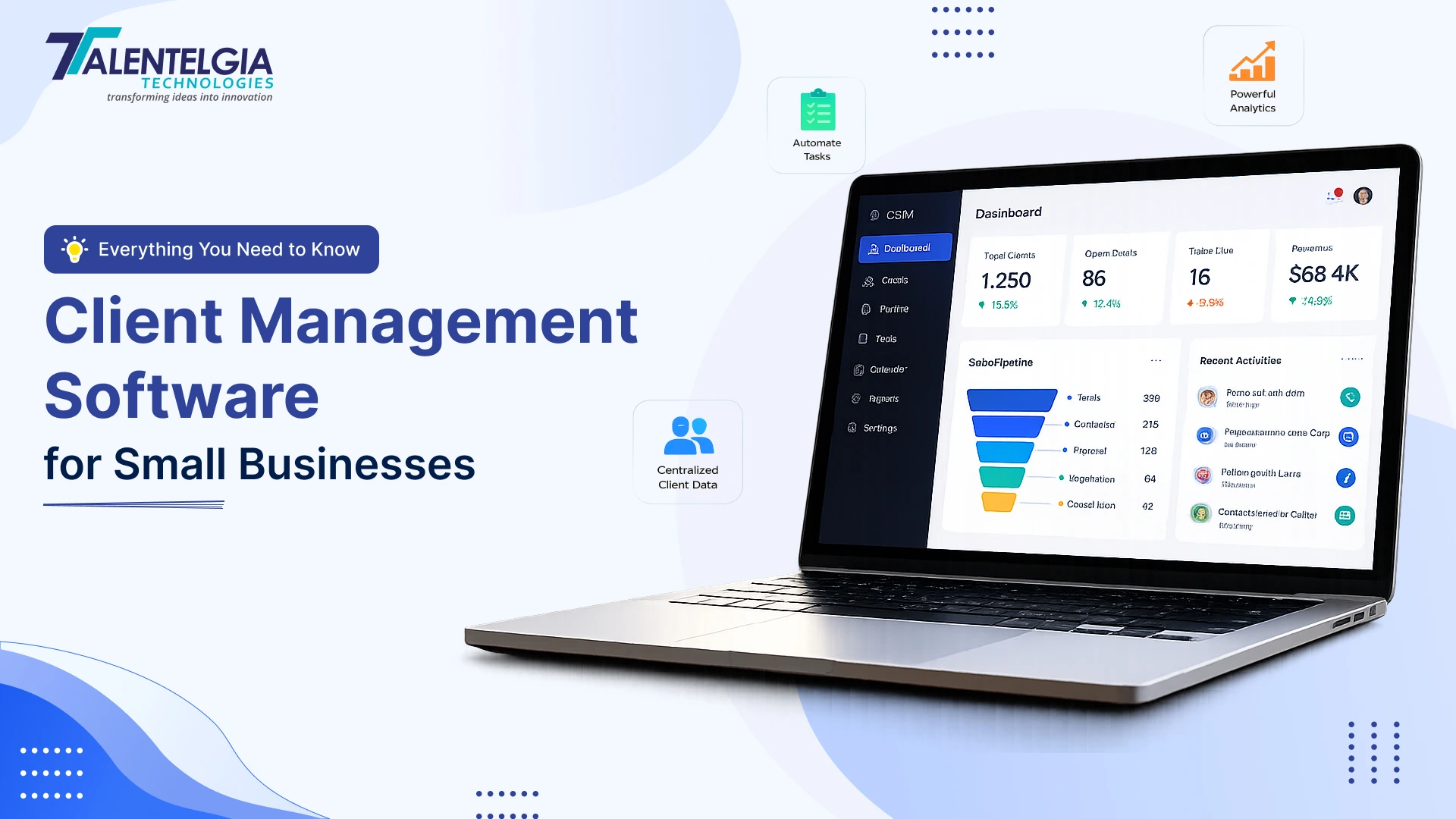
Running a small business means handling dozens of tasks altogether. Managing client relationships is one of the most critical responsibilities. Yet most small business owners still rely on traditional sticky notes, spreadsheets, or just memory to track leads and customer history.
That is why more businesses are now investing in client management software for small business operations. The right software helps businesses stay organized, manage customer relationships more efficiently, improve communication, and streamline day-to-day workflows without adding unnecessary complexity.
But there are so many CRM platforms and customer management tools in the market. Choosing the right one for your small business can be truly overwhelming since there is so much to consider: features, pricing, integrations, automation capabilities, scalability, and whatnot.
But there is nothing to worry about. In this blog, we provided you with all the information you needed before investing in a tool for your business.
What Is Client Management Software for Small Businesses?
A client management software for a small business can be defined as a single digital system that facilitates companies to record all interactions with current and potential clients from past to present.
In contrast to general business solutions, the latter includes all:
- Client information and contact history
- Deal stages and pipeline visibility
- Reminder for follow-ups and task assignments
- Purchase records and account activity
- Multi-channel engagement across email, calls, and social
CMS vs. CRM — What’s the Difference?
Both are frequently used interchangeably; however, there exists a slight variation.
A CRM is a wider term that covers areas like lead generation, sales funneling, customer support services, and automation of marketing efforts. A client management system, which falls into the latter category, is concerned more with managing current client relations, dealings, and data.
Remember, every client management system is a CRM, but not every CRM is a dedicated client management system.
How Does Client Management Software Work?
In simple words, the software serves as a source of truth. Here’s an overview of what happens:
- Data capture – Every email interaction, logged calls, form completion, and meeting notes are automatically logged against the particular contact or account.
- Centralised storage – The data for all the clients is stored at one convenient location, eliminating the need for fragmented Excel sheets and endless email trails.
- Automated workflows – Follow-ups, to-do tasks, and pipeline changes are automated using set criteria.
- Team visibility – All members have access to the complete background information of the client, thereby ending the “what happened on that call” phase.
Reporting and analytics – Insights into the client’s behavior, deal flow velocity, and financial projections are found in pre-set dashboard views.
Today’s systems go one step further with AI integration services like predictive lead scoring, sentiment analysis, auto-summaries for meetings, and smart suggestions for up-selling, powered increasingly by generative AI development services, turning raw client data into actionable business intelligence.
Signs Your Small Business Needs Client Management Software
Most small businesses don’t outgrow their systems in just a day. The change is gradual. It might begin with a missed follow-up or a lost contact until one day when the cracks are too wide to ignore. Here are some of the most common signs that it is time to make the move.
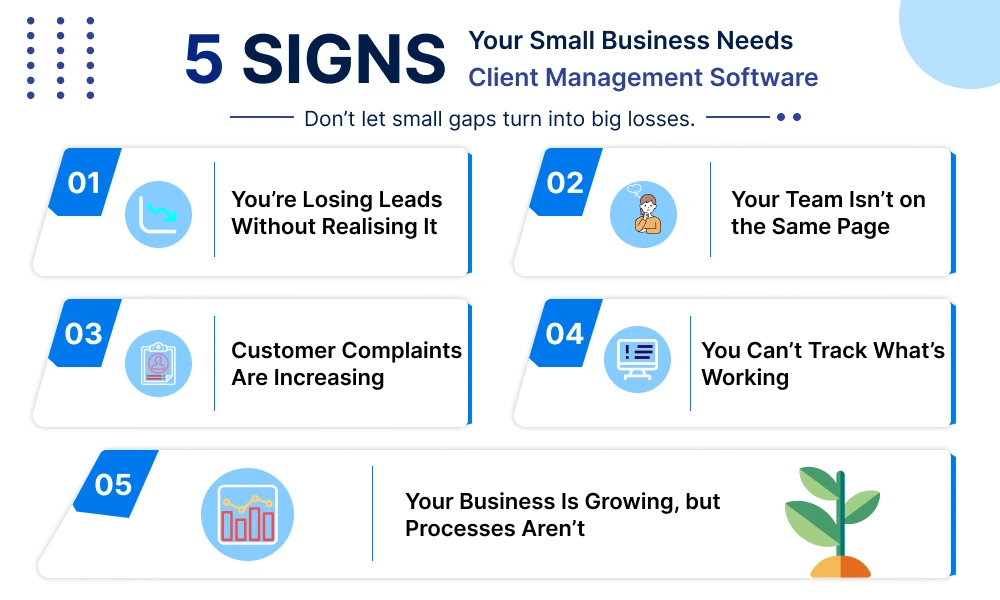
You’re Losing Leads Without Realising It
If you get a lead and nobody follows up with it within 24 hours, consider it gone. That is because the chances of its conversion drop sharply. When follow-ups depend just on memory and manual reminders, leads slip away easily and quietly, and you rarely know it happened until the pipeline looks dry.
Your Team Isn’t on the Same Page
When sales, support, and operations work from separate records, context gets lost between handoffs. Conversations lack continuity, information sits in silos, and no single person has the full picture of a client relationship, leaving clients feeling like they’re starting from scratch every time they reach out.
Customer Complaints Are Increasing
Slow response times, repeated questions, and a lack of personalisation are all direct results of poor client data management. When your team doesn’t have immediate context on who a client is and what they need, every interaction feels like starting from scratch, and clients notice.
You Can’t Track What’s Working
If preparing a basic sales report takes an hour of minimal effort, it’s clear your business is operating with zero visibility. Without information on conversion rates, deal stages, or client activity, every business becomes a guess.
Your Business Is Growing, but Processes Aren’t
Growth without structure creates bottlenecks. More clients, more team members, and more touchpoints demand a system that can scale with you. Spreadsheets simply don’t.
If your business can relate to two or more of these signs, congratulations, your business has already outgrown its current management setup.
Benefits of Customer Management Software for Small Businesses
The facts alone speak volumes. Companies enjoy an ROI of $8.71 for every dollar they invest in client management software. But the benefits are much more than financial.
This is what you gain as a small business that shifts from using disjointed spreadsheets to a streamlined customer management software for a small business:
- Centralised Client Data: All information about clients, conversations, transaction stages, and purchases is kept in one place, available to all members of your company in real-time. No more hunting across inboxes or notebooks. According to 74% of CRM users, better access to customer information is one of the immediate and most noticeable benefits of the new technology.
- Higher Sales and Conversions: Companies that use a client management platform experience a rise in sales by 29%, while their sales efficiency increases by 34%. Having a pipeline view allows your company to know where each deal stands and what actions move it forward.
- Time Saved Through Automation: Tasks such as follow-ups, lead assignment, reminding, and data inputting all happen automatically. In most cases, companies have discovered that client management platforms help employees cut down on working time by 5 to 10 hours a week, time that gets redirected toward selling, servicing, and growing.
- Better Customer Retention: Businesses that use CRM software experience a lead conversion rate increase of 17%, customer retention increase of 16%, and agent productivity increase of 21%. When every interaction is logged, and every follow-up is timely, clients feel remembered, and they stay.
- Lower Operational Costs: The usage of client management software for a small business allows for reducing operational expenses caused by poor data quality, duplicates, and inaccurate client information. It brings all customer data into a single, reliable system, improving accuracy, reducing avoidable errors, and making everyday business operations more organized and efficient. Even research proves that poor data quality results in significant losses, amounting to about 15-25% of annual turnover in many organizations
For small businesses, these aren’t marginal improvements. They’re the difference between chasing growth and actually achieving it.
Key Features to Look for in the Best Customer Management Software for Small Businesses
Some of the client management software is built with enterprise features you’ll never use. Some miss the basics you actually need. So make sure you are aware of the features your small business needs before you invest in such software:
Contact Management
All client interactions, from records, emails, meeting notes, to transaction history, should reside within a single contact record. A strong contact management system eliminates duplicate records, gives your team instant context before every interaction, and ensures no relationship gets mishandled due to missing information. In short, it’s one of the most essential features.
Lead and Pipeline Tracking
A good CRM tool provides its user with an overview of their deals at each stage. You’ll need customizable stages for lead nurturing and automatic triggers for each action along the way. Otherwise, you might lose track of the leads you have and let go of valuable revenue streams.
Workflow Automation
Tasks such as sending follow-up emails, allocating leads, status updates, and reminders need to be done automatically through pre-set rules. For smaller teams who have other tasks to do, automation is not an option but a necessity that determines whether or not your operations will remain smooth.
Third-Party Integrations
Your CRM system needs to be connected with the tools used by your business for tasks such as emailing, accountancy, calendars, and marketing. Disconnected systems force manual data transfers, create errors, and kill productivity. Seamless integrations keep your entire operation running from one central hub.
Reporting and Analytics
Real-time dashboards that show the status of your pipeline, conversion rate, activities, and projected revenues will give you the visibility to make confident decisions. Without proper reporting, you’ll have no clue what’s happening, and it’s not affordable for small businesses to guess.
Mobile Access
Powered by mobile app development services, current client management applications now offer specialized versions for iOS and Android phones that do more than enable viewing alone. You can make changes to the deal status, enter a call just after meeting your clients, read through the history of interactions, and initiate a workflow, all using your phone. The ability to do this is invaluable for salespeople out in the field. Mobile App Development
Data Security
There is an increasing risk of data breaches faced by small enterprises, and client databases carry much importance. A reliable CRM ensures this data stays safe with encryption from one end to another, restrictions based on roles and permissions, multi-factor authentication, and automatic backing up to the cloud. This becomes essential in the case of companies dealing with confidential information.
Top Client Management Software for Small Businesses in 2026
Below are the best customer management software for small businesses worth considering in 2026, each evaluated for small business relevance, ease of use, and value.
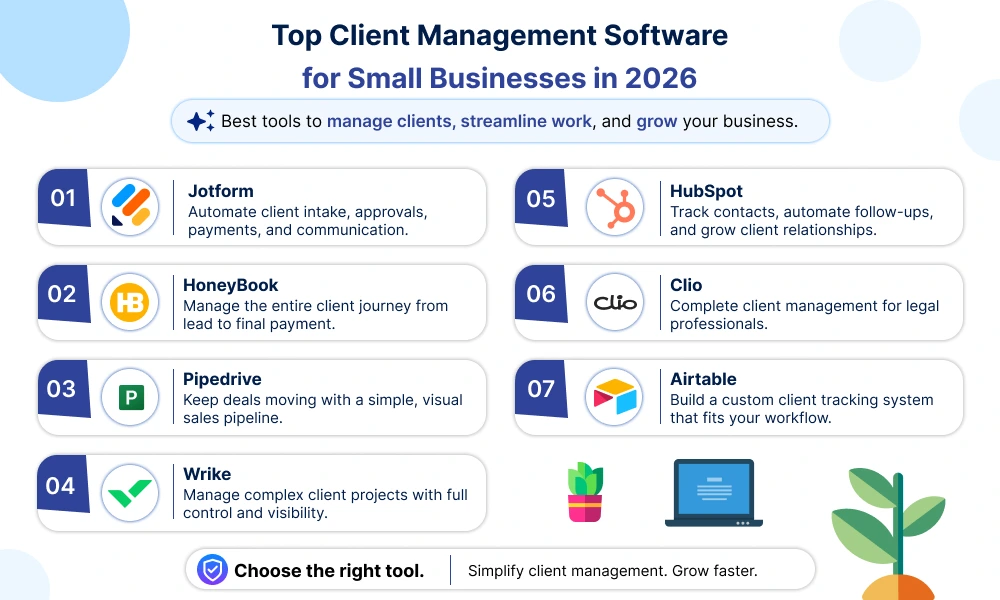
Jotform
Jotform approaches client management from the intake side – building fully automated workflows around forms, approvals, payments, and communication. Small businesses dealing with heavy documents in onboarding new clients benefit from removing the unnecessary back-and-forth that usually takes time.
Standout features:
- No-code form builder with conditional logic, e-signatures, and file uploads
- Automated workflows that route submissions, trigger approvals, and send confirmations
- Branded client portal with payment collection across 40+ gateways
Pricing: Free plan available; paid plans from $34/month (billed annually)
Best for: Service businesses with structured onboarding processes and document collection needs
HoneyBook
HoneyBook was designed with sole proprietors like freelancers and independent consultants in mind – who need to manage the entire journey, from the initial lead to final payments, without using multiple platforms. Proposals, contracts, invoicing, scheduling, and client communication are covered by one tool only.
Standout features:
- Branded proposals and contracts with built-in e-signatures
- Automated follow-ups, payment reminders, and client questionnaires
- Client portal for file access, document review, and project status tracking
Pricing: Starts at $29/month (billed annually)
Best for: Creatives, coaches, consultants, and solo service businesses
Pipedrive
The whole essence of Pipedrive in client management is simple – it is all about deals moving further. The visual interface and activity-based selling help keep the focus on action items while not distracting with too many unnecessary features.
Standout features:
- Visual drag-and-drop sales pipeline with deal stage customisation
- Activity-based workflows that prevent deals from stagnating
- Mobile app with full editing and offline access
Pricing: Starts at $14/user/month (billed annually); 14-day free trial available
Best for: Small businesses with a dedicated sales function that need structured pipeline visibility
Wrike
Wrike is an excellent tool for small agencies and professional service companies that have to handle multiple clients’ projects concurrently while remaining in control. The platform has advanced security features, powerful request forms, and budgeting tools that make it ideal for dealing with multi-stakeholder client projects.
Standout features:
- Dynamic request forms that auto-create projects and route work to the right teams
- Guest review and approval tools that let clients give feedback without needing an account
- Native budgeting with real-time visibility, timesheets, and billing integrations
Pricing: Free plan available; paid plans from $10/user/month (billed annually)
Best for: Small agencies and professional services firms managing complex, multi-deliverable client projects
HubSpot
With HubSpot, small businesses can have a single system where they can manage their contacts, track their activities, and send automated reminders. Everything is offered for free without any initial charges. All client interactions are logged in their respective contact profile.
Standout features:
- Unified contact records with complete interaction history
- Workflow automation for follow-ups, reminders, and pipeline movement
- Native integration across sales, marketing, and service tools
Pricing: Free plan available; paid plans from $20/seat/month
Best for: Growing small businesses, managing both client acquisition and retention
Clio
Clio is the ultimate platform to help with the management of your legal practice’s clients. Trusted by 400,000 lawyers across the world and certified by all 50 state bars in the U.S., Clio integrates every stage of your client’s relationship from intake to case management to billing and communication.
Standout features:
- Unified client lifecycle management from intake through final billing with conflict checking
- Dual secure portals for clients and co-counsel with passwordless login and mobile document scanning
- AI-powered automation for client updates, task prioritisation, and billing workflows
Pricing: Starts at $89/user/month (billed annually)
Best for: Solo practitioners, boutique law firms, and legal teams that need a fully integrated, compliance-ready client management system.
Airtable
Airtable sits in a unique category – it’s not a traditional client management platform, but for small businesses that want to build a completely customised client tracking system without writing a single line of code, nothing comes close. Multiple views, flexible fields, and AI-powered automation make it as powerful as you need it to be.
Standout features:
- Spreadsheet-database hybrid with Grid, Kanban, Timeline, and Calendar views
- Custom interfaces and role-specific dashboards built without coding
- AI-powered automation for client communication, meeting summaries, and follow-up recommendations
Pricing: Free plan available; paid plans from $20/user/month (billed annually)
Best for: Small businesses that need a fully customised client tracking system tailored to unique workflows.
How to Choose the Right Client Management Software for Your Small Business
This is how you make the right choice before jumping into anything: –
Start With an Honest Assessment Of Your Management’s Needs: –
Instead of blindly selecting a client management software for a small business, figure out what’s wrong with your existing system. Ask yourself:
- Where are leads or client details getting lost?
- Which tasks consume the most manual time?
- How many people require access, and what will they do?
- Are there any other software tools that need to be integrated?
Match Complexity to Your Team Size
If you’ve selected software designed for an enterprise, your team of five won’t know how to utilize all its features. Alternatively, something too simple will have difficulty scaling as your business grows. Find something suitable for your needs now, but scalable for the coming two to three years.
Calculate the Real Cost – Not Just the Licence Fee
The monthly price is rarely the full picture. Consider:
- Onboarding and setup – Is it done within days or weeks?
- Training time – How soon will the system be up and running properly?
- Integration costs – Do all critical integrations come pre-integrated, or do you have to pay for third-party services?
- Scalability pricing – What’s the cost when your contacts double?
Take Trials Seriously
Do not depend on demonstration videos. Do a live trial using your own team going through the real workflow, guiding a client through various steps, making a call, and generating a report. Adoption will depend on this point of time.
Check Support Quality Before You Buy
Evaluate the support efficiency of the vendor before you make any purchase decision. Ask them something via chat, email, or call. Delay or unresponsive support beforehand will show what post-sale support will look like.
Conclusion
Large enterprises already have a high budget, exceptional teams, and high technology to out-compete you on scale. And missing on top of that with poor client management? Well, that’s just digging your business’s own grave.

It's high time a client management software for a small business works as hard for your business as you do. The right platform will quietly and confidently handle the parts of your operation that are silently draining your time and energy, so you can focus on what actually matters.

You don't need a Fortune 500 budget or an IT department. You just need a tool that fits how you work and gets out of your way.So, pick one. Try it. Watch the difference. Or you can even partner with an experienced AI development company to customize client management workflows and automation around their specific operations.












 Write us on:
  Business queries:
  HR:
HR: 


