



 Healthcare Software Development Services
 Healthcare App Development Services
 Real Estate Web Development Services
 Real Estate App Development Company
 E-Commerce App Development Services
 E-Commerce Web Development Services
 Blockchain E-commerce Development Company
 Fintech Software Development
 Fintech App Development Services
 E-Learning App Development Services
 Restaurant App Development Company
 Mobile Game Development Company
 Travel App Development Company
 Automotive Web Design
 AI Traffic Management System
 AI Inventory Management Software
 Logistics App Development Services
 Machine Learning Development
 ChatGPT integration services
  AI Development Company
  AI Integration Services
  Natural Language Processing Company
 Mobile App Development
  IOS App Development
  Android App Development
  Cross-Platform App Development
  Augmented Reality (AR) App Development
  Virtual Reality (VR) App Development
  Web App Development
  SaaS App Development
 Custom Software Development Services
  Flutter
  React Native
  Swift (IOS)
  Kotlin (Android)
  Mean Stack Development
  AngularJS Development
  MongoDB Development
  Nodejs Development
  Database Development
 Ruby on Rails Development
 Expressjs Development
  Full Stack Development
  Web Development Services
  Laravel Development
  LAMP Development
  Custom PHP Development
  .Net Development
  User Experience Design Services
  User Interface Design Services
  Automated Testing
  Manual Testing
  Digital Marketing Services
 Ride-Sharing And Taxi Services
 Food Delivery Services
 Grocery Delivery Services
 Transportation And Logistics
 Car Wash App
 Home Services App
 ERP Development Services
 CMS Development Services
 LMS Development
 CRM Development
 DevOps Development Services
 AI Business Solutions
 AI Cloud Solutions
 AI Chatbot Development
 API Development
 Blockchain Product Development
 Cryptocurrency Wallet Development
 About Talentelgia
  Our Team
  Our Culture
 Healthcare App Development Services
 Real Estate Web Development Services
 E-Commerce App Development Services
 E-Commerce Web Development Services
 Blockchain E-commerce
Development Company
Blockchain E-commerce
Development Company Fintech App Development Services
 Blockchain Fintech
Development Company
Blockchain Fintech
Development Company E-Learning App Development Services
 Restaurant App Development Company
 Mobile Game Development Company
 Travel App Development Company
 AI Traffic Management System
 AI Inventory Management Software
 AI Development Company
 ChatGPT integration services
 AI Integration Services
 Machine Learning Development
 Machine learning consulting services
 Blockchain Development
 Blockchain Software Development
 Smart contract development company
 NFT marketplace development services
 Asset tokenization companies
 DeFi Wallet Development Company
 IOS App Development
 Android App Development
 Cross-Platform App Development
 Augmented Reality (AR) App
Development
Augmented Reality (AR) App
Development Virtual Reality (VR) App Development
 Web App Development
 Flutter
 React
Native
React
Native Swift
(IOS)
Swift
(IOS) Kotlin (Android)
 MEAN Stack Development
 AngularJS Development
 MongoDB Development
 Nodejs Development
 Database development services
 Expressjs Development
 Full Stack Development
 Web Development Services
 Laravel Development
 LAMP
Development
LAMP
Development Custom PHP Development
 User Experience Design Services
 User Interface Design Services
 Automated Testing
 Manual
Testing
Manual
Testing About Talentelgia
 Our Team
 Our Culture
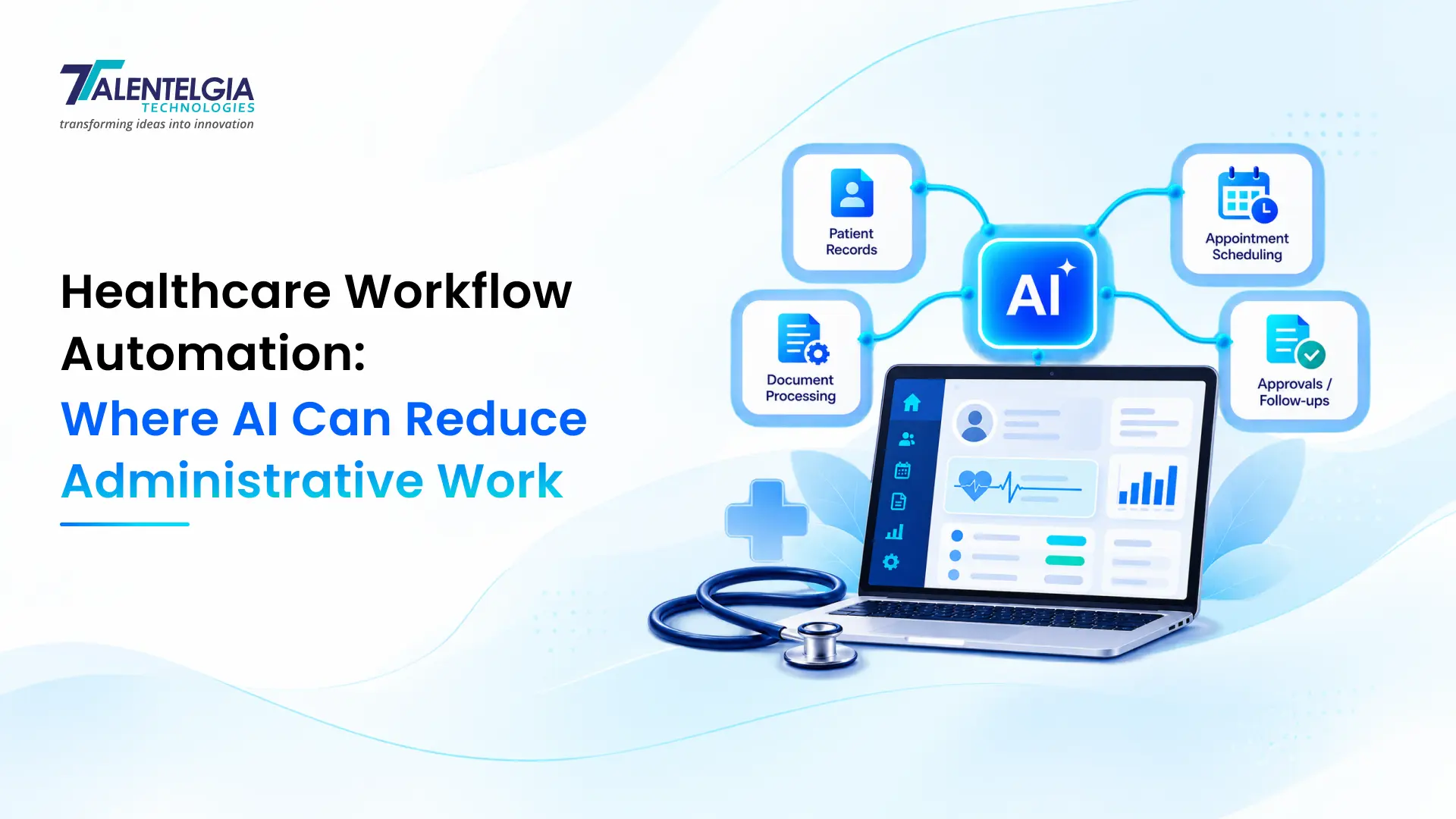
Healthcare organizations rely on accurate records, coordinated teams, timely payments, and efficient patient services. Yet many administrative processes still require staff to enter information manually, verify insurance details, chase missing forms, prepare documentation, and move information between disconnected systems.
These tasks are essential, but not every step requires manual intervention. Healthcare workflow automation can handle predictable, rules-based work, while artificial intelligence (AI) can help interpret documents, classify requests, summarize information, and recommend the next action.
The opportunity is to combine automation and AI without compromising patient safety, data privacy, billing accuracy, or staff oversight.
For healthcare IT managers, CIOs, revenue cycle leaders, hospital administrators, clinic owners, and digital health founders. The key question is not whether AI can automate administrative work but which workflows are suitable for automation and how to implement them safely.
This guide explores practical use cases, technical architecture, implementation challenges, US healthcare compliance considerations, and performance metrics for building reliable healthcare workflow automation solutions.
What Is Healthcare Workflow Automation?
Healthcare workflow automation uses software to perform or coordinate repetitive administrative and operational tasks based on defined rules, events, and data. Its examples include sending appointment reminders, checking patient registration forms, routing insurance authorization requests, creating billing tasks, and notifying staff when a claim requires review.
Traditional automation follows predefined instructions. AI can interpret documents, understand natural-language requests, extract information, and classify cases that do not fit neatly into predefined categories.
Traditional automation vs. AI-powered workflow automation
| Capability | Traditional automation | AI-powered automation |
| Appointment reminders | Sends messages at scheduled times | Classifies responses and helps route rescheduling requests |
| Patient intake | Checks required fields and validates formats | Extracts information from uploaded forms and flags potentially missing details |
| Medical documentation | Populates predefined templates | Drafts summaries or clinical notes from authorized source material |
| Claims processing | Applies billing rules and validates required fields | Classifies denial reasons and suggests next steps for staff review |
| Referral management | Routes referrals using fixed criteria | Extracts referral details and assists with classification |
| Exception handling | Routes predefined error codes | Categorizes unfamiliar cases for review |
The distinction matters because AI should not replace deterministic rules for critical operational decisions. A reliable implementation often uses conventional software for validation and authorization, while AI handles tasks involving ambiguous or unstructured information.
For example, an AI model might extract a procedure name from a referral document. A rules engine can then validate the extracted information, check required fields, and route the referral according to approved organizational policies.
Why administrative work remains a challenge
Administrative workload rarely results from one inefficient application. It often comes from disconnected systems, inconsistent data, manual handoffs, and processes that depend on staff remembering to take the next step.
A typical patient journey may involve a scheduling platform, an electronic health record (EHR), a practice management system, an insurance eligibility service, and a billing application. When these systems cannot exchange information reliably, employees effectively become the integration layer.
Common problems include:
- Repeatedly entering the same patient information into different applications.
- Chasing missing forms, insurance details, referrals, and authorizations.
- Preparing documentation from multiple sources.
- Correcting claim errors that could have been detected earlier.
- Manually assigning tasks and following up on overdue work.
- Maintaining spreadsheets to compensate for missing system functionality.
Healthcare workflow automation addresses these problems by connecting systems, standardizing handoffs, and assigning routine work to software. AI becomes useful when workflows must process free-text notes, scanned documents, patient messages, or other information that conventional rules cannot reliably interpret.
Where AI Can Reduce Administrative Work in Healthcare
The strongest candidates for automation typically involve high transaction volumes, repeatable steps, measurable outcomes, and clearly defined exception paths. For most organizations, an administrative process is a better starting point than a high-risk clinical decision.
Automated patient scheduling and appointment management
Scheduling teams handle appointment requests, cancellations, rescheduling, reminders, provider availability, and follow-up communication. Much of this work follows predictable rules.
A typical automated scheduling workflow involves:
- Receiving an appointment request through a portal, mobile application, chatbot, or supported phone workflow.
- Checking provider availability, appointment type, location, and scheduling rules.
- Presenting eligible appointment slots.
- Confirming the patient’s selection and updating the scheduling system.
- Sending appointment confirmations and reminders.
- Processing cancellation requests and, where appropriate, notifying patients on a waitlist.
AI can interpret natural-language requests such as “I need to move my appointment to next week” and classify the request before passing it to the scheduling engine.
However, the AI model should not independently decide that two appointment types are interchangeable. Scheduling rules must account for provider qualifications, appointment duration, equipment requirements, location, and applicable clinical restrictions.
Technical consideration: Treat the scheduling system as the authoritative source for availability. Recheck the slot when confirming an appointment to prevent double booking caused by concurrent requests.
Medical documentation automation
Medical documentation automation can reduce repetitive work involved in preparing visit notes by summarizing authorized clinical information, extracting structured fields, and organizing documents for review.
Potential applications include:
- Drafting clinical notes from authorized recordings or encounter information.
- Extracting relevant fields from referral letters and incoming documents.
- Summarizing previous encounters for clinician review.
- Preparing draft discharge summaries from verified source records.
- Classifying incoming documents and routing them to the appropriate team.
A typical workflow might use speech recognition to transcribe an encounter, a language model to draft a note in the organization’s approved format, and validation rules to check required sections. The clinician reviews and approves the draft before it becomes part of the medical record.
The distinction between generating a draft and authorizing a clinical record is critical. AI-generated text can omit context, misinterpret negation, or introduce information that was never stated.
For example, if a clinician says, “Patient denies chest pain,” the system must not produce “Patient reports chest pain.” Clinical negation, medication names, dosages, allergies, and timing require particular attention.
The workflow should preserve links to source information where practical, flag uncertainty, and prevent unverified AI-generated content from silently becoming an authoritative clinical record.
Insurance eligibility verification and prior authorization
Insurance-related administrative work often involves checking coverage, gathering supporting documentation, completing forms, submitting requests, and tracking payer responses.
Healthcare automation solutions can coordinate these activities by:
- Retrieving available eligibility information from an authorized payer service.
- Checking required fields against payer-specific rules.
- Identifying missing clinical or administrative documentation.
- Preparing draft prior authorization requests.
- Submitting requests through supported payer interfaces.
- Tracking request status and routing incomplete or denied requests to the appropriate team.
AI can extract information from payer letters, classify denial reasons, and summarize what appears to be missing. Rules-based logic should validate coverage dates, identifiers, procedure codes, and required fields against authoritative sources.
A successful eligibility response does not guarantee that a specific service will be covered or reimbursed. Eligibility, benefits, medical necessity, authorization, and final payment are separate checks.
The US Centers for Medicare & Medicaid Services (CMS) has established interoperability and prior authorization requirements for specified payers under its 2024 final rule. Many of the API implementation requirements have compliance dates beginning in 2027, depending on the payer and provision. CMS is also developing further proposals related to electronic prior authorization for prescription drugs. Organizations should verify the requirements and implementation dates applicable to their systems.
Medical billing, claims processing, and denial management
Revenue cycle teams handle charge capture, coding workflows, claim validation, submission, payment posting, and denial follow-up. Delays often occur when information is incomplete or a claim fails a validation rule.
Automation can support:
- Checking claims for missing or inconsistent required fields.
- Identifying discrepancies between clinical documentation and billing data.
- Routing coding questions to qualified staff.
- Classifying denial notices by reason.
- Creating follow-up tasks based on payer response dates.
- Reconciling remittance information with outstanding balances.
- Tracking recurring rejection patterns.
AI can interpret unstructured denial explanations and extract relevant information from payer documents. It can also group similar cases to help revenue cycle managers identify recurring operational problems.
However, AI classification is not a substitute for professional coding judgment. Workflows should use validated coding rules, payer-specific requirements, and qualified review where needed. They should not automatically add unsupported codes, change diagnoses, or resubmit claims without checking the underlying reason for rejection.
Practical example: If a claim is rejected because a required authorization number is missing, a rules engine can route the claim to an authorization queue. AI may summarize the payer’s message, but the system should retrieve the actual authorization status before changing the claim.
Patient intake, registration, and data entry
Registration involves collecting demographics, contact details, insurance information, consent forms, medical history, and other required information.
Automation can validate form completeness, detect likely duplicates, extract fields from uploaded documents, and route exceptions for correction.
A document-processing workflow may combine:
- Optical character recognition (OCR) to read scanned forms.
- AI-based extraction to identify relevant fields.
- Validation rules to check formats and required values.
- Patient-matching logic to identify possible existing records.
- Human review for ambiguous or conflicting information.
Patient identity requires special care. Two records with similar names or dates of birth should not be merged automatically based only on a similarity score. The workflow must follow the organization’s approved identity-matching policy and provide a clear exception process.
Referral management and care coordination
Referrals can arrive through structured electronic messages, portals, faxed documents, or other channels. Staff may need to identify the patient, extract the referring provider’s details, determine the requested specialty, check supporting documentation, and route the referral.
A well-designed workflow can classify incoming documents, identify missing attachments, create a referral work item, and notify the receiving team.
AI can help interpret referral narratives and extract the reason for referral. Routing rules should determine where the referral goes based on approved service-line criteria, location, provider availability, and other operational requirements.
Clinical urgency must not be determined solely by an unvalidated AI classification. Potentially urgent referrals should follow a clinically approved escalation process, with human review and monitoring for missed or misrouted cases.
Patient communication and follow-up workflows
Healthcare teams send appointment reminders, request missing forms, notify patients about administrative requirements, and coordinate follow-up activities.
Automation can schedule approved messages, track delivery, categorize replies, and create staff tasks when a patient needs assistance.
AI can classify messages such as appointment changes, billing questions, or requests for a copy of a record. It should route clinical symptoms, medication questions, urgent concerns, and other sensitive messages according to approved escalation rules rather than attempting to resolve them through a general-purpose chatbot.
Patient communications should use approved templates, appropriate identity verification, consent and communication preferences, and channels suitable for the information being shared.
Read More: How to Build a Remote Patient Monitoring Software That Connects Devices, EHRs & Clinicians
How Healthcare Workflow Automation Works: A Technical View
A dependable system combines events, integration services, business rules, AI processing, and workflow state management. These components should be designed separately so that a change to an AI model does not unintentionally alter critical operational rules.
Workflow triggers, business rules, and AI processing
A workflow generally begins when an event occurs. Examples include a new appointment request, an incoming referral, a completed patient intake form, or a payer response.
A typical execution sequence is:
- Receive the event: An application sends a webhook, an integration engine receives a message, or a scheduled process detects a change.
- Validate the request: Check the source, schema, identifiers, authorization, and required data.
- Retrieve relevant information: Fetch permitted data from the EHR, practice management platform, or payer system.
- Apply deterministic rules: Check required fields, eligibility conditions, deadlines, and approved routing logic.
- Invoke AI where necessary: Extract information, classify a document, or draft a summary.
- Validate AI output: Check the output schema, source evidence, confidence thresholds, and business constraints.
- Execute or request approval: Perform an authorized action or create a task for staff.
- Record the outcome: Save the workflow state, relevant audit information, errors, and retry status.
Not every workflow needs AI. Sending a reminder at a configured time is generally better handled by ordinary application logic. AI is more useful when the workflow must interpret unstructured input or resolve ambiguity.
Integrating EHR/EMR, practice management, billing, and patient systems
Healthcare environments often contain systems from different vendors, with different data models, update mechanisms, and integration capabilities.
Common integration approaches include:
| Integration method | Typical use | Important consideration |
| FHIR APIs | Retrieving and exchanging supported healthcare data | Check resource support, version, authorization scopes, and vendor-specific implementation |
| HL7 v2 messaging | Admissions, discharges, transfers, and laboratory-related messages | Handle message acknowledgments, mapping, and duplicate delivery |
| Document interfaces | Exchanging clinical documents, referrals, and scanned records | Validate document type, patient identity, and extraction quality |
| Vendor-specific REST APIs | Scheduling, billing, task management, or application-specific functions | Review rate limits, permissions, versioning, and contractual access |
| Batch files or secure file exchange | Legacy systems and periodic reconciliations | Monitor processing delays, duplicates, and failed imports |
FHIR, or Fast Healthcare Interoperability Resources, is a healthcare data exchange standard built around resources and interfaces for sharing structured information. HL7 v2 remains relevant in many existing healthcare environments. Neither standard guarantees that every vendor supports the same resources, interfaces, or workflow capabilities.
Before building an integration, confirm which system owns each data element. For example, the EHR might own clinical encounter data while the practice management system owns appointment and billing workflows. If two systems can update the same field, define conflict resolution and synchronization rules.
Using APIs, FHIR, HL7, OCR, and language models together
Consider an incoming referral document.
- An integration service receives the document and its metadata.
- OCR extracts the text if the referral is scanned.
- An AI service extracts candidate fields such as referring provider, requested specialty, and reason for referral.
- Validation logic checks the extracted fields against the original document and required schema.
- A patient-matching service searches for a reliable identifier and flags ambiguous matches.
- The workflow creates a referral record through a supported API or routes it to staff if the target system does not support the required operation.
- The system records the decision, source document reference, and any approval.
FHIR resources may represent relevant information such as Patient, ServiceRequest, Practitioner, and DocumentReference, depending on the workflow and implementation. The exact mapping depends on the EHR vendor, the FHIR version, and the organization’s implementation guide.
The integration should preserve the distinction between extracted data and verified data. A field produced by OCR or an AI model should not automatically be treated as authoritative simply because it has been placed in a structured data object.
Human review, exception handling, and audit trails
Production systems need a defined response for every failure condition.
Examples include:
- The patient identifier does not match a known record.
- The AI extraction is incomplete or inconsistent with the source.
- An API request times out after the target system may already have processed it.
- A payer interface returns an unexpected response.
- A required approval is missing.
- A workflow remains incomplete beyond its service-level target.
Instead of allowing the workflow to fail silently, use explicit states such as pending_validation, awaiting_review, submitted, completed, and failed_retryable.
Store enough information to reconstruct what happened: the event identifier, workflow version, source record reference, timestamps, action taken, approval status, and error category. Avoid placing unnecessary protected health information (PHI) in general application logs.
For write operations, use idempotency controls where supported. An idempotent operation can be retried without unintentionally creating duplicate appointments, tasks, or claims.
A Practical Architecture for AI Healthcare Workflow Automation
A reliable architecture separates system integration, workflow orchestration, AI processing, and business-critical decisions. This makes it easier to update individual components without compromising the entire workflow.
| 1. Source systems | |
| EHR/EMR · Scheduling · Billing · Patient portal · Payer interfaces | |
| ↓ | |
| 2. Integration layer | |
| FHIR APIs · HL7 interfaces · Webhooks · Document ingestion · Authentication | |
| ↓ | |
| 3. Workflow orchestration | |
| State management · Business rules · Queues · Retries · Timeouts · Duplicate protection | |
| ↓ | |
|
4A. Deterministic services
Field validation, scheduling rules, authorization checks, and routing.
|
4B. AI services
OCR, information extraction, document classification, and draft summaries.
|
| ↓ | |
| 5. Approval and execution | |
| Staff review · Authorized API writes · Exception queues · Outcome tracking | |
Core architecture components
Integration layer: Provides controlled access to source systems, normalizes incoming events, and translates between vendor data formats.
Workflow engine: Tracks each case through defined states and determines which step runs next. It should support retries, timeouts, cancellation, and manual intervention.
Rules engine: Enforces deterministic requirements such as required fields, scheduling restrictions, routing policies, and approval thresholds.
AI services: Process tasks that benefit from language understanding or document interpretation. AI output should be constrained to a defined schema and checked before downstream use.
Operational data store: Maintains workflow status, references to source records, retry information, and processing metadata. It should not become an uncontrolled secondary medical record.
Observability and audit services: Track latency, errors, queue depth, unauthorized access attempts, and business outcomes without unnecessarily exposing PHI.
Example workflow: Automating patient intake and documentation
Imagine a clinic receives a new patient registration form before an appointment.
The workflow might proceed as follows:
- The patient submits the form through an authenticated portal.
- The application verifies required fields and creates a processing event.
- The workflow checks whether the patient already has a record.
- If a scanned insurance card is attached, OCR extracts candidate fields.
- Validation rules check field formats and compare extracted values with available source information.
- Ambiguous identity matches or conflicting information are sent to registration staff.
- Validated information is transferred to the appropriate system using supported interfaces.
- A staff member reviews any required consent or registration exceptions.
- The workflow records completion and reports processing time, exception rate, and error rate.
This approach can reduce repeated data entry without assuming that every extracted field is correct or that every patient requires the same registration process.
The key engineering principle: AI may help interpret the input, but validated business rules should control what the system is permitted to do.
Implementation Challenges and Risks
Automating a healthcare workflow is not just an application development task. It involves clinical operations, data governance, security, interoperability, and staff responsibilities.
Data quality, interoperability, and legacy systems
AI cannot compensate for missing or inconsistent source data. If patient identifiers differ across systems, appointment statuses are outdated, or payer information is incomplete, automation may produce incorrect results more quickly.
Before implementation, identify the authoritative source for each field, document data mappings, and define what happens when records conflict.
For integrations, test:
- Missing, malformed, and unexpected fields.
- Duplicate and out-of-order messages.
- API timeouts and rate limits.
- Vendor downtime and delayed responses.
- Changes to API versions and data schemas.
- Patient matching and record-linking errors.
The Office of the National Coordinator for Health Information Technology’s SAFER Guides provide resources for assessing health IT implementation, patient identification, system interfaces, and safety considerations.
HIPAA, access control, and sensitive health information
In the United States, healthcare workflow automation must account for the applicable HIPAA Privacy, Security, and Breach Notification Rules, along with other requirements relevant to the organization and use case.
Important controls include:
- Risk analysis: Identify systems that create, receive, maintain, or transmit electronic protected health information (ePHI), and assess relevant threats and vulnerabilities.
- Role-based access: Restrict access according to job responsibilities and approved purposes.
- Encryption: Protect sensitive information in transit and at rest using appropriate safeguards.
- Audit controls: Record and review relevant system activity.
- Data minimization: Avoid sending full patient records to an AI service when the task requires only a small subset of information.
- Vendor governance: Review service terms, subprocessors, data retention, incident handling, and contractual obligations.
- Contingency planning: Define how staff can continue essential operations when an integration or automation service is unavailable.
HHS identifies risk analysis as a foundational part of Security Rule compliance. Its guidance also explains the minimum-necessary principle for applicable uses and disclosures of PHI. See the official HIPAA Security Rule guidance and minimum-necessary guidance.
Using a cloud service to process ePHI is possible, but the organization must assess the service and meet applicable HIPAA requirements. Where a cloud service provider acts as a business associate, an appropriate business associate agreement (BAA) is required. A BAA alone does not establish that an entire system is compliant. See the HHS guidance on HIPAA and cloud computing.
For AI integrations, verify the exact service configuration and contract. Do not assume that a vendor supports HIPAA-regulated workloads simply because it advertises enterprise security features.
AI hallucinations, billing errors, and clinical safety
AI models can produce plausible but incorrect output. In healthcare administration, errors may lead to incorrect records, misrouted referrals, delayed care, or rejected claims.
Use safeguards that match the potential impact of the action.
| Workflow action | Recommended control |
| Categorize a nonclinical administrative message | Automated routing with monitoring and an escalation path |
| Extract insurance details | Field validation and review of uncertain or conflicting values |
| Draft a clinical note | Clinician review and approval before finalization |
| Suggest a billing code | Validation against applicable coding rules and qualified review |
| Match a patient to a record | Approved identity-matching rules and manual resolution of ambiguous matches |
| Change a clinical order or other high-impact record | Explicit authorization and appropriate clinical review |
Confidence scores can help prioritize review, but they are not proof of correctness. A model can be highly confident and still be wrong.
Validation should measure performance at the field and task level. For example, overall document extraction accuracy may hide a high error rate for medication dosages or insurance member identifiers. Evaluate critical fields separately.
Staff adoption and workflow redesign
Automation can fail even when the underlying software works correctly.
If a new system creates additional alerts, requires staff to check several dashboards, or routes exceptions to the wrong department, it may increase workload rather than reduce it.
Involve front-desk staff, billing specialists, clinicians, compliance teams, and IT personnel during workflow design. Document who owns each exception, when escalation occurs, and how staff can correct an automation error.
The goal is not to remove every human step. It is to eliminate unnecessary manual work while preserving the checks that protect patients and the organization.
How to Implement Healthcare Automation Solutions
A phased implementation is generally safer and easier to evaluate than attempting to automate every department at once.
Step 1: Map existing workflows and establish baseline metrics
Select one workflow, such as patient intake, appointment reminders, or claim validation. Document how it works today, including the systems used, manual handoffs, common errors, and exception paths.
Measure its current performance before development begins.
For example, an intake workflow might track:
- Average staff minutes per completed registration.
- Percentage of forms requiring manual correction.
- Average time from submission to registration completion.
- Duplicate-record rate.
- Percentage of cases escalated for review.
Without a baseline, it is difficult to determine whether automation has produced a meaningful improvement.
Step 2: Prioritize workflows by volume, risk, and business value
Not every process is a suitable first project. Prioritize based on repetitive workload, process stability, available data, integration effort, and the consequences of an error.
| Candidate workflow | Potential benefit | Main implementation risk | Typical starting approach |
| Appointment reminders | Less repetitive communication | Incorrect or duplicate messages | Rules-based automation |
| Intake document processing | Less manual data entry | Extraction and patient-matching errors | OCR, validation, and exception review |
| Referral routing | Faster document handling | Misclassification or incorrect routing | AI-assisted classification with approved rules |
| Claim validation | Earlier detection of incomplete claims | Incorrect billing changes | Deterministic validation and staff review |
| Clinical note drafting | Reduced documentation effort | Incorrect or omitted clinical details | AI draft with clinician approval |
For many organizations, a reminder workflow or administrative document-routing process is a better first project than autonomous clinical documentation or claim resubmission.
Step 3: Define the architecture and integration contract
Before development, document:
- The system of record for each data element.
- Supported APIs, message formats, and authentication methods.
- Required FHIR resources or HL7 messages, where applicable.
- Data mappings and validation rules.
- Permitted read and write operations.
- Error handling, retry limits, and duplicate prevention.
- Approval requirements and audit events.
- Data retention and vendor responsibilities.
This design work reduces the risk of building an AI feature that cannot be integrated safely with the organization’s existing systems.
Step 4: Build a pilot with human oversight
Start with a narrow workflow and a defined group of users. Where possible, run the automation in a non-production environment using synthetic or appropriately de-identified data. If production data is necessary, apply the required privacy, security, access, and contractual controls.
During the pilot:
- Test expected inputs and common exceptions.
- Test malformed data, duplicate messages, and unavailable APIs.
- Compare AI output with a trusted human-reviewed reference.
- Measure false positives, false negatives, and critical-field errors.
- Verify that approvals and audit records work correctly.
- Compare performance against the original workflow.
- Collect feedback from the people who perform the work.
A pilot should have explicit acceptance criteria and a rollback plan. Do not expand the system merely because it works for a handful of successful examples.
Step 5: Integrate, monitor, and scale gradually
Once the pilot meets its acceptance criteria, expand to additional users or workflow types in stages.
Monitor both technical and operational performance. An API may have a high success rate while the overall workflow still performs poorly because staff must correct too many records.
Review failures regularly, investigate recurring exceptions, and update business rules and AI evaluations when source systems or operating procedures change.
Use version control for workflow definitions, prompts, integration mappings, and validation rules. Before deploying a model or prompt update, run regression tests against a representative evaluation set.
Measuring the Impact of Healthcare Workflow Automation
Measure outcomes rather than counting the number of automated tasks. A workflow that processes more cases but creates more errors may not be an improvement.
Administrative time, processing time, and cost
Useful measures include:
- Average handling time: Staff time required to complete a transaction.
- End-to-end processing time: Elapsed time from workflow initiation to completion.
- Cost per completed transaction: Total attributable operational cost divided by completed transactions.
- Automation rate: Percentage of eligible cases completed without manual intervention.
- Exception rate: Percentage of cases requiring human review or recovery.
- Rework rate: Percentage of completed cases requiring correction.
Keep staff handling time separate from total elapsed time. A workflow may reduce hands-on work while still waiting several hours for a payer response or human approval.
Scheduling efficiency, denial rates, and first-pass claim acceptance
For scheduling, measure booking completion, cancellation handling time, no-show rates, and staff intervention.
For revenue cycle automation, track claim rejection and denial rates separately. A rejection often prevents a claim from progressing through processing, whereas a denial generally reflects an adverse payer determination. Organizations should use consistent definitions across their reports.
First-pass claim acceptance or clean-claim rates can indicate whether validation is catching preventable errors. Also measure time to submission, time to resolution, and the share of denials attributable to causes the workflow can actually address.
Accuracy, exception rates, and staff satisfaction
AI-enabled workflows need quality metrics in addition to operational metrics.
Track extraction accuracy for important fields, patient-matching errors, routing accuracy, false escalations, missed escalations, and human override rates.
For documentation automation, evaluate factual consistency with source material, omission of important details, unsupported additions, and clinician editing time.
Use a balanced scorecard that includes efficiency, quality, safety, security, and user experience. Avoid relying on a single aggregate AI accuracy score.
Calculate ROI using measured results
A basic model is:
Net benefit = Measured savings − Total automation cost
Total automation cost should include development, integration, licensing, model usage, security review, maintenance, staff training, monitoring, and exception handling.
Suppose a clinic processes 2,000 eligible administrative cases each month and automation saves an average of three minutes of staff time per case. That represents 6,000 minutes, or 100 hours, of potential staff time saved per month before accounting for exceptions and operating costs.
This is an illustrative calculation, not a claim about typical healthcare automation performance. The actual benefit depends on the proportion of cases successfully automated and the amount of work remaining for staff.
Track the realized reduction in staff time, not just the theoretical time saved by successful automated steps.
When to Work With an AI Healthcare Software Development Company
Off-the-shelf automation tools can be sufficient for standard tasks such as sending reminders, managing internal approvals, or routing notifications. Custom development becomes more relevant when the workflow crosses multiple systems, involves complex business rules, requires specialized data handling, or must fit an existing healthcare product.
When off-the-shelf tools are insufficient
Consider custom healthcare software development services when:
- Your EHR or practice management platform lacks the workflow functionality you need.
- Several applications must coordinate actions without creating duplicate or conflicting records.
- Your organization needs custom FHIR or HL7 integrations.
- AI must extract structured information from specialized healthcare documents.
- Your workflows require organization-specific authorization, audit, or exception-handling rules.
- You are building a telemedicine platform, patient application, digital health product, or healthcare operations platform with automation built into its core functionality.
Custom development does not always mean building an entire platform from scratch. A more practical approach may combine existing EHR capabilities, integration middleware, workflow orchestration, and narrowly scoped AI services.
The objective is to build only the components that solve a genuine operational or product requirement. Specialized healthcare software development services can help organizations integrate legacy systems, implement workflow orchestration, and build AI capabilities that meet their operational requirements.
What to evaluate in a healthcare software development partner
An AI healthcare software development company should explain how its solution will integrate with existing systems, support operational workflows, and meet applicable security and governance requirements.
| Evaluation area | Questions to ask |
| Healthcare interoperability | Have they worked with FHIR APIs, HL7 messages, and vendor-specific interfaces? |
| Workflow engineering | Can they demonstrate retry handling, idempotency, exception queues, and recovery procedures? |
| AI validation | How will they test extraction accuracy, unsupported outputs, and critical-field errors? |
| Security and privacy | How will they support risk assessment, access controls, auditability, and applicable contractual requirements? |
| Clinical and operational safety | Which actions require human approval, and how are exceptions escalated? |
| Maintainability | How are integrations, workflow rules, prompts, and model versions tested and updated? |
| Performance measurement | How will the project measure actual administrative time saved, accuracy, and total cost? |
A credible partner should be willing to discuss limitations, operational dependencies, and failure scenarios, not just the features that can be developed.
For healthcare founders, this evaluation is particularly important because automation becomes part of the product’s reliability, operating costs, and customer experience. Production-ready healthcare automation must remain reliable when integrations fail, source data is incomplete, or staff intervention is required. Start with one measurable workflow, validate its results, and scale only when safety and operational targets are met.
Conclusion: Automate Administrative Work Without Losing Control
Healthcare workflow automation can reduce the repetitive work involved in scheduling, patient intake, documentation, insurance processing, billing, and referral management. AI adds value when workflows must interpret documents, understand messages, or prepare information that conventional rules cannot handle on their own. Effective automation in healthcare management can also improve coordination across departments and reduce avoidable manual work.
But successful implementation depends on more than choosing an AI model. It requires reliable EHR/EMR integration, clearly defined business rules, secure data handling, human oversight, exception recovery, and metrics that reflect actual operational outcomes.
For healthcare IT leaders and administrators, the most practical approach is to select one well-defined workflow, establish its baseline performance, and pilot an integrated solution with measurable acceptance criteria. Automated patient scheduling is one potential starting point because its outcomes can be measured through booking completion, processing time, and staff intervention. For digital health founders and organizations with more specialized requirements, healthcare software development services can help connect existing systems and build the missing workflow capabilities.
The goal is not to automate every administrative decision. It is to reduce avoidable manual work while keeping healthcare information accurate, operations accountable, and people in control of decisions that require their judgment.
FAQ
Healthcare workflow automation uses software to coordinate and execute repeatable administrative and operational tasks. Examples include appointment reminders, patient registration, document routing, eligibility verification, claims validation, and follow-up task management. AI can extend these workflows by interpreting unstructured documents and messages.
AI can extract information from documents, draft clinical notes for review, classify payer responses, summarize referral information, and route messages to the appropriate teams. When combined with workflow engines and deterministic rules, these capabilities can reduce repetitive data entry and manual handoffs.
Actual time savings depend on the workflow, data quality, integration reliability, exception rate, and amount of human review required.
Healthcare automation describes the execution and coordination of tasks through software. AI healthcare software development involves building or integrating AI capabilities that interpret data, generate content, classify information, or support decisions.
A complete solution often combines both: AI interprets the input, while conventional software validates the result and controls the next action.
It can be implemented to support HIPAA compliance, but compliance is not automatic. Organizations must assess their specific systems and uses, implement appropriate safeguards, control access to ePHI, maintain relevant audit records, and meet applicable contractual and regulatory obligations. Vendors that act as business associates must meet the requirements applicable to their role.
Yes, depending on the capabilities of the specific system. Integrations may use FHIR APIs, HL7 v2 messages, vendor-specific APIs, or supported document and batch interfaces. Implementation requires checking data mappings, permissions, API availability, and vendor-specific constraints.
Start with high-volume, repetitive processes that have stable rules and measurable outcomes. Appointment reminders, patient intake validation, administrative document routing, and claim pre-submission checks can be useful candidates. Choose based on local data rather than assuming one workflow will produce the highest return for every organization.
Measure staff handling time, end-to-end processing time, cost per completed transaction, exception rates, rework, and error rates before and after deployment. Include development, integration, licensing, maintenance, monitoring, and training costs when calculating net benefit.
Custom development is worth evaluating when existing tools cannot support the required workflow, integrations, data model, access controls, or product functionality. A custom solution may extend existing systems rather than replace them.











 Sales Enquiries:
  Business queries:
  HR:
HR: 


