



 Healthcare Software Development Services
 Healthcare App Development Services
 Real Estate Web Development Services
 Real Estate App Development Company
 E-Commerce App Development Services
 E-Commerce Web Development Services
 Blockchain E-commerce Development Company
 Fintech Software Development
 Fintech App Development Services
 E-Learning App Development Services
 Restaurant App Development Company
 Mobile Game Development Company
 Travel App Development Company
 Automotive Web Design
 AI Traffic Management System
 AI Inventory Management Software
 Logistics App Development Services
 Machine Learning Development
 ChatGPT integration services
  AI Development Company
  AI Integration Services
  Natural Language Processing Company
 Mobile App Development
  IOS App Development
  Android App Development
  Cross-Platform App Development
  Augmented Reality (AR) App Development
  Virtual Reality (VR) App Development
  Web App Development
  SaaS App Development
 Custom Software Development Services
  Flutter
  React Native
  Swift (IOS)
  Kotlin (Android)
  Mean Stack Development
  AngularJS Development
  MongoDB Development
  Nodejs Development
  Database Development
 Ruby on Rails Development
 Expressjs Development
  Full Stack Development
  Web Development Services
  Laravel Development
  LAMP Development
  Custom PHP Development
  .Net Development
  User Experience Design Services
  User Interface Design Services
  Automated Testing
  Manual Testing
  Digital Marketing Services
 Ride-Sharing And Taxi Services
 Food Delivery Services
 Grocery Delivery Services
 Transportation And Logistics
 Car Wash App
 Home Services App
 ERP Development Services
 CMS Development Services
 LMS Development
 CRM Development
 DevOps Development Services
 AI Business Solutions
 AI Cloud Solutions
 AI Chatbot Development
 API Development
 Blockchain Product Development
 Cryptocurrency Wallet Development
 About Talentelgia
  Our Team
  Our Culture
 Healthcare App Development Services
 Real Estate Web Development Services
 E-Commerce App Development Services
 E-Commerce Web Development Services
 Blockchain E-commerce
Development Company
Blockchain E-commerce
Development Company Fintech App Development Services
 Blockchain Fintech
Development Company
Blockchain Fintech
Development Company E-Learning App Development Services
 Restaurant App Development Company
 Mobile Game Development Company
 Travel App Development Company
 AI Traffic Management System
 AI Inventory Management Software
 AI Development Company
 ChatGPT integration services
 AI Integration Services
 Machine Learning Development
 Machine learning consulting services
 Blockchain Development
 Blockchain Software Development
 Smart contract development company
 NFT marketplace development services
 Asset tokenization companies
 DeFi Wallet Development Company
 IOS App Development
 Android App Development
 Cross-Platform App Development
 Augmented Reality (AR) App
Development
Augmented Reality (AR) App
Development Virtual Reality (VR) App Development
 Web App Development
 Flutter
 React
Native
React
Native Swift
(IOS)
Swift
(IOS) Kotlin (Android)
 MEAN Stack Development
 AngularJS Development
 MongoDB Development
 Nodejs Development
 Database development services
 Expressjs Development
 Full Stack Development
 Web Development Services
 Laravel Development
 LAMP
Development
LAMP
Development Custom PHP Development
 User Experience Design Services
 User Interface Design Services
 Automated Testing
 Manual
Testing
Manual
Testing About Talentelgia
 Our Team
 Our Culture
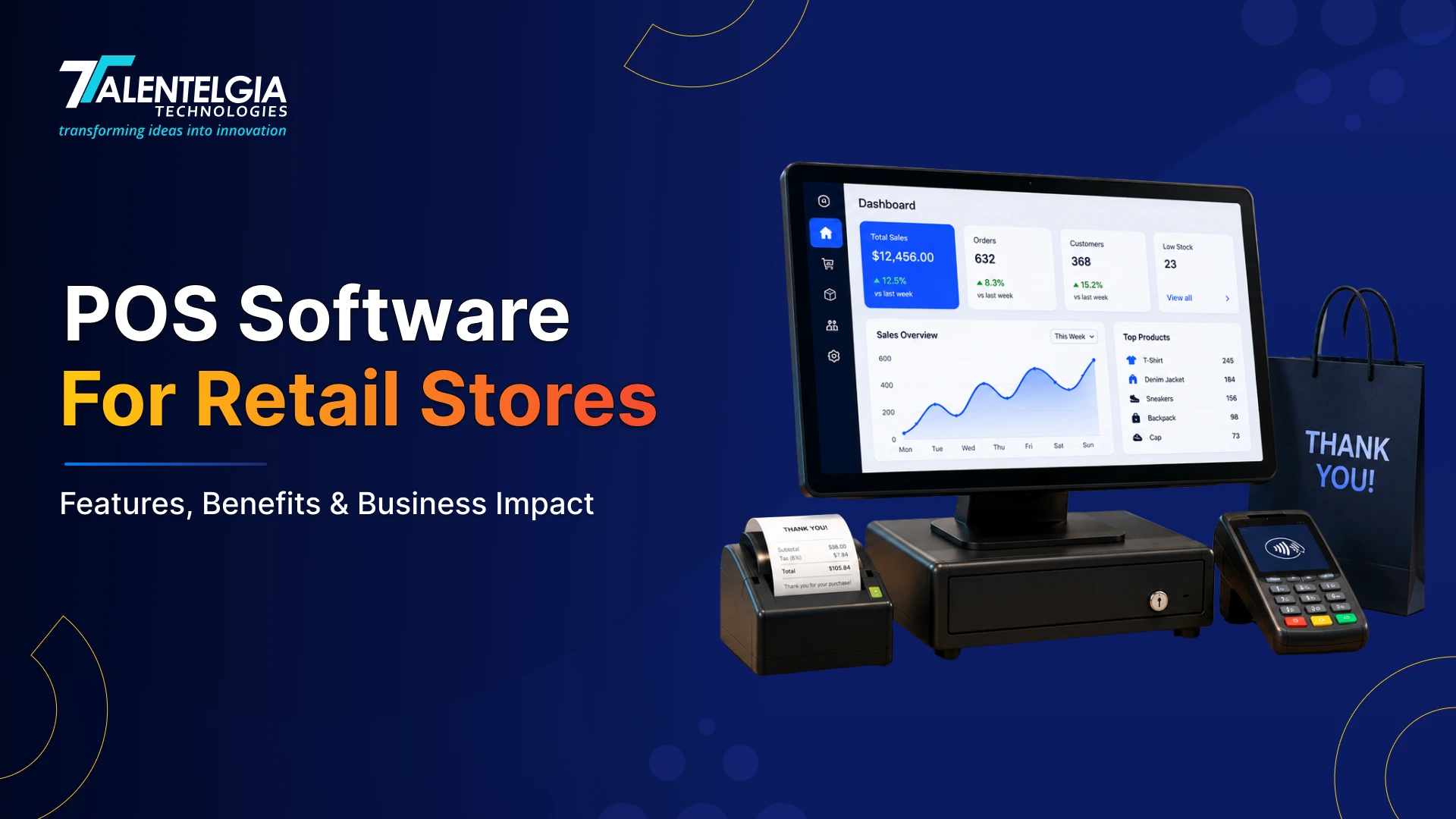
POS software is the digital system that retail stores use to manage sales, stock, staff, and reporting from one place. The moment a customer checks out, it’s already working — updating inventory, processing payment, and logging the transaction. No manual work. No disconnected systems. That’s the baseline.
Today, around 60% of retail chains use integrated systems, proving that they have become a standard infrastructure for retail businesses. No matter the size of your retail operation, your POS software is working behind every transaction, every stock update, and every business decision you make. Get it right, and everything runs smoother. Get it wrong, and it shows up everywhere.
There must be a lot of questions – What benefits does POS software for retail stores bring? Which one should you invest in? And so much more. Let’s find it all out in this blog.
But First, What is a POS?
POS stands for Point of Sale. It’s the moment a customer decides to buy something and completes the purchase. That very moment and everything that happens around it is what POS software is built to manage.
Common Retail Businesses That Use POS Systems
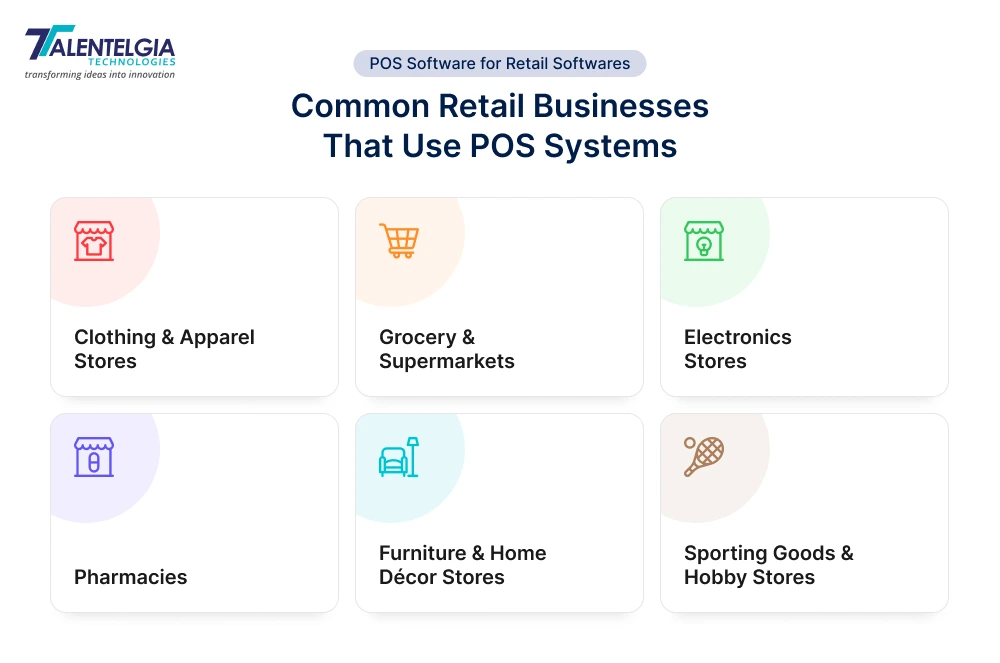
POS systems aren’t built for just one type of store. They’re used across nearly every retail format. Here’s where you’ll find them most:
- Clothing & Apparel Stores
- Grocery & Supermarkets.
- Electronics Stores
- Pharmacies
- Furniture & Home Décor Stores
- Sporting Goods & Hobby Stores
Core Components of a Retail POS System
There are two sides to any POS software for a retail store: the hardware that you can physically touch and the software running behind it. Here is an overview of both of them:
Hardware Components
| Component | What It Does |
|---|---|
| Touchscreen Terminal / Tablet | Main interface for staff to process sales, apply discounts, and manage transactions |
| Barcode Scanner | Scans product codes instantly, auto-updates inventory, speeds up checkout |
| Card Reader / Contactless Device | Scans product codes instantly, auto-updates inventory, and speeds up checkout |
| Receipt Printer | Prints physical receipts; modern systems also send digital receipts via SMS or email |
| Cash Drawer | Stores cash securely; logs every opening in the system to minimize theft and fraud |
Software Components
| Function | What It Does |
|---|---|
| Transaction Processing | Calculates totals, applies taxes and discounts, and completes payments in real time |
| Inventory Tracking | Auto-updates stock count with every sale |
| Customer Data Management | Stores purchase history, preferences, and loyalty points per customer |
| Sales Reporting & Analytics | Shows what’s selling, what isn’t, and where your revenue is coming from |
| Cloud vs Local Deployment | Cloud works across multiple locations; locally installed works without internet |
Different Types of POS Systems for Retail Stores
The right type of software will vary, depending on the store size, operations, and budgets. Now let’s go into each type in detail –
1. Legacy / On-Premise POS
No dependence on the Internet, stores all data locally on a local server at the site. It’s reliable, secure, and consistent.
But it can be expensive to set up ($10,000–$15,000 upfront) and demands on-site upkeep and technical help.
All updates to this software are manual, onboarding is slow, and they do not work remotely. That’s a significant investment with very little flexibility over modern open-source alternatives.
| Best For: Large single-location stores, pharmacies, and established retailers with stable operations who prioritize data security over flexibility. |
2. Cloud-Based POS
Data is stored on remote servers and accessible from any device, anywhere. Offers automatic updates, real-time reporting, and seamless multi-location management.
The only downside: they rely on a stable internet connection to function at full capacity. Software starts at $69/month.
| Best For: Multi-location retail chains, clothing stores, and growing businesses that need real-time data access across all outlets. Example: Footwear brand Allbirds uses Shopify POS to connect customer, sales, and inventory data across stores and digital channels through a centralized cloud platform. |
3. Mobile POS (mPOS)
Runs on smartphones or tablets with a card reader attached. Staff can process payments, check inventory, and serve customers anywhere on the floor. You do not need a fixed counter. Reduces checkout queues significantly and is easy to set up with minimal hardware costs. Software costs are similar to cloud-based systems at $69–$199/month.
| Best For: Pop-up shops, market stalls, boutique stores, sporting goods retailers, and businesses that prioritize floor-level customer service. Example: Etsy sellers at craft fairs, weekend markets, and pop-up shops often use mobile POS readers to accept card payments directly from their smartphones or tablets. |
4. Tablet-Based POS
It is a modern, countertop alternative to legacy systems and runs on familiar hardware like iPads. That makes staff training easy and fast, and onboarding smoother. Most tablet-based systems are cloud-connected, meaning inventory and sales data update in real time. iPads start at $329, with software ranging from $69–$199/month. This option is sleek, compact, and far more affordable than traditional terminals.
| Best For: Independent retail stores, salons, gift shops, and small-to-mid-size businesses looking for an affordable, easy-to-manage setup. |
5. Self-Service Kiosk POS
Enables customers to select, order, and pay without the need for any staff assistance. It lowers labor costs during the busiest times and gains valuable insights about customer buying behavior and what payment is preferred. Costs between $1,500–$5,000 per kiosk. These kiosks are expanding quickly in grocery, electronics, and quick-service retail as customers increasingly prefer going for fast, independent checkouts.
| Best For: Grocery stores, electronics retailers, large-format stores, and any high-traffic retail environment where speed and efficiency matter. Example: McDonald’s self-order kiosks allow customers to browse menus, customize meals, and complete payments independently, helping reduce queues during busy periods. |
6. Multichannel POS
Brings together all your in-store, online, and mobile sales into one platform. Your inventory syncs in real time across all channels. If a customer buys on your site or walks in through the door, stock levels are always correct. It includes CRM tools, loyalty programs, and consolidated reporting. Basic plans start at $100/month, with advanced solutions going upwards of $500/month.
| Best For: Retailers who sell both online and in-store, fashion brands, electronics stores, and any business running multiple sales channels simultaneously. Example: Zara uses real-time sales and inventory data across its stores and digital channels to support rapid replenishment and deliver a seamless omnichannel shopping experience |
7. Hybrid POS
This type offers cloud flexibility with local processing power. It keeps processing sales, accessing customer data, and managing operations even when there is no internet connection. The tool then syncs everything automatically once connectivity is back. Hybrid POS is one of the most resilient options available and is increasingly preferred by retailers who can not afford downtime.
| Best For: High-traffic retail stores, supermarkets, and chain retailers where internet disruption could directly mean lost sales. Example: Starbucks uses a POS environment that combines centralized management with offline transaction capabilities, allowing stores to continue operating during temporary internet outages. |
8. Open-Source POS
Gives businesses full access to the source code, allowing complete customization of features, integrations, and user interface. Can connect with third-party accounting, CRM, or eCommerce tools through open API access. The software itself is often free or low-cost, but implementation and developer costs can vary significantly.
| Best For: Tech-savvy retailers, large enterprises, and businesses with highly specific operational needs that off-the-shelf systems can’t address. |
Major Benefits of POS Software for Retail Businesses
Faster Checkouts, Zero Frustration
Long billing queues frustrate customers & cost you revenue. POS allows for a complete transaction in less than thirty seconds. Barcode scanning, automated tax calculation, and one-tap payments mean less time at the counter for your staff and more focus on serving customers. During peak hours like weekends or festive sales, a store that bills three times faster directly multiplies revenue.
Smarter Promotions, Zero Pricing Confusion
Create a promotion once, and the system applies it automatically at every counter, with no manual price changes and no staff errors. BOGO deals, bundle offers, and time-limited discounts all run cleanly without disrupting your checkout flow.
Measurable ROI From Day One
- Quicker checkouts mean more customers served.
- Accurate inventory means less money wasted on dead stock.
- Automated reporting means fewer staff hours lost to manual work.
Every part of the system works to save both time and money simultaneously. Most retailers feel the difference in their operations within the first few weeks.
Know Your Business Inside Out
Which product is your best-selling this month? Which of the stores is not performing well? What time of day drives the most footfall? Without a POS, answering these questions means hours of spreadsheet work. With POS, the answers are on your dashboard in real time. You stop running your business on gut feeling and start making decisions backed by actual numbers.
Cuts Operational Costs as You Scale
Running a retail store manually gets expensive fast. Stock counts need extra staff hours. End-of-day reconciliation is always stressful. Reporting takes a significant amount of time. A POS eliminates most of that. Tasks that used to take hours can be completed automatically in the background, freeing up your staff to focus on customers instead of paperwork. As your business grows and you add more locations, the system scales with you without adding proportional overhead.
Handles Returns Without the Headache
A customer walks in without a receipt. Without a POS for a retail store, that can be a problem. With one, you will be able to easily pull up their purchase history in seconds, process the return, and then automatically add the item back to your inventory. And, all of this takes place without even touching a spreadsheet or disrupting the sales records.
Key Features Every Retail POS Software Should Include
Inventory Management
Stock Count automatically updates whenever you sell something. No manual entry, no guesswork. Your system would inform you if something is running out before it runs dry on your end.
Integrated Payment Processing
Customers pay in all kinds of ways: cards, phones, smartwatches, Buy Now Pay Later. Your POS needs to accept all of it without friction. 77% of shoppers in 2024 said they’d leave a store if their preferred payment method wasn’t available. And that’s direct lost revenue.
Customer Management
The system records the purchase history, contact information, and preferences of every person who buys from you. The proper customer database is built over time, and you use your data to send offers that are real for actual customers–not blasted-out ads that all fall on deaf ears.
Employee Management
You can see who clocked in, who made which sale, and who has access to what in the system. It keeps your team accountable without you having to micromanage every shift.
Sales Reports & Analytics
Your POS shows you what sells, what doesn’t sell too well, when your busiest hours are, and which products generate most of the revenue. This way, you make decisions and run your business based on data and not gut feeling
Multi-Location Management
If you have multiple stores, all your inventory, price list reports can be viewed from a Dashboard, no jumping systems or calling locations for stock.
Third-Party Integrations
Your POS integrates with your accounting software, online store, and marketing tools. You never have to enter the same data twice, because all your systems work in sync. Many retailers also invest in CRM Development to connect customer data, loyalty programs, and POS operations in one system.
Security & Compliance
Customer payment data is sensitive. A great POS would encrypt that data, use PCI DSS security measures, and allow you to specify what your employees can view or do in the system.
Top POS Software Solutions for Retail Stores
| POS Software | Best For | Standout Feature |
|---|---|---|
| Square | Small retailers & pop-up stores | No monthly fees on basic plan; easiest setup on the market |
| Shopify POS | Online-first retailers going brick-and-mortar | True omnichannel – online and in-store inventory fully synced |
| Lightspeed Retail | Apparel, lifestyle & multi-location stores | Most advanced inventory management for high-SKU retailers |
| Clover | Versatile small to mid-size retail | Highly customizable via app marketplace; flexible hardware options |
| Zoho POS | Small to medium retail businesses | Tight integration with Zoho Books for seamless accounting |
| Toast | Food + retail hybrid businesses | Restaurant-grade hardware with retail features for hybrid businesses |
| Revel Systems | Mid to large retail operations | Feature-rich backend built to scale complex retail operations |
| Korona POS | High-volume & ticket-based retailers | Built for liquor stores, museums & convenience stores needing precise tracking |
How to Choose the Right POS Software for Your Retail Store
The best POS for a retail store depends entirely on how your business operates. Let us help you out: –
- Know your business size and model – A single boutique has very different needs than a multi-location chain. So be clear about the number of branches you operate from, how many employees use the software on a daily basis, and if you also do sales online.
- Set a realistic budget – Factor in everything: hardware costs, monthly software fees, payment processing fees, and customer support costs. Some systems look cheap up front, but get expensive fast with add-ons.
- Check for must-have integrations – Does it connect with your accounting software, eCommerce platform, or marketing tools? A POS that doesn’t talk to your existing systems creates more work, not less.
- Prioritize ease of use – A system your staff can’t figure out quickly will slow down checkouts and create errors. Always test the interface before committing.
- Evaluate customer support – When something breaks during peak hours, you need help fast. Look for 24/7 support, proper onboarding, and training resources.
- Think about scalability – Choose a system that grows with you. Adding a new location or sales channel shouldn’t mean switching your entire POS setup.
- Understand the payment processing fees – Transaction fees add up fast. Know exactly what percentage you’re paying per sale and whether you’re locked into a long-term contract.
- Consider custom software development – If off-the-shelf POS solutions don’t fully support your business processes, custom software development can provide a tailored solution with the exact features, integrations, and scalability your retail operation requires.
Conclusion
A POS software for a retail store can control how fast you serve customers, how accurately you manage stock, how well you understand your numbers, and how efficiently your team operates day to day.
The right system pays for itself quickly. The wrong one creates friction at every level of your business.
You now have everything you need to make an informed decision – the types, the features, the benefits, and the top solutions. Choose based on your business, not the biggest brand name.













 Sales Enquiries:
  Business queries:
  HR:
HR: 


