



 Healthcare Software Development Services
 Healthcare App Development Services
 Real Estate Web Development Services
 Real Estate App Development Company
 E-Commerce App Development Services
 E-Commerce Web Development Services
 Blockchain E-commerce Development Company
 Fintech Software Development
 Fintech App Development Services
 E-Learning App Development Services
 Restaurant App Development Company
 Mobile Game Development Company
 Travel App Development Company
 Automotive Web Design
 AI Traffic Management System
 AI Inventory Management Software
 Logistics App Development Services
 Machine Learning Development
 ChatGPT integration services
  AI Development Company
  AI Integration Services
  Natural Language Processing Company
 Mobile App Development
  IOS App Development
  Android App Development
  Cross-Platform App Development
  Augmented Reality (AR) App Development
  Virtual Reality (VR) App Development
  Web App Development
  SaaS App Development
 Custom Software Development Services
  Flutter
  React Native
  Swift (IOS)
  Kotlin (Android)
  Mean Stack Development
  AngularJS Development
  MongoDB Development
  Nodejs Development
  Database Development
 Ruby on Rails Development
 Expressjs Development
  Full Stack Development
  Web Development Services
  Laravel Development
  LAMP Development
  Custom PHP Development
  .Net Development
  User Experience Design Services
  User Interface Design Services
  Automated Testing
  Manual Testing
  Digital Marketing Services
 Ride-Sharing And Taxi Services
 Food Delivery Services
 Grocery Delivery Services
 Transportation And Logistics
 Car Wash App
 Home Services App
 ERP Development Services
 CMS Development Services
 LMS Development
 CRM Development
 DevOps Development Services
 AI Business Solutions
 AI Cloud Solutions
 AI Chatbot Development
 API Development
 Blockchain Product Development
 Cryptocurrency Wallet Development
 About Talentelgia
  Our Team
  Our Culture
 Healthcare App Development Services
 Real Estate Web Development Services
 E-Commerce App Development Services
 E-Commerce Web Development Services
 Blockchain E-commerce
Development Company
Blockchain E-commerce
Development Company Fintech App Development Services
 Blockchain Fintech
Development Company
Blockchain Fintech
Development Company E-Learning App Development Services
 Restaurant App Development Company
 Mobile Game Development Company
 Travel App Development Company
 AI Traffic Management System
 AI Inventory Management Software
 AI Development Company
 ChatGPT integration services
 AI Integration Services
 Machine Learning Development
 Machine learning consulting services
 Blockchain Development
 Blockchain Software Development
 Smart contract development company
 NFT marketplace development services
 Asset tokenization companies
 DeFi Wallet Development Company
 IOS App Development
 Android App Development
 Cross-Platform App Development
 Augmented Reality (AR) App
Development
Augmented Reality (AR) App
Development Virtual Reality (VR) App Development
 Web App Development
 Flutter
 React
Native
React
Native Swift
(IOS)
Swift
(IOS) Kotlin (Android)
 MEAN Stack Development
 AngularJS Development
 MongoDB Development
 Nodejs Development
 Database development services
 Expressjs Development
 Full Stack Development
 Web Development Services
 Laravel Development
 LAMP
Development
LAMP
Development Custom PHP Development
 User Experience Design Services
 User Interface Design Services
 Automated Testing
 Manual
Testing
Manual
Testing About Talentelgia
 Our Team
 Our Culture
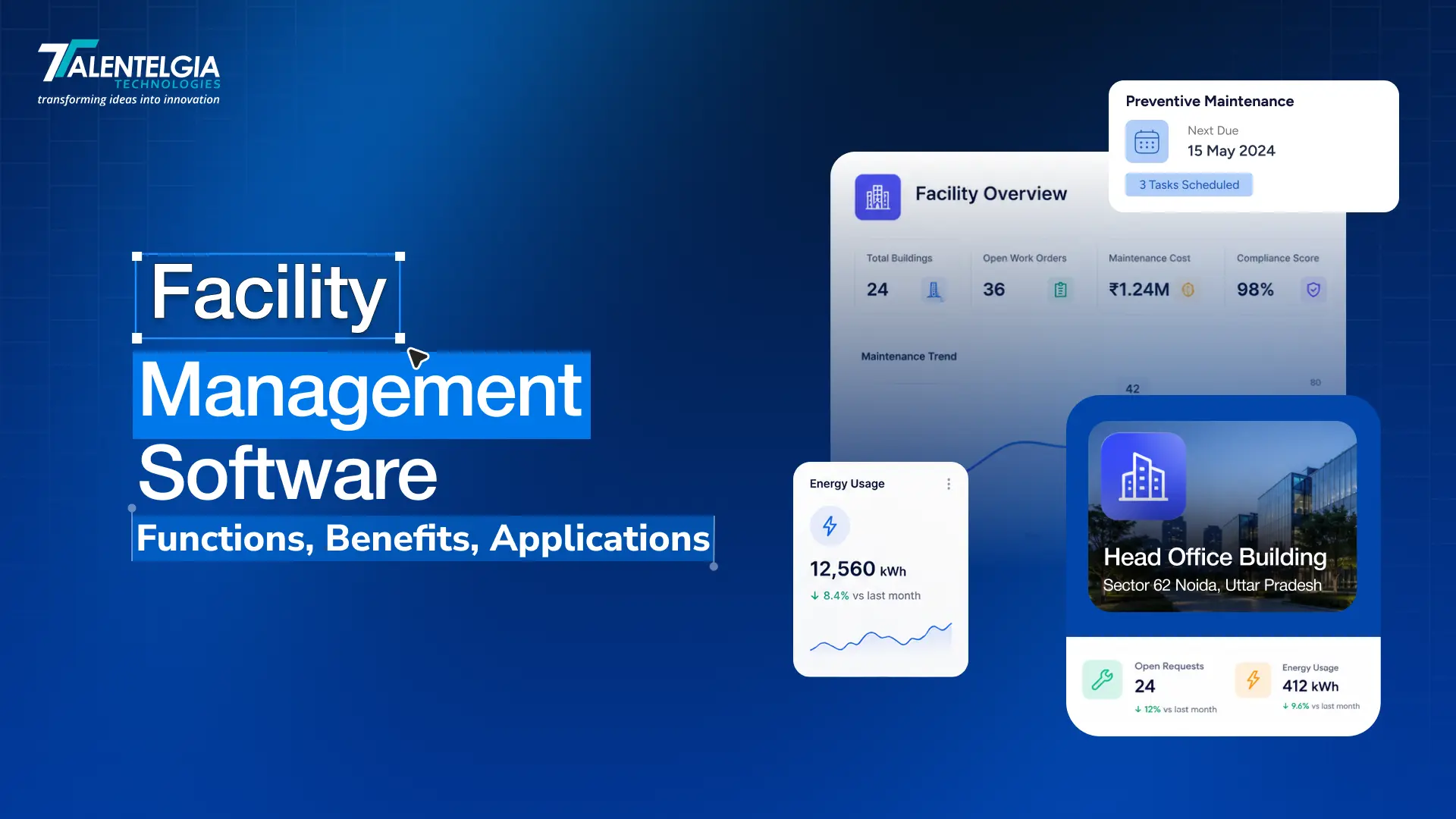
Facility Management Software (FMS) is a single platform that brings together everything involved in keeping a building or facility running — assets, spaces, maintenance, compliance, and the teams responsible for it all.
Instead of hopping between spreadsheets, emails, and paper logs, facility teams get one place to:
- Track and maintain assets and equipment
- Create, assign, and close work orders
- Schedule preventive maintenance before things break
- Monitor how spaces are being used across the facility
As operations grow, managing all of this manually becomes infeasible. Things get missed. Data gets scattered. FMS stays on duty to keep all your lights on and processes smooth, whether it’s an office, hospital, factory, or campus. This guide covers how FMS operates, key features to look for, the various system options, and tips for picking the perfect fit for your needs.
Types of Facility Management Software
Facility management software varies in form, addressing unique operational needs. Some handle maintenance, others space planning or workplace management, and some do building automation. Understanding these categories can help organizations choose the perfect solution for their facilities.
1. CMMS (Computerized Maintenance Management System)
CMMS is where most maintenance teams start. It handles work orders, schedules upkeep, tracks asset performance, and keeps records in one place. It doesn’t try to do everything — it just focuses on keeping equipment running and downtime low. For most organizations, it’s the first step away from spreadsheets and paper logs.
2. CAFM (Computer-Aided Facility Management)
It takes care of strategic planning. CAFM looks at the bigger picture, including floor plans, who’s using spaces, and how they’re utilized. It’s very beneficial for businesses that handle multiple locations and want to get more out of their physical footprint.
3. IWMS (Integrated Workplace Management System)
IWMS is one of the most complete choices. It offers whatever FMS and CAFM offer: be it real estate portfolio management, lease handling, sustainability tracking, or service management. If your org runs complex, multi-site ops and wants all that in one spot, this is the pick.
4. BMS (Building Management System)
BMS is a different animal entirely. It doesn’t deal with people, spaces, or assets; it controls the building. Things like HVAC, lighting, elevators, power, and access control all fall under its management. So think of BMS more as an automation engine in the background rather than a standard management system. It often links up with an IWMS to cover everything from start to finish.
| Feature | CMMS | CAFM | IWMS | BMS |
|---|---|---|---|---|
| Primary Focus | Maintenance and asset management | Space & planning | End-to-end facility management | Building systems control |
| Core Capabilities | Work orders, preventive maintenance, asset tracking | Floor plans, occupancy, utilization | Real estate, space, assets, sustainability | HVAC, lighting, power, access |
| User Type | Maintenance teams, technicians, facility managers | Space planners, workplace teams | Enterprise facility leaders | Building engineers, automation teams |
| Integration Scope | Moderate | Moderate-high | Comprehensive | Hardware-level |
| Ideal Facility Type | Manufacturing plants, warehouses, hospitals, schools | Corporate offices, universities, commercial buildings | Enterprise campuses, healthcare networks, government facilities | Smart buildings, airports, data centers, large commercial properties |
Why Is Facility Management Software Important?
| The numbers make the case before any argument can:90% of facility managers believe in preventive maintenance, yet only 26% actually practice it, per UpKeep’s survey.51% of organizations report a shortage of facility management staff, making manual, fragmented operations even tougher. Over 60% of workers feel unsupported or disengaged, which relates directly to how well their workplace is managed. |
These stats show that facility teams are overwhelmed and understaffed, trapped in reactive modes instead of being proactive. That’s where FMS comes in. It connects intentions with real actions. It turns maintenance to-do lists into well-organized plans, gathers asset information for easy viewing, and automates manual tasks like compliance checks with simple alerts.
Common Facility Management Software Features
Facility management software has a lot of moving parts, but strip it back, and most platforms are built around the same essential functions. Here’s what those look like in practice.
1. Asset and Equipment Management
Every piece of equipment has a past, including its purchase date, service records, and how it’s been performing. FMS handles all that info, keeping everything organized.
2. Work Order and Maintenance Management
For work orders and maintenance, doing stuff manually can lead to mistakes and delays. FMS changes that by handling the whole process from start to finish. Whether it’s submitting a request or completing a task, everything is tracked. Plus, techs always know their to-dos and deadlines, so nothing slips through the cracks.
3. Preventive and Predictive Maintenance
Fixing equipment after it breaks is expensive. FMS uses IoT sensors and predictive analytics to catch problems early, set up preventive maintenance, and extend asset life.
4. Space and Resource Optimization
Also, space isn’t free. So, FMS tracks real-time occupancy data to spot underused areas, aiding room and desk reservations.
5. Energy and Sustainability Tracking
FMS monitors energy consumption across buildings and systems in real time, identifies waste, and tracks sustainability metrics.
6. Vendor and Contractor Management
Managing third-party vendors without a central system means scattered contracts, missed SLAs, and invoices that are hard to trace. FMS pulls it all together — contracts, certifications, insurance, work history, and payment processing.
7. Reporting and Analytics
Good facility management runs on data. FMS surfaces dashboards, KPI reports, and trend analysis that help managers spot recurring problems, optimize maintenance schedules, and make budget decisions based on actual performance, not gut feel.
8. Document Management
FMS keeps all your stuff, like building plans, warranties, inspection records, and compliance documents, organized. Everything is digital and easy to search.
Key Benefits of Facility Management Software
How can facilities management software help? Here’s what that looks like in practice.
1. Lower Operating Costs
Unplanned breakdowns and emergency repairs don’t just disrupt operations. They are expensive too. FMS keeps those costs in check by automating preventive maintenance, allocating resources more efficiently, and catching inefficiencies early. Smarter parts forecasting means less waste and a budget that actually holds.
2. Longer Asset Lifespans
Equipment that doesn’t get maintained on schedule wears out faster. It’s a simple thing.FMS tracks usage, monitors performance, and automates maintenance so nothing slips through the cracks. Fewer surprise failures, lower replacement costs, and you get more life out of every asset you’ve invested in.
3. Improved Team Productivity
Manual coordination wastes lots of productive time, but facility management software helps solve that. It auto-assigns work orders depending on urgency and tech availability, tracks progress in real time, and cuts paperwork via digital workflows and mobile access. So teams spend way less time looking for info and focus more on their tasks.
4. Better Space Utilization
FMS shows managers how space is really used, pointing out unused areas and helping with better layout choices. This leads to real estate savings for businesses with multiple locations.
5. Data-Driven Decision Making
FMS tools show real-time dashboards, trend reports, and performance analytics. This lets managers:
- Catch repetitive issues before they become a pattern
- Allocate budgets based on actual data and not estimates
- Adjust maintenance schedules to cut downtime.
As a result, decisions are guided by data rather than reactive guesses.
Who Should Use Facility Management Software?
| Who | Why They Need It |
|---|---|
| Facility Managers | Manage work orders, maintenance schedules, and building operations from one place |
| Property Managers | Track leases, log tenant requests, and plan maintenance without juggling multiple tools |
| Asset Owners & Corporate Real Estate Teams | Monitor asset performance, compliance status, and portfolio financials in real time |
| Retail & Logistics Operators | Maintain consistent equipment uptime and workflows across multiple locations |
| Industrial & Manufacturing Teams | Automate safety inspections, compliance tracking, and heavy machinery maintenance |
| Healthcare & Education Institutions | Oversee complex, multi-building operations while staying on top of regulatory requirements |
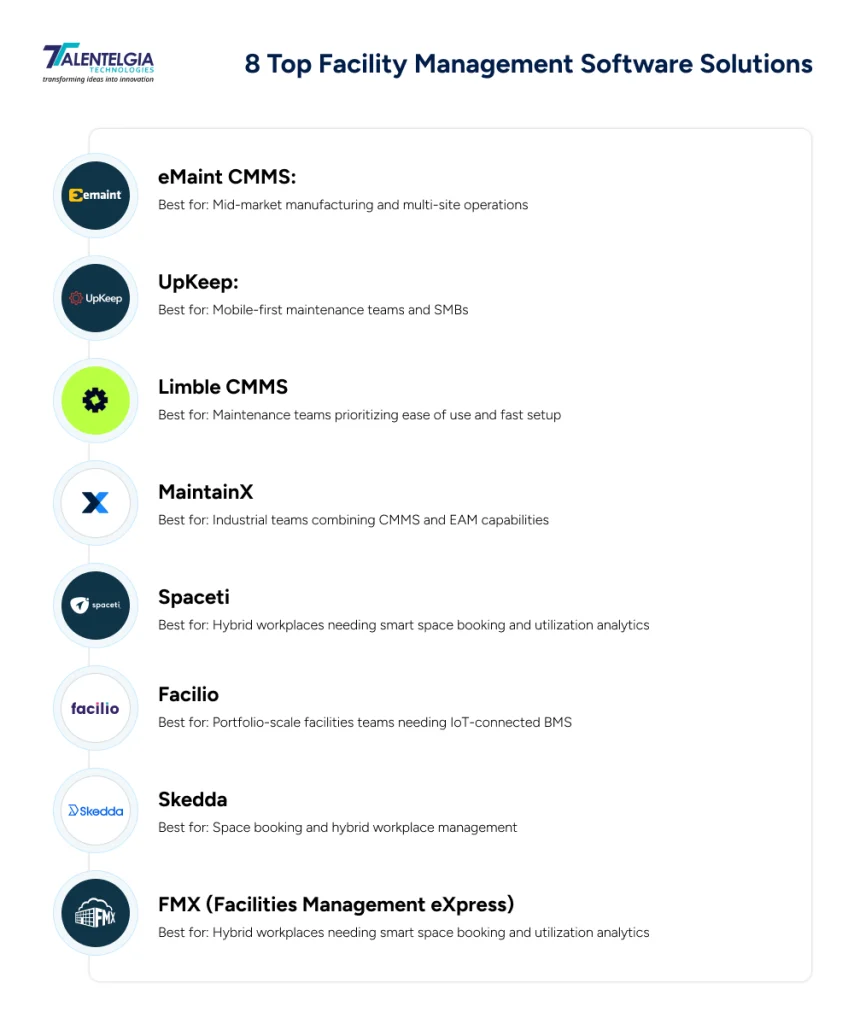
8 Top Facility Management Software Solutions
1. eMaint CMMS
eMaint’s been in the game since 2000; Fluke acquired it in 2016. Its inventory management and configurable workflows stand out from the crowd.
Advantages
- Highly configurable workflows without developer help
- Strong spare parts and multi-stockroom inventory management
- Supports FDA 21 CFR Part 11 compliance for regulated industries
Cons
- UI looks dated. The interface reflects 2015-era web design and takes time to learn
- Starting price of $69/user/month is higher than most comparable CMMS options
- Longer onboarding compared to simpler tools like UpKeep or Limble
Best for: Mid-market manufacturing and multi-site operations.
2. UpKeep
UpKeep is the AI-native CMMS that generates work orders, schedules technicians, and prevents failures before they happen. It’s particularly popular with technicians who need to manage everything from a smartphone on the floor.
Advantages
- Clean, intuitive mobile experience, minimal training required
- AI-powered work order generation and technician scheduling
- Free tier available; paid plans start at $20/user/month
Cons
- Less suited for complex, enterprise-grade compliance needs
- Reporting depth is limited compared to eMaint or Maximo
- Advanced features locked behind higher pricing tiers
Best for: Mobile-first maintenance teams and SMBs.
3. Limble CMMS
Limble helps teams slash downtime, simplify work orders, and get real-time visibility to stay ahead of failures. Rated #1 by 50,000+ maintenance professionals on G2, it’s built for teams that want powerful CMMS capabilities without a complex implementation.
Advantages
- Fast onboarding: teams are operational within days
- Strong preventive and predictive maintenance scheduling
- Excellent mobile app with QR code-based work order access
Cons
- Less feature depth than enterprise platforms for large asset hierarchies
- Advanced analytics require higher-tier plans
- Limited real estate or space management functionality
Best for: Maintenance teams prioritizing ease of use and fast setup.
4. MaintainX
MaintainX is a CMMS and EAM platform that helps industrial teams reduce downtime, improve efficiency, and optimize asset performance with the help of AI integration. Notably, Autodesk recently announced its acquisition of MaintainX, signaling a strong growth trajectory.
Advantages
- Clean interface with strong mobile and desktop experience
- Covers work orders, asset management, parts inventory, and IoT integration
- Solid vendor management and inspection workflows
Cons
- Starting at $20/month, enterprise features require custom pricing
- Still maturing on advanced reporting compared to Maximo or eMaint
- Acquisition by Autodesk may shift product direction
Best for: Industrial teams combining CMMS and EAM capabilities.
5. Spaceti
Spaceti is a workplace scheduling platform used by 100+ enterprise clients across 40 countries. It’s built for hybrid-first teams that need fast desk and room booking alongside clean, real-time space utilization data.
Advantages
- AI booking reduces employee friction and surfaces no-show signals in real time
- Integrates natively with Google Calendar, Microsoft 365, Outlook, and Teams
- Strong compliance credentials – ISO 27001, GDPR, and SOC 2 compliant
- Entry plan starts at $5.99/user/month – accessible pricing for smaller teams
Cons
- Not built for legacy IWMS workflows or complex enterprise facility operations
- Enterprise setup requires planning and onboarding time
- Fewer public performance benchmarks compared to established CAFM platforms
Best for: Hybrid workplaces needing smart space booking and utilization analytics.
6. Facilio
Facilio is a cloud-based BMS platform that connects building systems, automates diagnostics, and gives facility teams real-time visibility across their entire property portfolio without complex integrations or multiple logins.
Advantages
- No-code workflow automation. Teams can configure processes without developer help
- IoT edge connectivity works across any building system, make, or data protocol
- AI-powered fault detection and automated work order dispatch reduce response time significantly
- AI agents handle service request intake, technician dispatch, and cross-site follow-up
Cons
- Better suited for mid-to-large portfolios — may be overkill for single-site operations
- Full value requires IoT sensor infrastructure already in place
- Pricing is quote-based, no public entry-level tier
Best for: Portfolio-scale facilities teams needing IoT-connected BMS.
Also Read: How To Develop an IoT Application? Features & Cost
7. Skedda
Skedda is a complete workplace management software for seamlessly managing the administration of desks, offices, visitors, and other workplace resources. Rated #1 Space Management Solution on G2.
Advantages
- Intuitive desk and room booking with interactive floor plans
- Strong automation via custom booking rules and access controls
- Visitor management built in
Cons
- No maintenance or asset management capabilities
- Not suited for industrial or multi-site facility operations
- Limited analytics compared to full FMS platforms
Best for: Space booking and hybrid workplace management.
8. FMX (Facilities Management eXpress)
FMX is a configurable facilities management platform designed for organizations that need maintenance, event scheduling, asset tracking, and work orders in one place with unlimited users and no extra cost for access.
Advantages
- Highly customizable workflows that adapt to different industries and operations
- Unlimited user accounts, no per-seat cost pressure as teams grow
- Covers a wide range: work orders, preventive maintenance, event scheduling, transportation, and technology ticketing
- Cloud-based with mobile access and strong customer support included
Cons
- Integrations with third-party software can take time to set up
- Failed inspections don’t automatically generate work orders — a notable gap
- Less suited for small businesses or teams in areas with unreliable internet connectivity
Best for: Education, manufacturing, and property management teams.
Also Read: AI Integration Consulting: A Brief Analysis
How to Choose the Right Facility Management Software
The best facility management software isn’t about having the most features; it’s about finding what fits your team’s needs. Here’s how to do it without wasting time.
1. Sort the Budget First
First, organize your budget. Figure out who handles the budget, who has approval authority, and what the whole buying process entails. Skipping this step means wasting weeks on software you might not be able to buy in the end.
2. Match the Solution to Your Scale
Next, match the software to your operation’s scale. Generally, FMS platforms come in three types:
- Entry-level, which is good for small teams or single-site ops. It handles basic stuff but won’t break the bank.
- Mid-tier, for teams running multiple sites. This includes better compliance tools and support during setup.
- Enterprise level, which integrates fully with ERP systems. These are top picks for big, complex operations in fields like manufacturing, utilities, or real estate.
If you have questions like what facilities management software is best for large organisations, this is how you will find your answer.
3. Run Structured Demos
For structured demos, tell vendors about your top issues from the start. They should customize their demos to fit your needs, not just show off general features. Use the same framework to take notes during each demo for fair comparisons.
4. Clear IT and Security
Make sure the platforms meet all your security standards before you narrow down your choices. Look at things like SSO, multi-factor authentication, data ownership policies, and backup procedures.
5. Align on Implementation Before Signing
Confirm timelines, onboarding support, and integration requirements with the vendor. What happens post-purchase is just as important as the product itself.
Wrapping Up
The right facility management software solution quietly keeps your equipment running, your spaces optimized, your compliance documented, and your team focused on actual work instead of chasing down paperwork. Whether you’re a 10-person maintenance crew or an enterprise managing facilities across continents, there’s a system built for exactly where you are.
The hard part isn’t finding software. It’s being honest about what your operation actually needs and starting there.
Pick the tool that solves your real problems today, with enough room to grow into tomorrow. Everything else will follow.










 Sales Enquiries:
  Business queries:
  HR:
HR: 


