



 Healthcare Software Development Services
 Healthcare App Development Services
 Real Estate Web Development Services
 Real Estate App Development Company
 E-Commerce App Development Services
 E-Commerce Web Development Services
 Blockchain E-commerce Development Company
 Fintech Software Development
 Fintech App Development Services
 E-Learning App Development Services
 Restaurant App Development Company
 Mobile Game Development Company
 Travel App Development Company
 Automotive Web Design
 AI Traffic Management System
 AI Inventory Management Software
 Logistics App Development Services
 Machine Learning Development
 ChatGPT integration services
  AI Development Company
  AI Integration Services
  Natural Language Processing Company
 Mobile App Development
  IOS App Development
  Android App Development
  Cross-Platform App Development
  Augmented Reality (AR) App Development
  Virtual Reality (VR) App Development
  Web App Development
  SaaS App Development
 Custom Software Development Services
  Flutter
  React Native
  Swift (IOS)
  Kotlin (Android)
  Mean Stack Development
  AngularJS Development
  MongoDB Development
  Nodejs Development
  Database Development
 Ruby on Rails Development
 Expressjs Development
  Full Stack Development
  Web Development Services
  Laravel Development
  LAMP Development
  Custom PHP Development
  .Net Development
  User Experience Design Services
  User Interface Design Services
  Automated Testing
  Manual Testing
  Digital Marketing Services
 Ride-Sharing And Taxi Services
 Food Delivery Services
 Grocery Delivery Services
 Transportation And Logistics
 Car Wash App
 Home Services App
 ERP Development Services
 CMS Development Services
 LMS Development
 CRM Development
 DevOps Development Services
 AI Business Solutions
 AI Cloud Solutions
 AI Chatbot Development
 API Development
 Blockchain Product Development
 Cryptocurrency Wallet Development
 About Talentelgia
  Our Team
  Our Culture
 Healthcare App Development Services
 Real Estate Web Development Services
 E-Commerce App Development Services
 E-Commerce Web Development Services
 Blockchain E-commerce
Development Company
Blockchain E-commerce
Development Company Fintech App Development Services
 Blockchain Fintech
Development Company
Blockchain Fintech
Development Company E-Learning App Development Services
 Restaurant App Development Company
 Mobile Game Development Company
 Travel App Development Company
 AI Traffic Management System
 AI Inventory Management Software
 AI Development Company
 ChatGPT integration services
 AI Integration Services
 Machine Learning Development
 Machine learning consulting services
 Blockchain Development
 Blockchain Software Development
 Smart contract development company
 NFT marketplace development services
 Asset tokenization companies
 DeFi Wallet Development Company
 IOS App Development
 Android App Development
 Cross-Platform App Development
 Augmented Reality (AR) App
Development
Augmented Reality (AR) App
Development Virtual Reality (VR) App Development
 Web App Development
 Flutter
 React
Native
React
Native Swift
(IOS)
Swift
(IOS) Kotlin (Android)
 MEAN Stack Development
 AngularJS Development
 MongoDB Development
 Nodejs Development
 Database development services
 Expressjs Development
 Full Stack Development
 Web Development Services
 Laravel Development
 LAMP
Development
LAMP
Development Custom PHP Development
 User Experience Design Services
 User Interface Design Services
 Automated Testing
 Manual
Testing
Manual
Testing About Talentelgia
 Our Team
 Our Culture
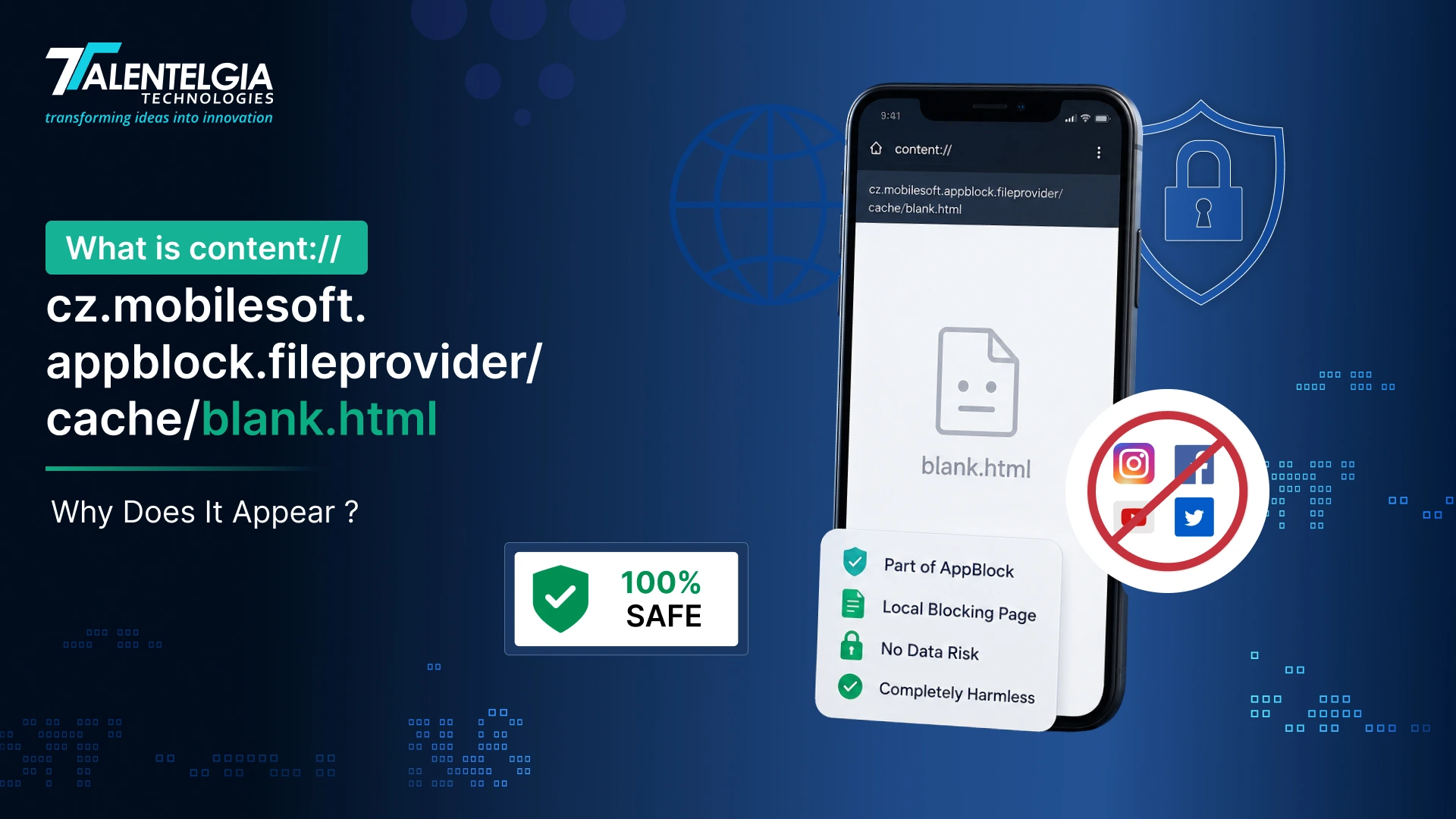
Fighting digital distractions in a world filled with endless notifications is a non-stop battle. To stay productive, millions of Android users rely on AppBlock, a popular digital well-being application designed to temporarily restrict access to time-wasting apps and websites.
However, many users and developers checking their device logs, browser history, or privacy reports stumble across a highly unusual path:
“content://cz.mobilesoft.appblock.fileprovider/cache/blank.html.”
This technical-looking string frequently triggers alarms, leaving people wondering if their device has been compromised by malware or a virus.
The Short Answer:
Security Status – 100% Safe. This string is completely harmless. It is a standard Android Content URI (Uniform Resource Identifier) generated locally by the official AppBlock application to handle website blocking smoothly without throwing system errors or internet timeouts.
Let’s decode exactly what this URI “content cz mobilesoft appblock fileprovider cache blank html” represents, how it works, why it appears in your browser history, and how you can manage or remove it from your device.
Anatomy of Content URI: Decoding The Components
Before we decode the AppBlock-specific URI, it’s essential to understand what content URIs are and why Android uses them. “Understanding these components is an important part of Android app development, particularly when building applications that need secure access to local files and resources. In the Android ecosystem, a content URI is a structured address that provides secure access to data managed by content providers; unlike traditional file paths that directly expose internal storage locations, content URIs act as controlled gateways.
This system serves multiple critical purposes:
- Security: Hides actual file system paths from other applications
- Access Control: Grants temporary, permission-based access to specific resources
- Sandboxing: Maintains strict isolation between app data and external access
When apps use content URIs, they’re essentially creating secure bridges that allow controlled data sharing without compromising the underlying file system structure.
What Does The URI Keyword Mean?
The content URI keyword “content cz mobilesoft appblock fileprovider cache blank html” as a whole includes several components of the Android operating system and app development:
- Content: Refers to files, data, or other information managed by the application.
- CZ Mobilesoft: A productivity and security-focused mobile application developer best known for AppBlock
- AppBlock: An Android application that blocks distracting applications to help users manage their focus.
- File Provider: A component of the Android system that enables secure file sharing between applications
- Cache: Cache is a temporary storage space that an application uses to store files or data for faster and easier access
- Blank HTML: The actual cached HTML file, typically containing minimal or empty content, used as a placeholder
When these keywords come together (sometimes in a file path or as part of the internal process name), they tell the background story of an app maintaining its local cache and temporary files.
Breaking Down The URI Components: Why Does It Appear Like That?
The string “content cz mobilesoft appblock fileprovider cache blank html” is not a regular file system path or web link. Still, it is a content URI for Android apps presenting internal files externally with safety and without directly exposing the system path. Well, let’s break it down step by step:
- content:// — marks it as a content URI, handled by Android’s secure ContentResolver system.
- cz.mobilesoft.appblock.fileprovider — the unique signature (authority) identifying the AppBlock app’s FileProvider, a gatekeeper that controls file access.
- /cache/blank.html — points to a temporary cached HTML file inside the app’s internal storage.
In simple terms: this URI references a blank webpage that the AppBlock app uses behind the scenes to manage blocked content or display placeholder pages.
AppBlock: A Brief Introduction of Features & Work Process
MobileSoft s.r.o. creates applications for Android systems to ensure productivity, and AppBlock is one of them. This application can improve users’ productivity and digital well-being by blocking specific applications, websites, and notifications for certain time frames. Scheduling, focus modes, analytics of applications used, and lock enforcement are some of the app’s key attributes.
AppBlock’s blank file is created by the application itself and is used to store the users’ schedules and logs. By using Android’s Accessibility Services, Virtual Private Network (VPN), and restriction content APIs, it is able to run in the background, ensuring that it can limit distractions, access specific applications, or use notifications.
Given the fact that the app controls the restrictions and oversees the use of the app, it is reasonable to assume that it is controlling the background data that it is using the app, including temp files, schedules, logs, and, in some cases, web data from internet browsers, and files that the app saves data.
Top Key Features of AppBlock
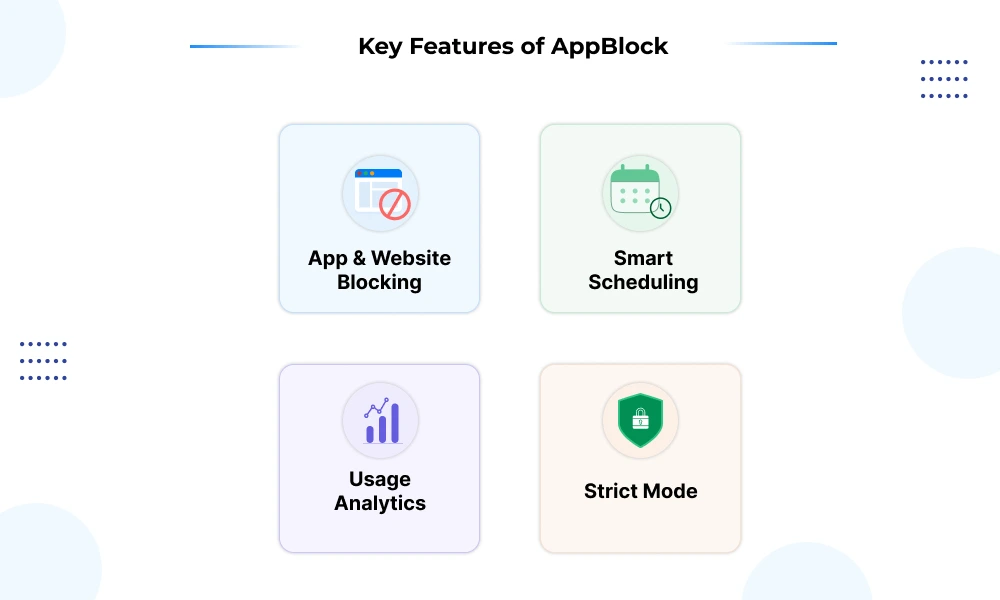
To fully understand why this URI exists, we need to appreciate what AppBlock does. AppBlock comes with features that are built to improve productivity and minimize distractions. Some of the top key features of AppBlock are:
- App & Website Blocking: Intercepts access to distracting domains and apps during configured focus windows.
- Smart Scheduling: Deploys blocking automation based on precise time schedules, GPS coordinates, or specific Wi-Fi connections.
- Usage Analytics: Generates detailed screen time reports to track application interaction habits.
- Strict Mode: Prevents impulsive users from altering settings or bypassing active limits until a designated cooldown time elapses.
How Does AppBlock Work?
AppBlock functions as a digital ecosystem designed specifically for you. It helps users stay on track by filtering through preset configurations to focus and minimize unnecessary distractions. Once the application is installed, you can select which applications to block or limit. This helps you to block applications through its easy and friendly settings for repetitive customization. The choices include social media, gaming applications, among others.
The timer feature plays a crucial role as well. Each day, you can set the hours within which an application can be used. Once time elapses, AppBlock automatically takes over and will not allow access until the next day.
The application also helps you track your spending on different applications. The analysis of the interaction data helps you understand your interactions better and helps promote a better understanding of the concept of healthy and unhealthy screen time without unnecessary complication.
Armed with the technology, users can be more productive, making the devices be used more responsibly.
Why Does AppBlock Use Blank HTML File In Cache?
When AppBlock intercepts an attempt to visit a restricted website, it cannot simply drop the connection without causing your web browser to freeze or show an intimidating “Network Connection Failed” error screen.
Instead, AppBlock acts as a local proxy, catching the web request and instantly redirecting your browser’s WebView to the locally cached blank.html file. This swap ensures a clean user experience by rendering a quiet, blank screen rather than a loud browser crash.
Here are some reasons to have a blank HTML file:
- Seamless User Experience: No abrupt crashes or error pop-ups
- Performance Optimization: Loading a cached local file is faster than network requests
- Consistent Interface: Maintains visual harmony within the app’s design language
- Reduced Frustration: Users understand they’ve encountered a gentle block rather than a technical failure
When and Where Might You See This URI?
While exploring Android directories, you may come across “content cz mobilesoft appblock fileprovider cache blank html” in recycled logs or reports from cleaner applications. From time to time, this Keyword is visible in crash reports, especially if there is an underlying issue with file management or content rendering.
For advanced users or developers, this directory could serve as a resource for checking app resource management or layout debugging. You might find this URI:
- Browser Address Bar & History: If AppBlock active-filters a website you tried to visit, your browser registers the safe redirection as a completed navigation entry. As a result, the content:// string will appear directly inside your browser history logs.
- System Logcats & Android Debugging: Application developers or QA testers monitoring raw device output will spot this file provider being queried whenever layout routines or focus restrictions activate.
- Storage Cleaners and Crash Reports: Device diagnostic software or storage management apps may flag this item during routine folder audits or if a rendering engine crashes while loading a blocked page
How To Fix or Stop Seeing content://cz.mobilesoft.appblock.fileprovider/cache/blank.html
If these redirects are appearing too frequently or disrupting pages you actually need to access, you can quickly address the issue using four distinct methods:
1. Update the AppBlock Web Filtering Settings
If a safe, necessary website is getting hit with a blank redirect, it means the URL is caught inside your active filters.
- Open the AppBlock application.
- Tap on the Settings (gear icon) and go to Web Filtering.
- Review your active restriction profiles and remove or whitelist the domain causing the redirect issues.
2. Pause Active Profile Blocks
To quickly clear the restriction paths without deleting your schedules, pause the app from your notification drawer.
- Pull down your device’s notification shade.
- Locate the ongoing AppBlock notification.
- Tap Pause or turn off blocking to temporarily allow normal web traffic.
3. Clear App Cache Files
If the local file instance is bugged or stalling out your mobile browser, flushing the temporary data folder forces a clean system state.
- Go to your device’s primary Settings > Apps > AppBlock.
- Select Storage & Cache.
- Click Clear Cache. (Note: AppBlock will recreate a clean instance of the file the next time a block rule triggers).
4. Full Application Uninstallation
If you no longer use the software and want the path permanently removed from your system logs and browsing history:
- Navigate to your Android Settings > Apps > AppBlock.
- Tap Uninstall to completely wipe out the cz. mobilesoft.appblock package along with its local cached assets.
Is This URI Keyword a Matter of Threat or Privacy Concern?
No, not fundamentally! Just because you see content://cz.mobilesoft.appblock.fileprovider/cache/blank.html does not automatically mean your device is hacked or confidential information is at risk. This is because:
- It is a local, temporary file, which is a region-specific link that points to a file that is stored within the device.
- It does not share information outside the device unless permission to access is explicitly granted to a different application.
- This is likely an AppBlock feature that is intended for managing or redirecting web access.
So, despite its cryptic look, this URI is entirely benign.
| Question | Should You Worry? |
|---|---|
| Is it malware or spyware? | No |
| Can other apps access it? | No, unless explicitly shared |
| Is personal data exposed? | No |
| Should you delete the blank.html? | No need; the system manages cached files automatically |
As long as you’ve downloaded AppBlock from official sources, this file is part of normal app functioning and doesn’t compromise your device’s security.
Final Words
The URI keyword— content cz mobilesoft appblock fileprovider cache blank html, is not a bug; it’s a feature! It does not pose a threat, error, malicious software, or anything of that sort. Instead, it is an unobtrusive method of how applications like AppBlock impose restrictions on distracting content without affecting the user experience. It demonstrates how applications are developed with a ‘user-first’ mindset, protecting their attention, as well as the Android system.
If you want similar caching strategies in your app, contact Talentelgia today!











 Sales Enquiries:
  Business queries:
  HR:
HR: 


