



 Healthcare Software Development Services
 Healthcare App Development Services
 Real Estate Web Development Services
 Real Estate App Development Company
 E-Commerce App Development Services
 E-Commerce Web Development Services
 Blockchain E-commerce Development Company
 Fintech Software Development
 Fintech App Development Services
 E-Learning App Development Services
 Restaurant App Development Company
 Mobile Game Development Company
 Travel App Development Company
 Automotive Web Design
 AI Traffic Management System
 AI Inventory Management Software
 Logistics App Development Services
 Machine Learning Development
 ChatGPT integration services
  AI Development Company
  AI Integration Services
  Natural Language Processing Company
 Mobile App Development
  IOS App Development
  Android App Development
  Cross-Platform App Development
  Augmented Reality (AR) App Development
  Virtual Reality (VR) App Development
  Web App Development
  SaaS App Development
 Custom Software Development Services
  Flutter
  React Native
  Swift (IOS)
  Kotlin (Android)
  Mean Stack Development
  AngularJS Development
  MongoDB Development
  Nodejs Development
  Database Development
 Ruby on Rails Development
 Expressjs Development
  Full Stack Development
  Web Development Services
  Laravel Development
  LAMP Development
  Custom PHP Development
  .Net Development
  User Experience Design Services
  User Interface Design Services
  Automated Testing
  Manual Testing
  Digital Marketing Services
 Ride-Sharing And Taxi Services
 Food Delivery Services
 Grocery Delivery Services
 Transportation And Logistics
 Car Wash App
 Home Services App
 ERP Development Services
 CMS Development Services
 LMS Development
 CRM Development
 DevOps Development Services
 AI Business Solutions
 AI Cloud Solutions
 AI Chatbot Development
 API Development
 Blockchain Product Development
 Cryptocurrency Wallet Development
 About Talentelgia
  Our Team
  Our Culture
 Healthcare App Development Services
 Real Estate Web Development Services
 E-Commerce App Development Services
 E-Commerce Web Development Services
 Blockchain E-commerce
Development Company
Blockchain E-commerce
Development Company Fintech App Development Services
 Blockchain Fintech
Development Company
Blockchain Fintech
Development Company E-Learning App Development Services
 Restaurant App Development Company
 Mobile Game Development Company
 Travel App Development Company
 AI Traffic Management System
 AI Inventory Management Software
 AI Development Company
 ChatGPT integration services
 AI Integration Services
 Machine Learning Development
 Machine learning consulting services
 Blockchain Development
 Blockchain Software Development
 Smart contract development company
 NFT marketplace development services
 Asset tokenization companies
 DeFi Wallet Development Company
 IOS App Development
 Android App Development
 Cross-Platform App Development
 Augmented Reality (AR) App
Development
Augmented Reality (AR) App
Development Virtual Reality (VR) App Development
 Web App Development
 Flutter
 React
Native
React
Native Swift
(IOS)
Swift
(IOS) Kotlin (Android)
 MEAN Stack Development
 AngularJS Development
 MongoDB Development
 Nodejs Development
 Database development services
 Expressjs Development
 Full Stack Development
 Web Development Services
 Laravel Development
 LAMP
Development
LAMP
Development Custom PHP Development
 User Experience Design Services
 User Interface Design Services
 Automated Testing
 Manual
Testing
Manual
Testing About Talentelgia
 Our Team
 Our Culture
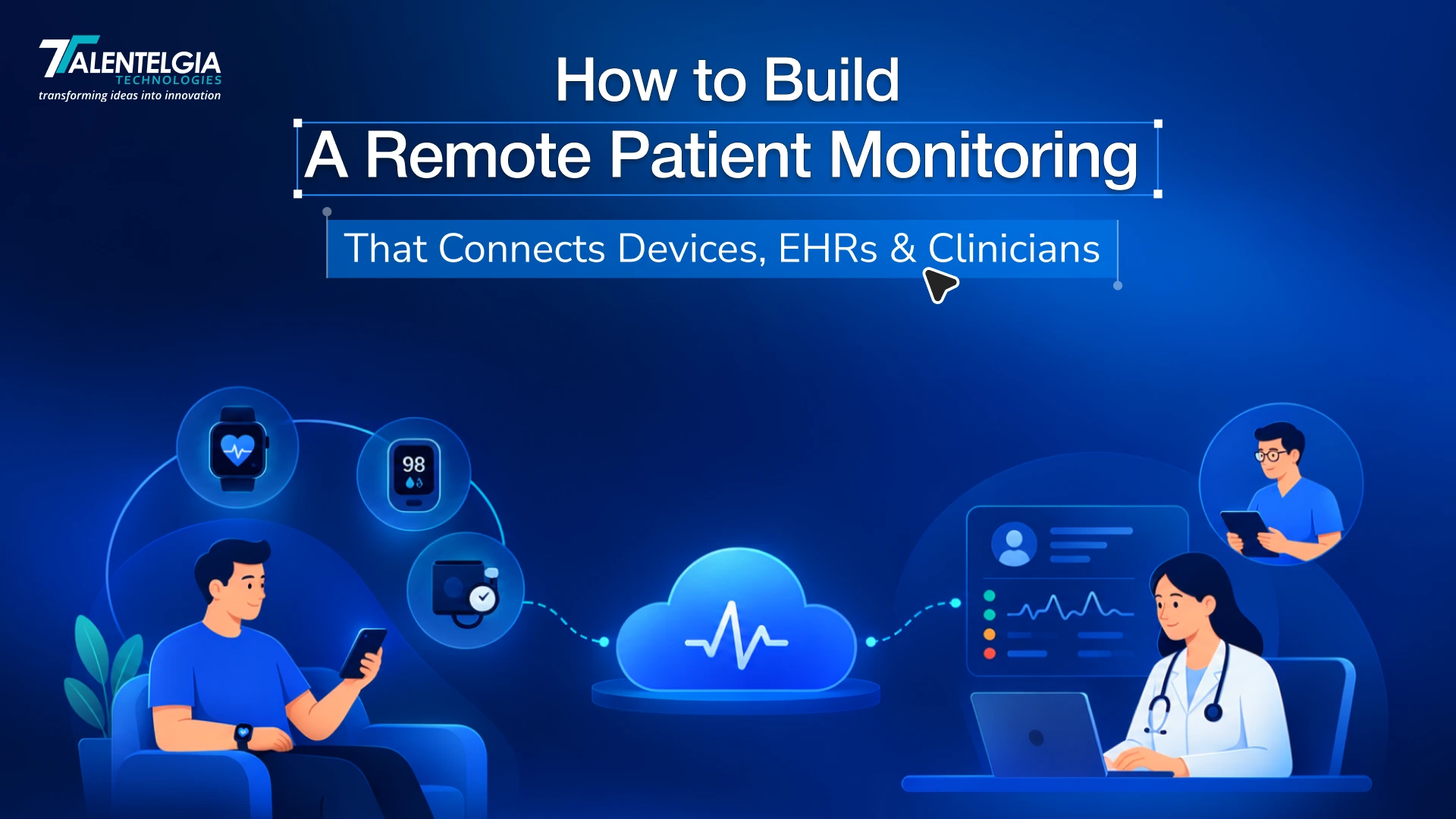
Building remote patient monitoring software is not simply a matter of creating a patient app that receives readings from a blood pressure cuff or glucose monitor. A production-ready RPM platform has to connect devices, patient-generated health data, healthcare systems, and clinical teams into one operational workflow.
Each layer creates different technical and business decisions. Device connectivity determines how data enters the platform. Data normalization determines whether readings can be interpreted consistently. EHR integration determines whether clinicians can use that information without switching between disconnected systems. Alerting determines whether the platform produces useful clinical work or simply creates another stream of notifications.
The key question here is not just “Can we build an RPM app?” It is “Can we build a reliable system that moves patient data from the device to the right clinician at the right time?”
This guide explains the architecture, healthcare app development integrations, compliance considerations, development decisions, costs, and implementation approach involved.
What Does Remote Patient Monitoring Software Need to Do?
At its core, an RPM platform performs three functions:
- Collect patient-generated health data from connected devices and patient inputs.
- Process and route that data through validation, normalization, analytics, and clinical rules.
- Enable action by presenting relevant information to clinicians and triggering appropriate follow-up workflows.
The platform may collect blood pressure, blood glucose, oxygen saturation, heart rate, weight, temperature, ECG readings, or other physiological measurements. Depending on the use case, data can arrive through Bluetooth, mobile applications, device APIs, cellular connectivity, or other gateways.
The important architectural distinction is that the patient-facing application is only one component. A complete remote patient monitoring system also needs device integration, backend services, data storage, interoperability interfaces, clinical rules, identity management, auditability, and clinician-facing workflows.
This is where healthcare IoT and healthcare software development intersect. The platform has to accept data from heterogeneous connected devices and transform it into structured information that can move into healthcare systems and support clinical operations.
How a Remote Patient Monitoring Platform Works
Patient Data Collection Through Connected Devices
An RPM platform can support connected blood pressure monitors, glucometers, pulse oximeters, ECG devices, smart scales, thermometers, and selected wearables.
The right device set depends on the clinical program. A hypertension program may prioritize blood pressure measurements, while a heart failure workflow may require weight and other physiological indicators. Starting with the clinical requirement prevents unnecessary device integrations.
Healthcare IoT Data Transmission
Devices can transmit measurements through Bluetooth Low Energy, Wi-Fi, cellular connectivity, manufacturer APIs, SDKs, or an intermediary gateway.
The connectivity layer should account for intermittent networks, duplicated measurements, delayed transmissions, device pairing problems, and incomplete readings. A reading should not be treated as clinically usable simply because it successfully reached an API.
Data Processing and Normalization
Raw device data needs to be transformed into structured patient data. The healthcare software should identify the patient, device, measurement type, unit, timestamp, source, and status before the information enters downstream workflows.
Normalization is particularly important when several manufacturers report the same measurement differently.
Clinical Alerts and Escalation
A basic threshold can identify an abnormal reading, but production RPM software needs more context. Rules may consider repeated measurements, patient-specific thresholds, missing readings, severity, timing, and previous clinical activity.
Alerts can then be prioritized and routed to the appropriate care team instead of sending every abnormal measurement to every clinician.
EHR and Clinician Workflow
The final step is turning patient data into usable clinical information. Relevant observations, trends, alerts, and care-plan information should reach the clinician through an appropriate workflow.
The objective is: collect → process → act, not collect → store.
Core Components of Remote Patient Monitoring Software
A production RPM platform normally contains several connected components rather than a single application.
Patient Mobile Application
The patient application can handle:
- Registration and onboarding
- Patient consent and instructions
- Device pairing
- Vital measurement tracking
- Measurement history
- Reminders and notifications
- Care instructions
- Secure communication
- Troubleshooting and support
The healthcare mobile application should make measurement collection simple while providing enough feedback to identify device or connectivity problems.
Connected Medical Device Layer
This layer manages communication with supported devices and separates manufacturer-specific protocols from the rest of the platform. That separation becomes increasingly important as the organization adds device types or changes manufacturers.
RPM Backend and API Layer
The backend handles:
- API requests
- Authentication and authorization
- Data ingestion
- Validation
- Patient/device associations
- Business rules
- Data processing
- EHR and third-party integrations
- Event handling
An API-first design also makes it easier to connect future applications, dashboards, or external healthcare systems.
Clinician Dashboard
The clinician interface should present the information needed for action rather than simply reproduce every measurement.
Useful functions include:
- Patient lists
- Vital trends
- Alert queues
- Patient status
- Care-plan information
- Clinical notes
- Follow-up tasks
- Measurement history
Alert and Escalation Engine
The alert engine determines what deserves attention, who receives it, and what happens when nobody responds.
For example, an alert can move from an assigned care team member to another escalation level after a defined period. This creates an operational workflow around the data instead of leaving clinicians with an unmanaged notification stream.
Analytics and Reporting
Analytics can cover patient adherence, measurement trends, alert volumes, program performance, and population-level reporting.
These capabilities are useful for both clinical operations and executive oversight.
Administration and Care Management
Administrative functions can include patient enrollment, device assignment, user and role management, monitoring protocols, workflow configuration, audit trails, and program management.
Together, these components turn an app into a complete RPM platform.
How to Integrate Medical Devices With RPM Software
Medical device integration is one of the most important parts of healthcare IoT architecture.
Choose Supported Device Types
Start by defining the clinical protocol and identifying the measurements required. Then select device categories and manufacturers that support the required connectivity and data access.
Connect Devices Through APIs, SDKs, and Bluetooth
Depending on the device, integration may use a mobile SDK, Bluetooth/BLE communication, manufacturer API, cellular connection, or gateway.
The architecture should support retries, offline states, synchronization, authentication, and device pairing.
Normalize Data From Different Devices
A glucose reading from one manufacturer should not require a completely different downstream workflow from a glucose reading from another.
| Create a common internal data model that captures:Patient → Device → Measurement → Unit → Timestamp → Source → Status |
This provides a consistent foundation for analytics and EHR integration.
Validate Data Before Clinical Use
Validation should check whether readings are complete, correctly associated, within expected technical ranges, and generated by the expected device.
The platform should also distinguish between missing data and clinically abnormal data. A missing reading is a workflow problem; it should not automatically be interpreted as a medical deterioration.
Handle Device Failures and Missing Data
The platform should detect disconnected devices, failed transmissions, stale readings, duplicate events, and synchronization failures.
Patient-facing prompts can address simple issues, while operational workflows can route persistent problems to support staff.
Build a Device-Agnostic Integration Layer
Avoid tightly coupling the core RPM platform to one device manufacturer.
A device abstraction layer allows additional devices to be introduced without rewriting patient workflows, clinical rules, analytics, or EHR interfaces. For CTOs and CIOs, this architectural choice can materially affect the cost of expanding the program later.
How to Build EHR Integration Into an RPM Platform
But first, what is EHR integration?
EHR integration is where an RPM project moves from connected-device software toward healthcare infrastructure.
Define the EHR Integration Requirements
Before development, establish exactly what the platform needs to read and write.
Potential data includes:
- Patient demographics
- Patient identifiers
- Observations and vital signs
- Devices
- Encounters
- Care plans
- Clinical notes
- Referrals
- Relevant alerts or events
The integration design also depends on whether the organization needs read-only access, structured write-back, bidirectional synchronization, or workflow launch inside the EHR.
Use FHIR and HL7 for Healthcare Interoperability
FHIR APIs provide a modern approach to exchanging structured healthcare information, while HL7 v2 remains widely used for healthcare interfaces.
For an RPM platform, FHIR integration can provide a structured model for exchanging resources through APIs. HL7 interfaces or interface engines may still be required depending on the target healthcare environment.
The ONC Cures Act framework also supports standardized APIs for accessing and exchanging electronic health information. The architecture should therefore be designed around the actual EHR environment rather than assuming one integration method will work everywhere.
Map RPM Data to EHR Resources
FHIR R4 includes resources that are relevant to RPM workflows.
For example:
- Patient identifies the individual receiving care.
- Observation can represent measurements such as blood pressure, weight, temperature, glucose, and pulse oximetry.
- Device can represent the connected medical device associated with data.
- Encounter can provide clinical context.
- CarePlan can represent the patient’s specific care plan and its activities.
The mapping needs to preserve clinical meaning, timestamps, identifiers, units, provenance, and relationships between the measurement and its source.
Enable EHR Write-Back
A common integration mistake is treating an EHR as a system that only needs to be read. If the clinical workflow requires it, relevant RPM observations, reports, notes, or care-plan information may need to be written back into the EHR.
Write-back introduces additional requirements around validation, authorization, error handling, duplicate prevention, and reconciliation.
Maintain Patient Identity and Data Consistency
Patient matching is critical. The platform needs reliable identity mapping between its own patient record and the corresponding EHR identity.
The integration layer should account for:
- Identifier mapping
- Duplicate records
- Failed transactions
- Retry logic
- Synchronization conflicts
- Data provenance
- Audit trails
Avoid Context Switching for Clinicians
The technical goal is not merely to make data available somewhere.
The EHR integration should support the clinical workflow wherever practical, reducing unnecessary movement between systems. If clinicians have to leave their primary workflow to find RPM information, the integration may technically work while remaining operationally inefficient.
That is why EHR integration should be designed alongside the clinical workflow, not added as a final development task. Healthcare software development services should account for these workflow and interoperability requirements from the beginning.
Also Read: EHR Integration Challenges: How to Connect Healthcare Apps Without Creating Data Silos
Design the Clinician Workflow Before Building the Platform
RPM software should automate the workflow around patient data, not simply collect data.
Start by defining how a patient enters the program and what happens after enrollment.
Define Patient Enrollment
Specify eligibility, consent, onboarding, device assignment, and initial education.
Configure Monitoring Protocols
Define which measurements are collected, how frequently they are expected, and which patient populations use each protocol.
Set Alert Thresholds
Thresholds should reflect the clinical program and patient context rather than relying exclusively on universal values.
Route Alerts to the Right Care Team
Determine who receives each alert and whether routing depends on condition, location, severity, or patient assignment.
Define Escalation Rules
Establish what happens when an alert is not acknowledged or requires additional clinical review.
Document Clinical Actions
The workflow should allow appropriate notes, status updates, follow-up actions, and other required documentation.
Track Follow-Ups and Outcomes
Track whether alerts resulted in contact, review, intervention, referral, or another defined action.
This workflow-first approach also helps control alert fatigue because the system is designed around actionable events rather than raw data volume.
Security and Compliance Requirements for RPM Software
An RPM platform can process electronic protected health information, so security needs to be part of the architecture from the beginning.
The HIPAA Security Rule requires covered entities and business associates to implement administrative, physical, and technical safeguards for ePHI, including controls related to access, authentication, audit controls, integrity, and transmission security.
HIPAA and Protected Health Information
Identify what data is PHI, where it is stored, who can access it, and which vendors or integrations handle it.
Encryption
Protect data during transmission and storage according to the organization’s risk assessment and security architecture. HHS notes that encryption is an addressable HIPAA Security Rule implementation specification rather than an unconditional technical mandate, with documented risk-based decisions required where applicable.
Role-Based Access Control
Patients, nurses, physicians, administrators, support teams, and technical users should not automatically receive the same permissions.
Authentication and Authorization
Use appropriate identity, session, authentication, token, and authorization controls for applications and APIs.
Audit Logging
Record relevant access and system activity so organizations can investigate security events and operational issues.
API and Device Security
Device credentials, API tokens, mobile sessions, integration endpoints, and data transmission channels all need appropriate protection.
Data Retention and Access Policies
Define how long different data types are retained, who can access them, and how records are handled when retention requirements change.
Regulatory Considerations for Clinical Software
The regulatory position can also depend on what the software actually does. In its January 2026 Clinical Decision Support guidance, the FDA distinguishes certain non-device CDS functions from software functions that remain subject to device regulation. Software intended to acquire, process, or analyze certain medical signals can require additional regulatory consideration.
Therefore, regulatory classification should be assessed from the intended function, claims, and clinical role of the software rather than assumed from the label “RPM.”
Build the Right MVP for Remote Patient Monitoring Software
For RPM, an MVP should not mean a cheap patient app with fewer screens.
A better definition is:
One well-defined clinical workflow that works reliably from device to EHR to clinician action.
Start With One Patient Population
Choose one focused use case such as hypertension, diabetes, heart failure, or COPD.
Start With a Limited Device Set
Integrate the devices required for that workflow rather than attempting to support every wearable and connected medical device immediately.
Build the Essential Patient Workflow
Prioritize enrollment, device pairing, measurement capture, synchronization, reminders, and support.
Build the Clinician Dashboard
Clinicians need patient context, trends, alerts, and follow-up actions rather than a data dump.
Implement Core Alerts
Start with clinically defined rules that the care team can understand and manage.
Integrate the Target EHR
Validate the complete data path rather than postponing EHR integration until after the application is finished.
Pilot Before Expanding
A pilot can reveal device reliability issues, patient adherence problems, alert volumes, workflow gaps, and EHR integration failures before the platform expands to additional populations.
Technology Stack for Remote Patient Monitoring Software
The technology stack should follow clinical and integration requirements rather than the other way around.
Frontend
Use native iOS/Android, cross-platform technologies such as React Native, or another suitable approach for the patient application. A web-based clinician dashboard can support desktop clinical workflows.
Backend
Node.js, Python, Java, .NET, or similar technologies can support APIs, business logic, authentication, integrations, and event processing depending on system requirements.
Data Layer
Use an appropriate combination of relational databases, time-series storage, object storage, and analytics infrastructure.
Healthcare Interoperability
FHIR APIs, HL7 interfaces, REST APIs, webhooks, and EHR-specific integration mechanisms can form the interoperability layer.
Healthcare IoT
BLE, device APIs, mobile SDKs, and IoT gateways can handle connected-device communication.
Infrastructure
Cloud platforms such as AWS, Azure, or Google Cloud can provide infrastructure, monitoring, CI/CD, logging, backup, and disaster recovery capabilities.
The architecture should ultimately be determined by device requirements, data volume, latency, interoperability, security, clinical workflow, and operational constraints.
Also Read: Popular Types of Healthcare Software In 2025
Testing and Launching an RPM Platform
RPM has a broader testing surface than a conventional healthcare application because the system spans devices, networks, applications, APIs, clinical workflows, and EHRs.
Testing should cover:
- Device connectivity: pairing, disconnection, synchronization, retries, and unsupported states
- Data accuracy: units, timestamps, patient association, duplicate readings, and missing data
- EHR integration: API behavior, mapping, write-back, authorization, and error handling
- Security: authentication, authorization, access controls, audit logs, and transmission protection
- Clinical workflows: enrollment, alerts, escalation, documentation, and follow-up
- Performance: concurrent patients, event volume, API response times, and peak loads
- Pilot deployment: real operational workflows and user feedback
- Post-launch monitoring: failed integrations, device errors, alert volumes, and system performance
Testing should validate the entire device → platform → EHR → clinician path rather than testing each application independently.
How Much Does It Cost to Build Remote Patient Monitoring Software?
There is no reliable single price for an RPM platform because the integration surface can vary substantially.
As a planning exercise, current development estimates published across the market commonly place focused RPM MVPs around $80,000–$140,000, while multi-device platforms with deeper EHR/FHIR integrations can reach $200,000–$450,000+. These should be treated as indicative planning ranges, not fixed market prices.
The major cost drivers include:
- Number and type of medical device integrations
- Patient mobile application
- Clinician dashboard
- Backend architecture
- FHIR and HL7 requirements
- Alerting and escalation logic
- Analytics
- AI/ML functionality
- Compliance and security controls
- Testing and validation
- Cloud infrastructure
- Maintenance and support
For a CEO or CIO, the better question is therefore not “What does an RPM app cost?” but “What clinical workflow and integration scope are we funding?”
A single-condition, single-device pilot is fundamentally different from a multi-condition platform supporting several device ecosystems, multiple EHRs, bidirectional data exchange, advanced analytics, and enterprise governance.
How Healthcare Organizations Can Scale an RPM Platform
Scaling an RPM platform involves more than adding cloud capacity.
Add More Devices Without Rebuilding the Platform
Use an abstraction layer so new device integrations remain isolated from core clinical workflows.
Support Multiple Conditions
Design monitoring protocols so different patient populations can use different measurements, thresholds, schedules, and escalation rules.
Expand EHR Integrations
Keep interoperability services modular so additional EHR environments do not require major changes to the core platform.
Support Multiple Care Teams and Locations
Use appropriate tenancy, role, organization, and patient-assignment models.
Automate Enrollment and Workflows
Automate repeatable operational steps while keeping clinically important decisions under appropriate human oversight.
Use Program Analytics
Track adherence, alert volumes, device failures, patient engagement, and workflow performance.
Introduce AI Where Clinically Appropriate
AI can support summarization, prioritization, pattern detection, or operational workflows. However, its intended clinical function should be evaluated separately when it influences clinical decision-making because regulatory implications can change.
Ready to scale your RPM platform? Partner with our healthcare software development agency to build secure, scalable solutions tailored to your clinical and operational needs.
When to Choose Custom Software Development for Healthcare
Custom software development for healthcare becomes relevant when an organization needs deeper control over workflows, integrations, or its product roadmap than an existing RPM product can provide.
Custom development may make sense when:
- Existing RPM software does not match the organization’s clinical workflows.
- Multiple device ecosystems must be supported.
- Multiple EHR environments require integration.
- Proprietary care protocols need to be embedded.
- RPM needs to connect with a broader virtual-care ecosystem.
- The organization needs control over its data architecture and future product roadmap.
The alternative is not simply “buy versus build.” A hybrid model can also work: use established components or services for selected capabilities while custom-building the workflows and integrations that create differentiation.
The right decision depends on integration depth, regulatory requirements, implementation timelines, ownership expectations, and the long-term operating model.
How Healthcare App Developers Build an Enterprise RPM Platform
A healthcare software development company for RPM needs capabilities beyond conventional mobile development.
Look for experience across:
- Healthcare software development
- Healthcare IoT and medical device integration
- FHIR and HL7 interoperability
- EHR/API integration
- HIPAA-compliant software development
- Mobile and web applications
- Clinical workflows
- Cloud infrastructure
- QA and interoperability testing
- Post-launch maintenance
Talentelgia’s healthcare app development work includes EHR integration, real-time health monitoring and alerts, wearable device integration, and healthcare applications across telemedicine and clinical use cases.
The relevant capability is broader than building a patient-facing application. For an RPM initiative, the engineering team must understand how mobile applications, connected devices, healthcare data, interoperability, backend services, and clinician workflows fit together.
That is the difference between healthcare app development and building an integrated healthcare platform.
Frequently Asked Questions (FAQs)
Remote patient monitoring software collects health data from patients outside traditional clinical settings, processes and organizes that information, and routes relevant data to healthcare teams. A complete RPM platform can include patient applications, connected medical devices, backend services, clinical alerts, analytics, and EHR integration.
RPM software can connect to an EHR through FHIR APIs, HL7 interfaces, REST APIs, interface engines, or other EHR-specific integration mechanisms. The integration can support patient identity, observations, devices, encounters, care plans, and selected write-back workflows depending on the target EHR and access permissions.
Common RPM devices include blood pressure monitors, connected glucometers, pulse oximeters, ECG devices, smart scales, thermometers, and selected wearable devices. The exact device set depends on the clinical program, required measurements, connectivity options, available APIs or SDKs, data quality, and the organization’s integration requirements.
RPM development costs vary according to device integrations, patient and clinician applications, backend architecture, EHR integration, interoperability requirements, alerts, analytics, compliance, and testing. Focused MVPs can require tens of thousands of dollars, while multi-device enterprise platforms with deep EHR integration can require several hundred thousand dollars.
A focused RPM MVP can take several months, while a production enterprise platform may require substantially longer. Timeline depends on the number of devices, clinical workflows, EHR integrations, compliance requirements, application complexity, testing, and pilot scope. Integrating the target EHR early helps avoid late-stage architectural changes.
Core features typically include patient onboarding, device integration, health-data collection, measurement history, notifications, clinician dashboards, alerts, escalation workflows, analytics, patient management, role-based access, audit logging, and EHR integration. The final feature set should be driven by the clinical workflow rather than by a generic feature checklist.
FHIR is not universally required for every EHR integration, because healthcare environments may still use HL7 v2, interface engines, proprietary APIs, or other mechanisms. However, FHIR can provide an important standards-based approach for exchanging structured healthcare information and should be evaluated during the integration architecture phase.












 Sales Enquiries:
  Business queries:
  HR:
HR: 


