



 Healthcare Software Development Services
 Healthcare App Development Services
 Real Estate Web Development Services
 Real Estate App Development Company
 E-Commerce App Development Services
 E-Commerce Web Development Services
 Blockchain E-commerce Development Company
 Fintech Software Development
 Fintech App Development Services
 E-Learning App Development Services
 Restaurant App Development Company
 Mobile Game Development Company
 Travel App Development Company
 Automotive Web Design
 AI Traffic Management System
 AI Inventory Management Software
 Logistics App Development Services
 Machine Learning Development
 ChatGPT integration services
  AI Development Company
  AI Integration Services
  Natural Language Processing Company
 Mobile App Development
  IOS App Development
  Android App Development
  Cross-Platform App Development
  Augmented Reality (AR) App Development
  Virtual Reality (VR) App Development
  Web App Development
  SaaS App Development
 Custom Software Development Services
  Flutter
  React Native
  Swift (IOS)
  Kotlin (Android)
  Mean Stack Development
  AngularJS Development
  MongoDB Development
  Nodejs Development
  Database Development
 Ruby on Rails Development
 Expressjs Development
  Full Stack Development
  Web Development Services
  Laravel Development
  LAMP Development
  Custom PHP Development
  .Net Development
  User Experience Design Services
  User Interface Design Services
  Automated Testing
  Manual Testing
  Digital Marketing Services
 Ride-Sharing And Taxi Services
 Food Delivery Services
 Grocery Delivery Services
 Transportation And Logistics
 Car Wash App
 Home Services App
 ERP Development Services
 CMS Development Services
 LMS Development
 CRM Development
 DevOps Development Services
 AI Business Solutions
 AI Cloud Solutions
 AI Chatbot Development
 API Development
 Blockchain Product Development
 Cryptocurrency Wallet Development
 About Talentelgia
  Our Team
  Our Culture
 Healthcare App Development Services
 Real Estate Web Development Services
 E-Commerce App Development Services
 E-Commerce Web Development Services
 Blockchain E-commerce
Development Company
Blockchain E-commerce
Development Company Fintech App Development Services
 Blockchain Fintech
Development Company
Blockchain Fintech
Development Company E-Learning App Development Services
 Restaurant App Development Company
 Mobile Game Development Company
 Travel App Development Company
 AI Traffic Management System
 AI Inventory Management Software
 AI Development Company
 ChatGPT integration services
 AI Integration Services
 Machine Learning Development
 Machine learning consulting services
 Blockchain Development
 Blockchain Software Development
 Smart contract development company
 NFT marketplace development services
 Asset tokenization companies
 DeFi Wallet Development Company
 IOS App Development
 Android App Development
 Cross-Platform App Development
 Augmented Reality (AR) App
Development
Augmented Reality (AR) App
Development Virtual Reality (VR) App Development
 Web App Development
 Flutter
 React
Native
React
Native Swift
(IOS)
Swift
(IOS) Kotlin (Android)
 MEAN Stack Development
 AngularJS Development
 MongoDB Development
 Nodejs Development
 Database development services
 Expressjs Development
 Full Stack Development
 Web Development Services
 Laravel Development
 LAMP
Development
LAMP
Development Custom PHP Development
 User Experience Design Services
 User Interface Design Services
 Automated Testing
 Manual
Testing
Manual
Testing About Talentelgia
 Our Team
 Our Culture
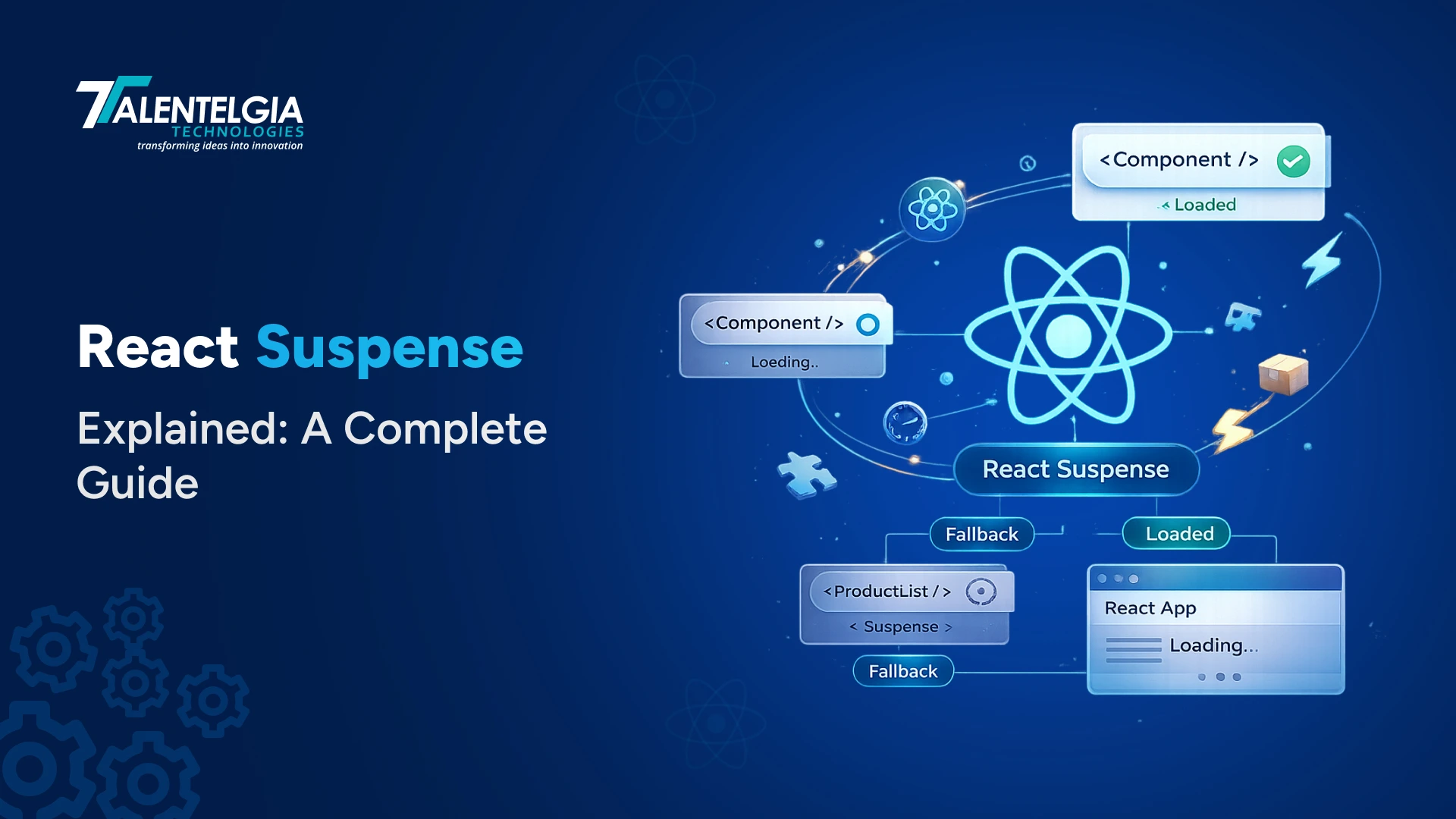
React Suspense is an internal React components that display a fallback view while child components are being loaded. Timeliness is an important aspect of web applications. In terms of the technical side of things, one must have a proper state to deal with all phases of the data fetching process from the API. React Suspense enables developers not to render anything until loading has been completed.
Besides, React Suspense can also be implemented to split a larger React component and use lazy loading on some parts of it. Thus, users are able to get smaller loading times and bundle sizes. The article has the technical details of this tool, compares the use cases, and suggests the best practices of web app development.
Understanding <Suspense>: Lazy Loading, Data Fetching, and Best Practices
Managing asynchronous data loading has historically been one of React development’s clunkiest puzzles. For years, we relied on an imperative dance of lifecycle methods, local state flags, and conditional spinners just to display a simple profile page.
React completely upends this paradigm. React Suspense turns async UI orchestration into a first-class feature. Paired with modern React features like the use() hook and Streaming Server-Side Rendering (SSR), Suspense has evolved from a simple code-splitting trick into an async rendering engine.
What Is React Suspense?
React Suspense is a construct that allows for comfortable control of loading states during async processes, meaning how to wait for their completion. It serves as a barrier to capture the promises made by its child components and display the fallback UI until the promise has returned its value, all without excessive state management.
When developing your application, you may wrap any part of your UI with and give it such props as fallback that can be any UI object (the loader, the skeleton screen, etc.). When a child component starts waiting for something (a data fetch, code loading, loading of an image), React will show the corresponding fallback until this process is finished.
The concept of <Suspense> has changed greatly since it was first used, i.e., version 16.6 of React, when it served the function of lazy-loaded components only. In version 18 of React, it became appropriate for data fetching and server-side rendering processes. By the time of version 19 of React, which had the use() hook, Suspense had turned into a universal mechanism for async process management in React applications.
Also Read: React Environment Variables: A Complete Guide
Why Does React Suspense Matter?
To understand why Suspense matters, you need to feel the pain it replaces. Here is what building an async component looked like without it, an experience every React developer has lived through many times.
Every component that fetched data had to carry three states simultaneously: loading, error, and success. Each state required its own conditional render branch. Every new async dependency you added multiplied this complexity. If you had five components on a page each fetching their own data, you had five separate loading states, five error handlers, and five places where forgetting to handle the loading case would show a broken or empty UI.
function UserProfile({ userId }) {
  const [user, setUser] = useState(null);
  const [isLoading, setIsLoading] = useState(true);
  const [error, setError] = useState(null);

  useEffect(() => {
    fetchUser(userId)
      .then(data => {
        setUser(data);
        setIsLoading(false);
      })
      .catch(err => {
        setError(err);
        setIsLoading(false);
      });
  }, [userId]);

  // Three separate render branches for one piece of data
  if (isLoading) return <p>Loading...</p>;
  if (error)     return <p>Something went wrong.</p>;
  if (!user)     return null;

  return <div><h1>{user.name}</h1></div>;
}
Suspense moves loading state management out of your components and into the component tree structure itself, where React, not your code, can coordinate it.
How Does Suspense Work?
Suspense works through a surprisingly elegant mechanism: when a component isn’t ready to render, it throws a promise. React catches that thrown promise at the nearest <Suspense> boundary, activates the fallback, and subscribes to that promise. When the promise resolves, React re-renders the suspended tree, and if the component can now render without throwing, the fallback disappears, and the real content takes its place.
- Component Renders
React attempts to render a child component inside a Suspense boundary. During render, the component tries to read data from a suspense-aware source.
- Promise Thrown (Data Not Ready)
If the data isn’t available yet, the data source throws a Promise, React’s signal that rendering cannot proceed. This is called “suspending.” React pauses rendering that component’s subtree.
- Boundary Activates → Fallback Shows
The nearest parent <Suspense> boundary catches the thrown promise and renders its fallback prop instead of the suspended subtree.
- Promise Resolves → Re-render Triggered
When the promise resolves (data is ready), React schedules a re-render of the suspended component. This time, the data source returns the data instead of throwing.
- Content Revealed
The component renders successfully. React deactivates the Suspense boundary, hides the fallback, and reveals the real content. React batches multiple reveals within a 300ms window to avoid showing content one piece at a time.
The Key API
import { Suspense } from 'react';

<Suspense fallback={<LoadingSpinner />}>
  <DataDependentComponent />
</Suspense>

// Suspense receives two props:
// - children: the component tree to render when ready
// - fallback: what to show while children are suspended
// That's the entire public API surface.
Showing Data: Without vs. With Suspense
The most concrete way to understand Suspense is to see how it transforms the same component. Here is a product list, first written the traditional way, then rewritten with Suspense.
Without Suspense:
function ProductList() {
  const [products, setProducts] =
    useState([]);
  const [isLoading, setIsLoading] =
    useState(true);
  const [error, setError] =
    useState(null);

  useEffect(() => {
    fetchProducts()
      .then(data => {
        setProducts(data);
        setIsLoading(false);
      })
      .catch(err => {
        setError(err.message);
        setIsLoading(false);
      });
  }, []);

  // Loading state logic in every component
  if (isLoading) return <Spinner />;
  if (error)
    return <p>{error}</p>;

  return (
    <ul>
      {products.map(p => (
        <li key={p.id}>
          {p.name}
        </li>
      ))}
    </ul>
  );
}
With Suspense:
// Server Component (React Server Components / Next.js App Router)
async function ProductList() {
  // Write your component as if data
  // is already there. No isLoading.
  // No useEffect. No state.
 async function ProductList() {
  const products = await fetchProducts();

  return (
    <ul>      {products.map(p => (
        <li key={p.id}>{p.name}</li>      ))}
    </ul>  );
}

// Loading & error handled by the boundary above
export default function Page() {
  return (
    <ErrorBoundary fallback={<Error />}>
      <Suspense
        fallback={<ProductSkeleton />}
      >
        <ProductList />
      </Suspense>
    </ErrorBoundary>
  );
}
The transformation is dramatic. The Suspense version of ProductList contains zero loading state management — it simply fetches data and renders. The loading state lives in the component tree structure (the <Suspense> boundary), not in the component logic. Error handling lives in the <ErrorBoundary> above. The component’s code expresses only its purpose: what to render when the data exists.
| Without Suspense | With Suspense |
|---|---|
| 3 useState hooks per async component (data, loading, error) | Zero loading state boilerplate in async components |
| 1 useEffect per data dependency for fetch orchestration | Components write as if data is synchronously available |
| 3 conditional render branches in every component | Single fallback declaration controls an entire subtree |
| Loading states are siloed — each component shows its own spinner independently | Loading states are coordinated — multiple suspended children share one fallback |
| Components contain both business logic and loading ceremony | Components express only their rendering purpose |
| Adding a new data dependency means updating multiple state variables | Adding new data dependencies doesn’t change loading state logic |
| Error handling must be manually added to each component | Error boundaries handle failures at any granularity you choose |
Data Fetching Patterns: How Suspense Changes The Game?
When a React component needs data from an API, there are three fundamental patterns. Suspense enables the third, and most efficient, one.
1. Fetch on Render
The component renders first, then triggers a fetch in useEffect. The user sees an empty or skeleton UI while the component is mounted, then sees the data arrive. This is the traditional approach — and the one responsible for “waterfall” problems, where child components can’t even start fetching until their parents finish rendering.
2. Fetch Then Render
Data is fetched before rendering starts, typically at the route level. The page shows nothing until all data is available, then renders completely. Avoids waterfalls but can feel slow, because users wait for every piece of data before seeing any content.
3. Render as You Fetch (Suspense)
Fetching starts immediately when the component is needed, and rendering begins as soon as any data arrives. Different parts of the UI appear at different times, each showing its fallback until ready. This is what Suspense enables: parallelized data loading with coordinated UI reveals.
Code Splitting with React.lazy()
The most universally supported use of Suspense, stable since React 16.6, is lazy loading components for code splitting. Instead of including every component in your initial JavaScript bundle, you defer their loading until they’re actually needed. This can dramatically reduce initial page load time for applications with many routes or heavy components.
import { Suspense, lazy } from 'react';
import { BrowserRouter, Routes, Route } from 'react-router-dom';

// These components are NOT included in the initial bundle.
// Their code is downloaded only when the route is visited.
const Dashboard = lazy(() => import('./pages/Dashboard'));
const Analytics = lazy(() => import('./pages/Analytics'));
const Settings  = lazy(() => import('./pages/Settings'));

export default function App() {
  return (
    <BrowserRouter>
      // One Suspense boundary for the entire router.
      // Any lazy route triggers the same fallback.
      <Suspense fallback={<PageLoadingScreen />}>
        <Routes>
          <Route path="/"          element={<Dashboard />} />
          <Route path="/analytics" element={<Analytics />} />
          <Route path="/settings"  element={<Settings />} />
        </Routes>
      </Suspense>
    </BrowserRouter>
  );
}
The bundle for Analytics only downloads when a user navigates to that route. Until then, it doesn’t exist in the browser. Combined with a skeleton fallback that matches the Analytics page layout, users get a smooth loading experience rather than a blank screen or layout shift.
Nesting & Composing Suspense Boundaries
One of Suspense’s most powerful design patterns is nesting boundaries at different granularities. A single top-level boundary shows one loading state for everything, coarse but simple. Multiple nested boundaries allow different parts of your UI to load independently, each with its own fallback. The right granularity depends on your UX goals.
Example: Dashboard with Three Independent Loading Zones
{“}>”}
{“}>”}
RevenueChart (suspended — loading chart data…)
{“}>”}
RecentOrders (ready ✓ — renders immediately)
HeaderMetrics (no Suspense needed — data is fast)
In this layout, RecentOrders can render immediately even though RevenueChart is still loading, because each has its own Suspense boundary. Without nested boundaries, both would wait for the slowest component. The outer boundary only activates if none of the inner boundaries are ready.
function Dashboard() {
  return (
    <div>
      // This renders immediately — no Suspense needed
      <HeaderMetrics />

      <div className="grid">
        // Chart has its OWN boundary — loads independently
        <Suspense fallback={<ChartSkeleton />}>
          <RevenueChart />
        </Suspense>

        // Table has its OWN boundary — loads independently
        <Suspense fallback={<TableSkeleton />}>
          <RecentOrders />
        </Suspense>
      </div>
    </div>
  );
}

// RecentOrders can appear while RevenueChart still loads.
// Users see content as soon as it's available — not
// waiting for the slowest component in the tree.
Suspense + Server-Side Rendering: Streaming HTML
Suspense has had a very noteworthy effect on production in a way that it has enhanced the function of server-side rendering. With the introduction of Streaming SSR available with React 18, we can start sending data immediately instead of waiting for the whole page’s worth of information before we send HTML to the browser.
With the help of Streaming SSR, powered by Suspense and using renderToPipeableStream as well as solutions such as Next.js App Router, the server will first send the base page – which includes all headers, navigation, and all the necessary static content. Each of the functions contained wrapped in Suspense will stream the individual parts of HTML once the data required for that has been received.
// app/dashboard/page.jsx — Next.js App Router
// This page streams — header sends first,
// each Suspense section sends as data arrives.

import { Suspense } from 'react';
import { HeaderMetrics, RevenueChart, RecentActivity } from './components';

export default function DashboardPage() {
  return (
    <main>
      // Sends immediately — no async needed
      <h1>Dashboard</h1>
      <nav>...</nav>

      // These stream progressively as data arrives
      <Suspense fallback={<MetricsSkeleton />}>
        <HeaderMetrics />    // Fast query — streams first
      </Suspense>

      <Suspense fallback={<ChartSkeleton />}>
        <RevenueChart />     // Slow query — streams when ready
      </Suspense>

      <Suspense fallback={<ActivitySkeleton />}>
        <RecentActivity />   // Medium query — streams in between
      </Suspense>
    </main>
  );
}
Streaming SSR also directly improves SEO. The HTML that arrives progressively is still valid HTML that search engine crawlers can index, unlike purely client-side approaches where the crawler sees a blank page until JavaScript executes.
Real-World Use Cases of React Suspense
Suspense is especially valuable in several modern UI patterns:
1. Lazy-Loading Routes
Defer loading heavy page components until the route is visited. Split your bundle by route, reducing initial load time and time-to-interactive for users who don’t visit every section.
2. Dashboard Sections
Wrap each dashboard widget in its own Suspense boundary. Faster widgets appear immediately while slower ones show skeletons — no component waits on another’s data.
3. Image Galleries
Suspend rendering until images have decoded. Users see a skeleton or placeholder rather than a broken/blurry image that flickers in after render. Especially valuable for above-the-fold content.
4. Search Results
Combined with useTransition, keep the current results visible while new results load. Users see a pending state rather than a loading spinner replacing content they were reading.
5. Streaming SSR Pages
Stream above-the-fold HTML to browsers immediately, then stream slower sections as their data arrives. Better Core Web Vitals (TTFB, FCP) without sacrificing content completeness.
6. Third-Party Widgets
Lazy-load heavy third-party integrations (charts, maps, editors) only when they come into view or when the user navigates to that feature. Keep your initial bundle lean.
Wrapping Up!
React Suspense is a great solution to ease the difficulty of managing asynchronous operations in React applications. By using Suspense, you can improve the speed and user experience of your applications.
Do not forget to contact us at Talentelgia Technologies, a trusted React JS development company, to learn more about how to use React with headless CMSs.













 Sales Enquiries:
  Business queries:
  HR:
HR: 


