



 Healthcare Software Development Services
 Healthcare App Development Services
 Real Estate Web Development Services
 Real Estate App Development Company
 E-Commerce App Development Services
 E-Commerce Web Development Services
 Blockchain E-commerce Development Company
 Fintech Software Development
 Fintech App Development Services
 E-Learning App Development Services
 Restaurant App Development Company
 Mobile Game Development Company
 Travel App Development Company
 Automotive Web Design
 AI Traffic Management System
 AI Inventory Management Software
 Logistics App Development Services
 Machine Learning Development
 ChatGPT integration services
  AI Development Company
  AI Integration Services
  Natural Language Processing Company
 Mobile App Development
  IOS App Development
  Android App Development
  Cross-Platform App Development
  Augmented Reality (AR) App Development
  Virtual Reality (VR) App Development
  Web App Development
  SaaS App Development
 Custom Software Development Services
  Flutter
  React Native
  Swift (IOS)
  Kotlin (Android)
  Mean Stack Development
  AngularJS Development
  MongoDB Development
  Nodejs Development
  Database Development
 Ruby on Rails Development
 Expressjs Development
  Full Stack Development
  Web Development Services
  Laravel Development
  LAMP Development
  Custom PHP Development
  .Net Development
  User Experience Design Services
  User Interface Design Services
  Automated Testing
  Manual Testing
  Digital Marketing Services
 Ride-Sharing And Taxi Services
 Food Delivery Services
 Grocery Delivery Services
 Transportation And Logistics
 Car Wash App
 Home Services App
 ERP Development Services
 CMS Development Services
 LMS Development
 CRM Development
 DevOps Development Services
 AI Business Solutions
 AI Cloud Solutions
 AI Chatbot Development
 API Development
 Blockchain Product Development
 Cryptocurrency Wallet Development
 About Talentelgia
  Our Team
  Our Culture
 Healthcare App Development Services
 Real Estate Web Development Services
 E-Commerce App Development Services
 E-Commerce Web Development Services
 Blockchain E-commerce
Development Company
Blockchain E-commerce
Development Company Fintech App Development Services
 Blockchain Fintech
Development Company
Blockchain Fintech
Development Company E-Learning App Development Services
 Restaurant App Development Company
 Mobile Game Development Company
 Travel App Development Company
 AI Traffic Management System
 AI Inventory Management Software
 AI Development Company
 ChatGPT integration services
 AI Integration Services
 Machine Learning Development
 Machine learning consulting services
 Blockchain Development
 Blockchain Software Development
 Smart contract development company
 NFT marketplace development services
 Asset tokenization companies
 DeFi Wallet Development Company
 IOS App Development
 Android App Development
 Cross-Platform App Development
 Augmented Reality (AR) App
Development
Augmented Reality (AR) App
Development Virtual Reality (VR) App Development
 Web App Development
 Flutter
 React
Native
React
Native Swift
(IOS)
Swift
(IOS) Kotlin (Android)
 MEAN Stack Development
 AngularJS Development
 MongoDB Development
 Nodejs Development
 Database development services
 Expressjs Development
 Full Stack Development
 Web Development Services
 Laravel Development
 LAMP
Development
LAMP
Development Custom PHP Development
 User Experience Design Services
 User Interface Design Services
 Automated Testing
 Manual
Testing
Manual
Testing About Talentelgia
 Our Team
 Our Culture
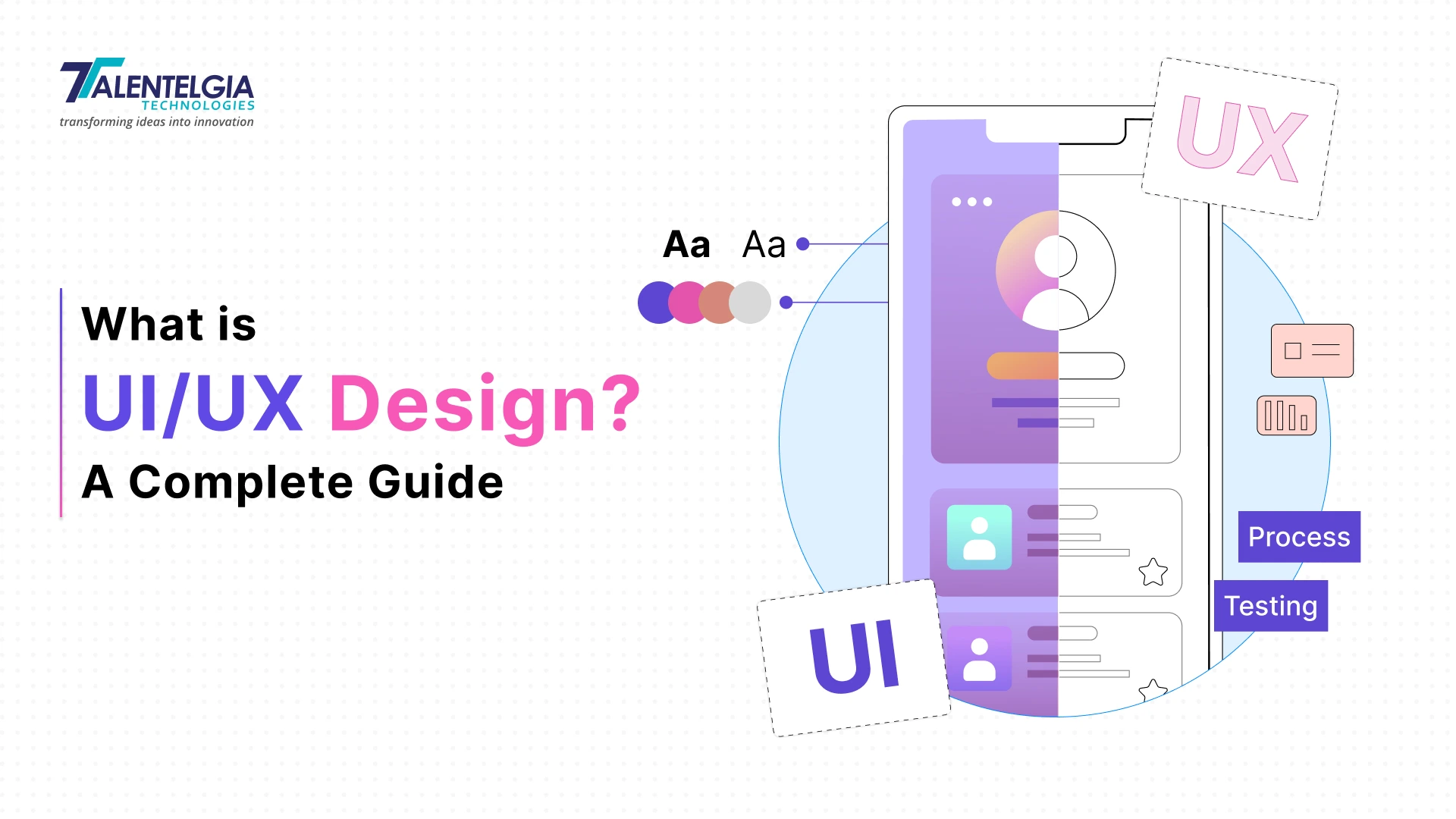
| UI/UX Design: In a Nutshell * UI ≠ UX. UI covers what users see and touch on screen; UX covers the entire journey and whether it actually solves their problem. * UX comes first, defining structure and flow. UI follows, adding visual design on top. * Strong design isn’t cosmetic — Forrester found it can lift conversions by up to 200%, and up to 400% with excellent overall experience. * Neither works alone: great UI can’t fix bad structure; great UX can’t survive ugly execution. * Both disciplines rely on research, iteration, and close collaboration between designers, developers, and stakeholders to ship products people actually want to use. |
Every product a person touches online communicates before it ever explains itself. A messy checkout interface, a button buried in an awkward location, a loading time that is one beat too slow- all these contribute to the decision that consumers make about staying or leaving your website, without even being fully aware of it. These decisions are made through UI/UX Design, the practice of creating interfaces.
And there is no lack of proof for it. According to Forrester Research, good design can increase conversion rate by up to 200%, and an excellent user experience can boost it to 400%. In fact, UX design is said to be able to provide a $100 return on every dollar spent.
The problem is that people throw around “UI and UX” like they’re interchangeable, but they’re not the same job. They’re related, sure, and they depend on each other constantly. But each one is solving a different problem. Before getting into where they overlap and how they actually work together, it helps to be clear on what separates them in the first place. Let’s go.
What Is UI Design?
UI design covers everything a person sees and touches on screen. The buttons. The colors. The typography that tells you where to look first. UX figures out how a product should work. UI makes that work visible and usable. It only exists in digital spaces – a physical product doesn’t have “UI” the way a website or app does.
Most UI designers step in after the research and wireframes are already done. Their job is turning that groundwork into something people can actually see and interact with. It takes design skill, sure, but also a real understanding of how people behave once an interface is in their hands.
Key Elements of UI Design
Every interface, regardless of platform, is built from the same core ingredients:
- Layout – where elements sit, and in what order the eye finds them
- Color – the palette used, and the emotional tone it sets
- Typography – font choices and how they carry hierarchy and meaning
- Interaction design – how elements respond when a user acts on them
- Brand identity – how the visual language ties back to the company behind it
- Responsiveness – whether the interface holds up across screen sizes and devices
- Accessibility – whether people with visual, motor, or cognitive differences can use it without friction
- Front-end feasibility – the technical constraints that shape what can realistically be built
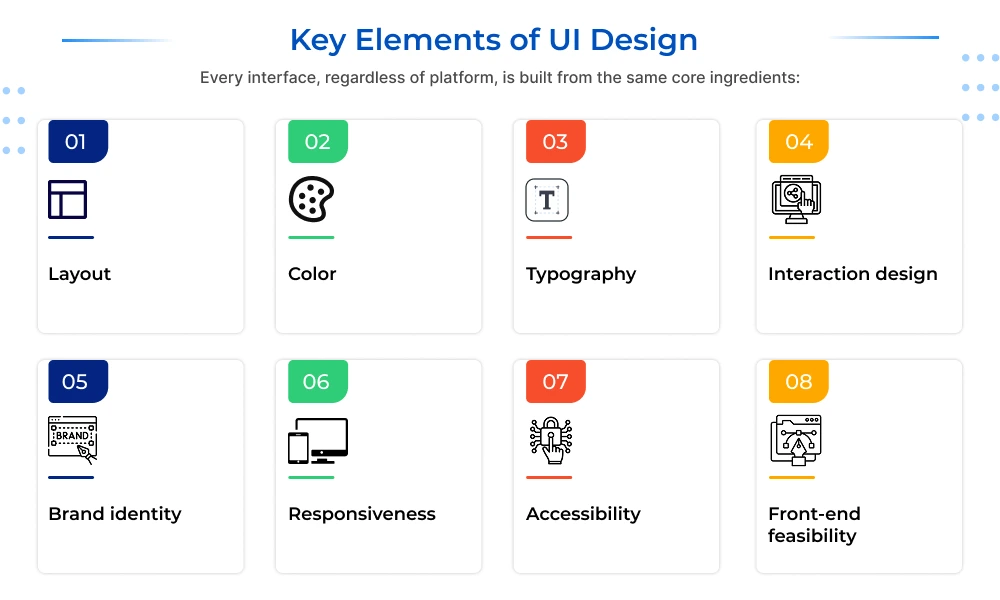
None of these function in isolation. A color choice that ignores contrast ratios undermines accessibility; a layout that ignores responsiveness breaks on half the devices it’s viewed on.
Key Principles of UI Design
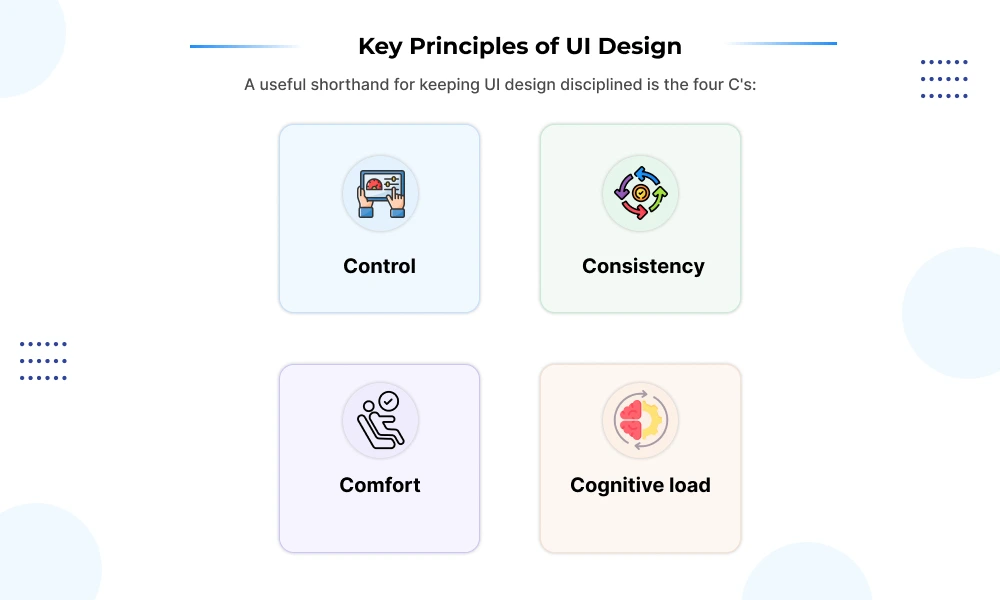
A useful shorthand for keeping UI design disciplined is the four C’s:
- Control – the user is supposed to control the interface, not vice versa
- Consistency – repeated patterns making navigation predictable, even if it’s someone using it for the first time
- Comfort – all actions should require little effort to accomplish
- Cognitive load – every added element competes for attention, so restraint matters as much as design skill
There is a simple underlying idea across all of it – good UI design is meant to disappear. If it’s working properly, users won’t even think about the interface. They will just focus on completing the task in front of them.
UI Designer: Tasks and Responsibilities
The work generally splits into two buckets:
Visual groundwork
- Customer and competitor analysis
- Applying brand identity like the color, type, and imagery to the interface
- Creating style guides and design systems
- Building user guides or interface storylines
Interaction and build
- Prototyping screens and flows
- Designing micro-interactions and motion
- Adapting layouts across screen sizes (responsive/adaptive design)
- Working with developers to hand off and implement designs
Also Read: The Role of Product UI/UX Experts in Building Brand Loyalty and Trust
What Is UX Design?
UX design is about the entire journey someone takes with a product, not just what’s on the screen. It starts before a person ever opens an app and continues after they close it. Where UI decides how something looks and behaves, UX decides whether the whole experience actually solves the person’s problem – and whether it feels good to do it.
Don Norman coined the term back in 1988, and his own explanation still holds up: he wanted something broader than “interface design” or “usability,” something that covered the full experience a person has with a system – industrial design, the interface itself, the manual, all of it. That’s still the right way to think about UX. It’s not one deliverable. It’s the sum of a lot of smaller decisions.
Key Elements of UX Design
UX is often broken down using Jesse James Garrett’s five-layer model, moving from abstract to concrete:
- Strategy – what problem is this solving, and for whom?
- Scope – what features and content does the product actually need?
- Structure – how is it organized, and how do the pieces connect?
- Skeleton – where do elements sit on the page or screen? (Usually where wireframes come in.)
- Surface – how does it look and feel? (This is where UI takes over.)
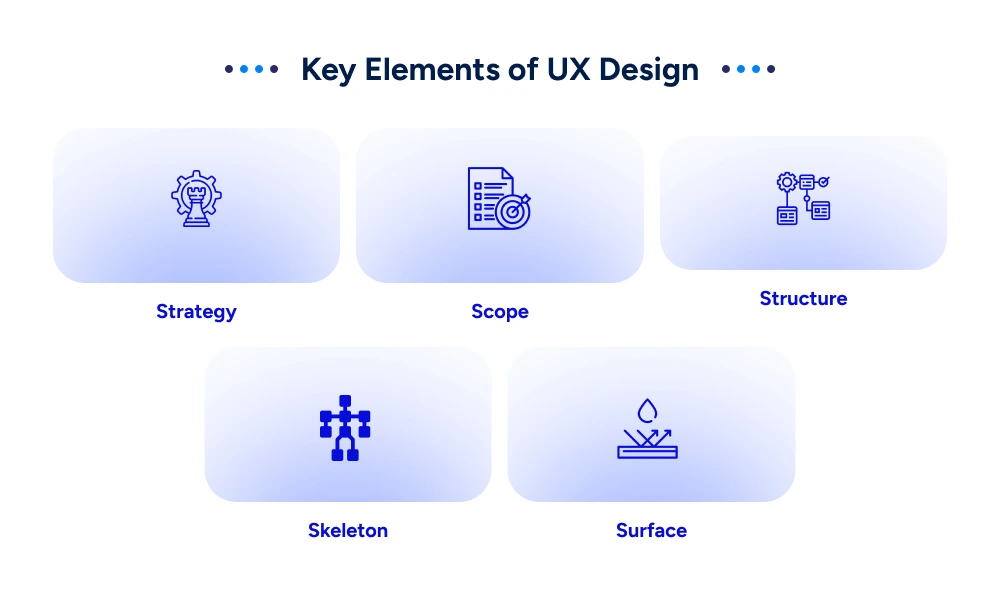
UX covers the full stack. UI only lives at the surface. That’s the cleanest way to understand where one discipline ends and the other picks up.
Key Principles of UX Design
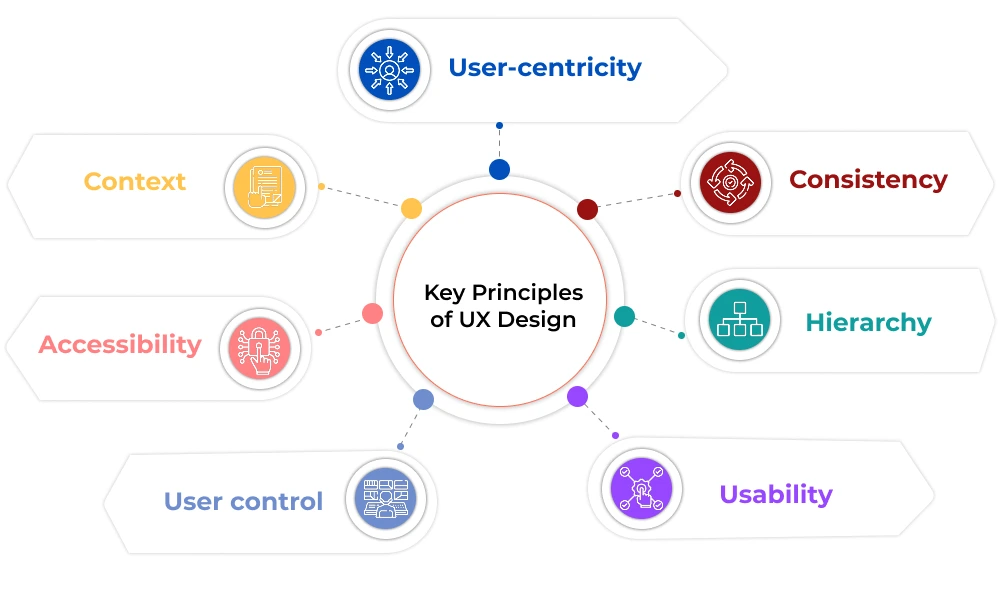
A few principles show up in almost every solid UX practice:
- User-centricity – every decision traces back to a real user need, not a guess
- Consistency – patterns stay predictable across screens, so people aren’t relearning the product every time
- Hierarchy – the most important information or action is the easiest to find
- Usability – measured through learnability, efficiency, memorability, error rate, and satisfaction – not vibes
- User control – people can undo mistakes and aren’t forced down a single path
- Accessibility – the product works for people with different abilities, not just the average case
- Context – the design accounts for where and how the product will actually be used (a banking app used one-handed on a train is a different design problem than one used at a desk)
Good UX rarely announces itself. When it’s working, a person just gets their task done – sign up, book the appointment, find the answer- without noticing the design decisions that made it possible.
UX Designer: Tasks and Responsibilities
A UX designer spends most of their time trying to answer one question, over and over, from different angles: does this actually work for the person using it? That plays out through a handful of recurring tasks:
- User research – interviews, surveys, and usability tests to figure out how people actually behave, not how the team assumes they behave
- Personas and user flows – building a working picture of who the product is for and mapping how they move through it
- Wireframing and prototyping – sketching out structure before anyone touches visual design, then building interactive versions to test
- Information architecture – deciding how content and features are organized so users don’t get lost
- Usability testing – watching real people struggle (or not) with a prototype before it ships
- Iteration – going back and fixing what testing revealed, then testing again
Also Read: How To Use AI For UX Research Tools?
UI vs UX: What’s the Difference?
| UX (User Experience) | UI (User Interface) | |
|---|---|---|
| Focus | The complete journey and how it feels | The visual touchpoints the user directly interacts with |
| Scope | Digital and non-digital products/services | Digital products only |
| Core concern | Usability, logic, problem-solving | Aesthetics, interactivity, visual consistency |
| Process stage | Comes first — defines structure and flow | Comes second;; applies visual layer on top |
| Key deliverables | Personas, journey maps, wireframes | High-fidelity mockups, style guides, interactive prototypes |
| Tools used | Research tools, usability testing, sitemaps | Figma, Sketch, moodboards, prototyping software |
| Measures success by | Task completion, retention, satisfaction | Visual appeal, responsiveness, ease of interaction |
| One-line definition | How the product works and feels | How the product looks and responds |
UI and UX get lumped together constantly, but they’re solving two different problems. Here’s a full breakdown, point by point:
1. Focus
UX is all about the experience one has while using the product throughout their entire journey, starting from learning about the product, to signing up for it, using it regularly, getting stuck somewhere along the line, and getting support if anything goes wrong. UX is everything about the connection between user and product.
UI is much smaller in scope, and deliberately so. It only cares about what’s directly in front of the user: the button they tap, the menu that opens, the form field they type into. Nothing about UI extends past the screen itself.
2. The Core Question Each Discipline Answers
UX asks: does this actually solve the user’s problem, and does the path to get there feel logical and effortless? A UX designer is constantly testing whether the structure of a product makes sense before anyone worries about how it looks.
UI asks a different question: once the structure exists, does it look right, and is it easy and pleasant to interact with? UI takes the skeleton UX has already built and gives it a face.
3. Scope of Application
UX isn’t limited to digital products. It applies to any interaction a person has with a system. It can be a self-checkout machine, a customer service call, a bank branch visit, even a coffee maker. Anywhere a person is trying to accomplish something and forms an opinion about how well that went, UX applies.
UI is strictly digital. There’s no “interface” for a physical, non-screen experience in the way UI defines it. UI only exists where screens, buttons, and digital touchpoints are involved.
4. Typical Outputs
On the UX side, you’re mostly looking at personas, journey maps, and rough wireframes- nothing polished, because it isn’t meant to be. The point at this stage is testing whether the logic holds up, not whether it looks good
UI work is where things start looking finished: complete style guides, high-fidelity mockups, prototypes that are close enough to the real thing that a developer could build straight from them.
5. Where Each Sits in the Design Process
UX comes first, almost always. Long before anyone’s picking a color palette, a UX designer has already figured out what the product needs to do and how someone should move through it step by step.
UI steps in only once that groundwork exists. It takes that bare structure and layers in typography, spacing, color, and the small interactive details that make it feel like a real, finished product.
6. How Each Discipline Measures Success
Success in UX design is assessed by task completion rates, usability ratings, retention rates, and the level of friction encountered by users while attempting to achieve a specific goal.
Success in UI design is assessed by visual consistency, aesthetic quality, accessibility of visual components, and cross-screen compatibility.
How Do UI and UX Work Together?
Take Shazam. The entire point of the app is solving one very specific, very time-sensitive problem: a song is playing somewhere- it can be a radio, bar, shop, and you’ve got maybe ten seconds before it ends and the moment’s gone. That’s a UX problem first. Someone had to figure out what the user actually needs in that split second, and design around it.
The answer they landed on: one big button. No menu to dig through, no settings to configure first. Just a single line of text, “Tap to Shazam,” and a button that all but tells you to press it. That’s UI picking up where UX left off, turning a well-understood problem into something you can act on without thinking.
This is really what the relationship between UI and UX looks like in practice. Neither one gets you to a good product on its own.
Why UI alone isn’t enough
An amazing design is entirely possible without any user research, but amazing does not equate to usability. Spend months polishing a homepage, and if visitors still can’t find what they came for, they’ll leave. Looks got them in the door; they didn’t keep them there.
Why UX alone isn’t enough
The reverse breaks down just as fast. A UX designer may do a great job of planning out a perfect user experience, yet if the website created in this way has ugly elements, like unreadable text, too little spacing, and color schemes that do not translate well to mobile devices, then it all becomes irrelevant. People won’t push through bad visuals to reach good structure; they’ll just bounce.
Where the two actually meet
- User-centered thinking – In essence, the two professions share an identical starting point, having an understanding of what the users need, although they approach it quite differently.
- Cross-functional collaboration – Neither profession operates in a vacuum. The work of UI and UX designers often takes place side-by-side with developers, business analysts, and graphic designers to ensure that the product will be functional and technically feasible.
- Shared tooling – Technology such as Figma is designed to facilitate both stages of the process: prototyping on one hand, and high-fidelity visual design on the other hand.
Getting both right consistently takes more than good instincts. It takes research, iteration, and experienced hands. That’s exactly what Talentelgia Technologies brings to every project through its UI/UX design services, helping businesses turn ideas into digital products people genuinely enjoy using, from first click to last.
Frequently Asked Questions (FAQs)
Can one person be both a UI and UX designer?
Yes, especially at smaller companies. Larger teams often split the roles, but many "UI/UX designers" handle both research and visual design, depending on project needs and team size.
Which comes first in the design process, UI or UX?
UX comes first. It defines structure, flow, and user needs. UI follows, applying visual design, color, and typography on top of that already-established foundation.
What are the tools used by UX designers?
Research & usability testing platforms, wireframing tools, and collaboration tools such as FigJam. It focuses on structuring and analyzing users' actions rather than beautifying designs.
What are the tools used by UI designers?
The main ones are Figma and, in some cases, Sketch or Adobe XD. They allow creating high-fidelity mockups and prototypes for final designs.












 Sales Enquiries:
  Business queries:
  HR:
HR: 


