



 Healthcare App Development Services
 Real Estate Web Development Services
 E-Commerce App Development Services
 E-Commerce Web Development Services
 Blockchain E-commerce Development Company
 Fintech App Development Services
 Fintech Web Development
 Blockchain Fintech Development Company
 E-Learning App Development Services
 Restaurant App Development Company
 Mobile Game Development Company
 Travel App Development Company
 Automotive Web Design
 AI Traffic Management System
 AI Inventory Management Software
 AI Software Development
  AI Development Company
  AI App Development Services
  ChatGPT integration services
  AI Integration Services
  Generative AI Development Services
  Natural Language Processing Company
 Machine Learning Development
  Machine learning consulting services
  Blockchain Development
  Blockchain Software Development
  Smart Contract Development Company
  NFT Marketplace Development Services
  Asset Tokenization Company
 DeFi Wallet Development Company
 Mobile App Development
  IOS App Development
  Android App Development
  Cross-Platform App Development
  Augmented Reality (AR) App Development
  Virtual Reality (VR) App Development
  Web App Development
  SaaS App Development
 Flutter
  React Native
  Swift (IOS)
  Kotlin (Android)
  Mean Stack Development
  AngularJS Development
  MongoDB Development
  Nodejs Development
  Database Development
 Ruby on Rails Development
 Expressjs Development
  Full Stack Development
  Web Development Services
  Laravel Development
  LAMP Development
  Custom PHP Development
  .Net Development
  User Experience Design Services
  User Interface Design Services
  Automated Testing
  Manual Testing
  Digital Marketing Services
 Ride-Sharing And Taxi Services
 Food Delivery Services
 Grocery Delivery Services
 Transportation And Logistics
 Car Wash App
 Home Services App
 ERP Development Services
 CMS Development Services
 LMS Development
 CRM Development
 DevOps Development Services
 AI Business Solutions
 AI Cloud Solutions
 AI Chatbot Development
 API Development
 Blockchain Product Development
 Cryptocurrency Wallet Development
 About Talentelgia
  Our Team
  Our Culture
 Healthcare App Development Services
 Real Estate Web Development Services
 E-Commerce App Development Services
 E-Commerce Web Development Services
 Blockchain E-commerce
Development Company
Blockchain E-commerce
Development Company Fintech App Development Services
 Finance Web Development
 Blockchain Fintech
Development Company
Blockchain Fintech
Development Company E-Learning App Development Services
 Restaurant App Development Company
 Mobile Game Development Company
 Travel App Development Company
 Automotive Web Design
 AI Traffic Management System
 AI Inventory Management Software
 AI Software Development
 AI Development Company
 ChatGPT integration services
 AI Integration Services
 Machine Learning Development
 Machine learning consulting services
 Blockchain Development
 Blockchain Software Development
 Smart contract development company
 NFT marketplace development services
 IOS App Development
 Android App Development
 Cross-Platform App Development
 Augmented Reality (AR) App
Development
Augmented Reality (AR) App
Development Virtual Reality (VR) App Development
 Web App Development
 Flutter
 React
Native
React
Native Swift
(IOS)
Swift
(IOS) Kotlin (Android)
 MEAN Stack Development
 AngularJS Development
 MongoDB Development
 Nodejs Development
 Database development services
 Ruby on Rails Development services
 Expressjs Development
 Full Stack Development
 Web Development Services
 Laravel Development
 LAMP
Development
LAMP
Development Custom PHP Development
 User Experience Design Services
 User Interface Design Services
 Automated Testing
 Manual
Testing
Manual
Testing About Talentelgia
 Our Team
 Our Culture
Modern React applications demand efficient data fetching, caching, synchronization, and background updates. When businesses invest in scalable React Services, managing server state efficiently becomes a critical part of delivering high-performance applications. However, handling server state manually often leads to complex logic, unnecessary re-renders, and inconsistent UI states.
That’s where TanStack React Query comes in.
In this guide, we’ll explore how TanStack React Query transforms server-state management and how it fits into the broader TanStack ecosystem, including TanStack Table.
What is TanStack React Query?
TanStack React Query (formerly React Query) is a powerful data-fetching and server-state management library for React applications. It simplifies how you fetch, cache, synchronize, and update remote data.
Unlike traditional state management libraries that focus on client state, TanStack React Query is specifically designed for server state — data that:
- Lives on a remote server
- Requires asynchronous fetching
- Can become stale
- Needs caching and synchronization
1. Automatic Caching
What it means:
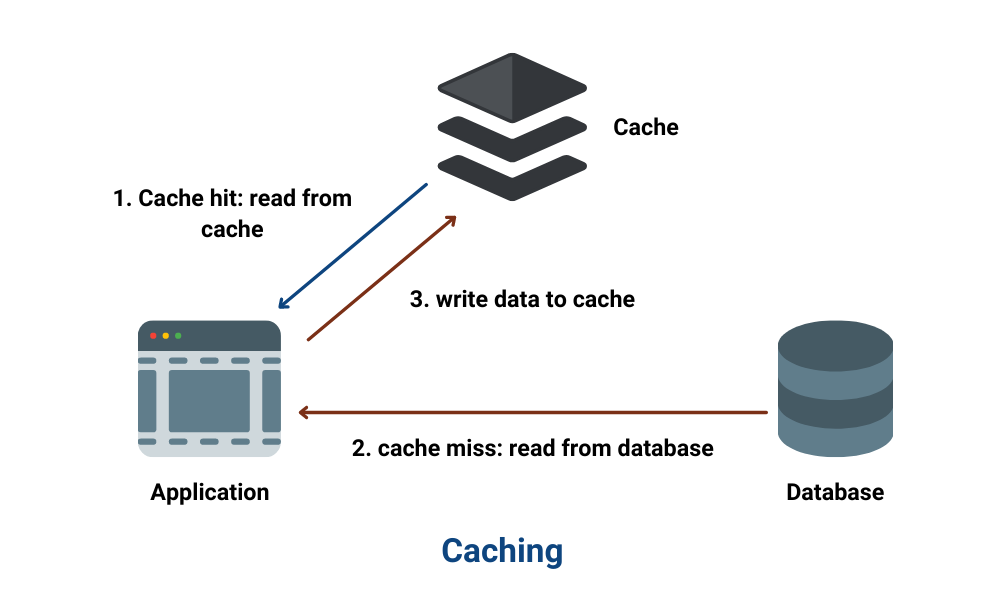
TanStack Query automatically stores (caches) the data fetched from an API.
Why it matters:
- If the same data is requested again, it doesn’t call the API immediately.
- It serves data from the cache → making your app faster.
- Reduces unnecessary server load.
Example:
If you fetch a user profile once, navigating away and coming back won’t trigger another API call instantly — it uses cached data first.
2. Background Refetching
What it means:
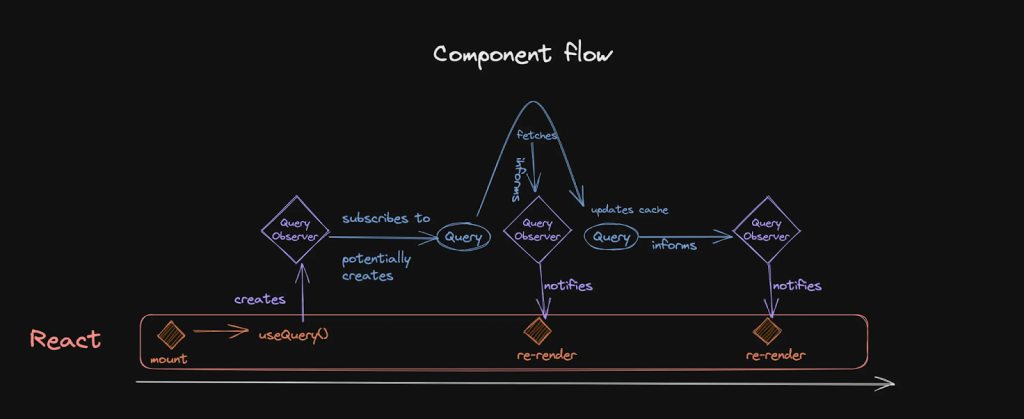
TanStack Query updates data in the background while showing existing cached data.
Why it matters:
- Users see data immediately.
- App silently checks for fresh data.
- UI updates automatically when new data arrives.
Example:
You open a dashboard → it shows cached stats instantly → meanwhile it fetches latest data → UI updates smoothly.
3. Request Deduplication
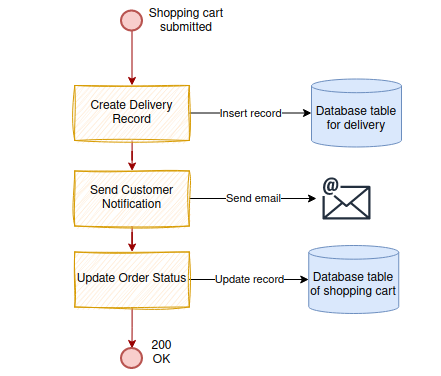
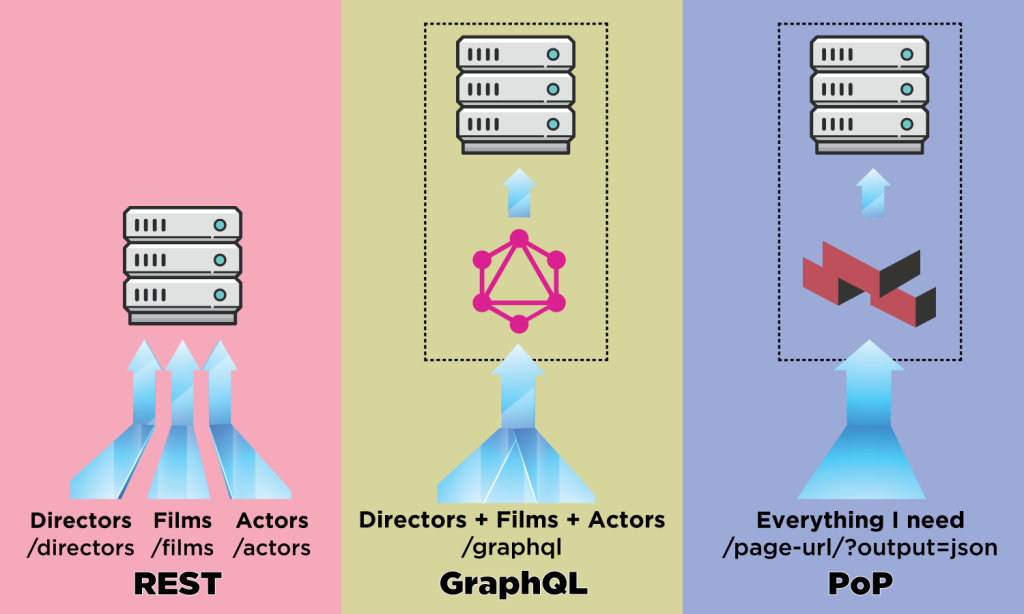
What it means:
If multiple components request the same data at the same time, TanStack Query sends only one API request.
Why it matters:
- Prevents duplicate network calls.
- Improves performance.
- Saves bandwidth.
Example:
If Header and Dashboard both fetch /user, only one request is sent.
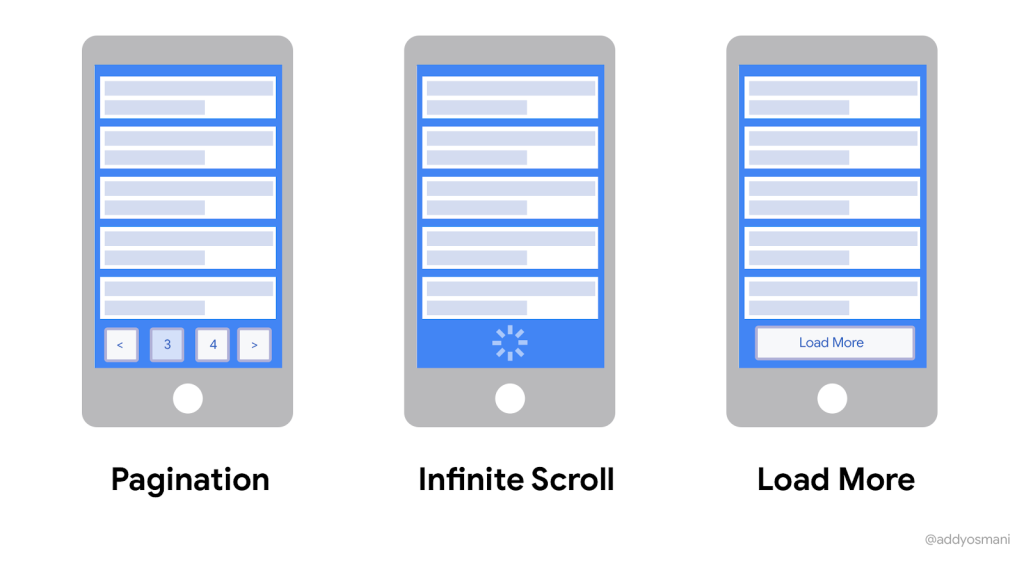
4. Pagination & Infinite Queries
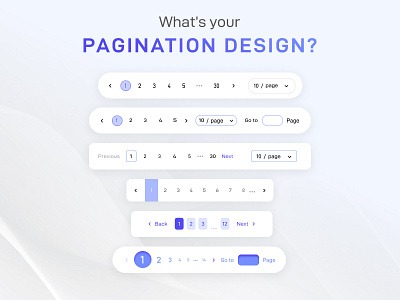
What it means:
TanStack Query supports:
- Traditional pagination (page 1, page 2…)
- Infinite scrolling (load more automatically)
Why it matters:
- Perfect for large datasets.
- Smooth UX for feeds and lists.
- Built-in helpers like useInfiniteQuery.
Example:
Social media feeds that load more posts when you scroll.
5. Optimistic Updates
What it means:
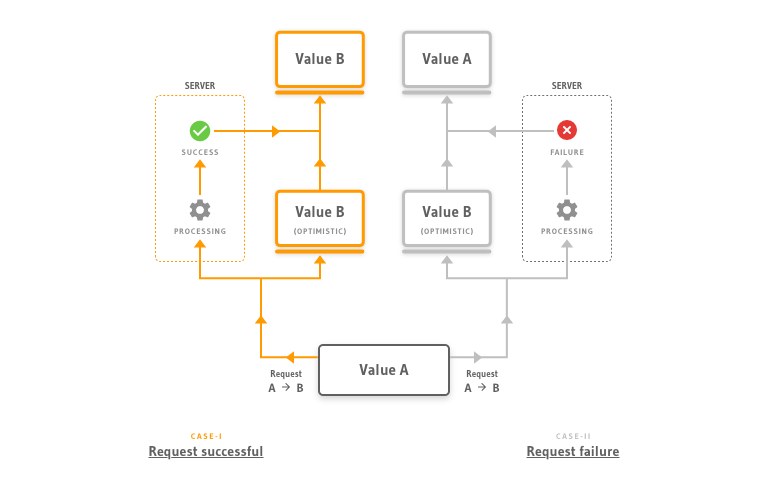
The UI updates immediately before the server confirms success.
Why it matters:
- App feels instant.
- Better user experience.
- If request fails → it rolls back automatically.
Example:
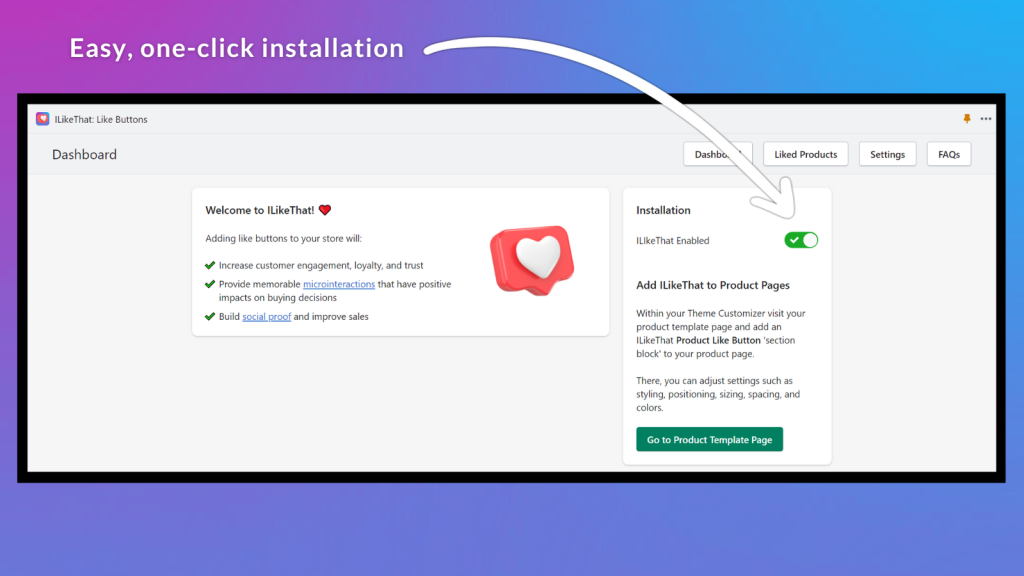
Click “Like” → button turns blue immediately → server confirms → stays updated.
If error → it reverts.
6. Built-in Loading & Error States

What it means:
TanStack Query provides:
- isLoading
- isError
- isFetching
- error
Why it matters:
You don’t need to manually manage complex loading or error logic.
Example:
const { data, isLoading, isError } = useQuery(...)You can easily show:
- Spinner while loading
- Error message if request fails
- Data when ready
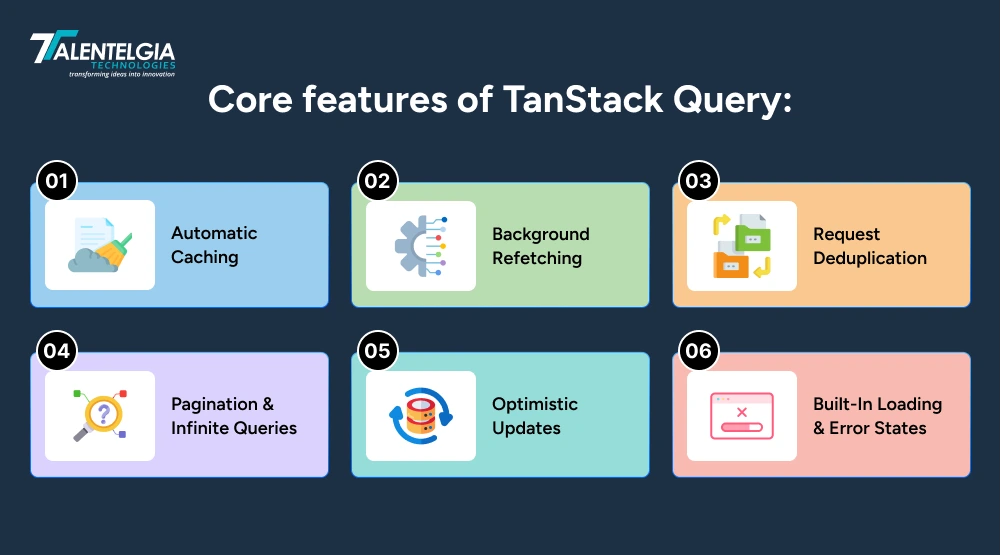
It eliminates the need for manually managing useEffect, loading states, retries, and cache logic.
Why Use TanStack for Server State Management in React?
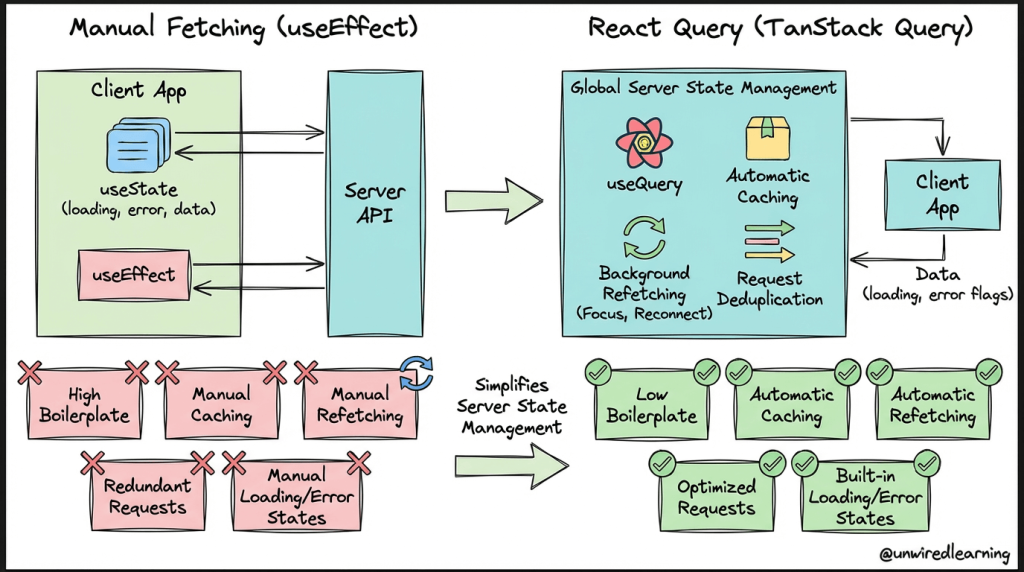
Managing server state manually might seem simple in the beginning, but it quickly becomes repetitive as your application grows. Developers often find themselves writing the same data-fetching and state-handling logic again and again across components. In most cases, it usually involves:
1. useEffect
When you manage server data manually, useEffect becomes your go-to place for API calls. Every time a component loads or something changes, you write fetching logic inside it. It works fine at first, but as your app grows, these effects start piling up and can feel hard to track and manage.
2. useState
With manual handling, you end up creating multiple useState variables — one for data, one for loading, one for errors, and sometimes more. For every API call, the same pattern repeats. Over time, this repetition makes your code longer and less clean than it needs to be.
3. Error Handling
You have to handle errors yourself using try-catch, then decide how to store and show those errors in the UI. If you forget to handle a case properly, users might see broken screens or no feedback at all. It’s a small thing, but it adds extra responsibility everywhere.
4. Loading State Management
Before every API call, you manually set a loading flag to true, and after it finishes, you switch it back to false. Sounds simple, but forgetting to reset it — especially during errors — can easily lead to spinners that never stop or a User Interface that feels stuck.
5. Retry Logic
If a request fails because of a slow network or temporary issue, you have to build retry behavior yourself. That means writing extra logic to attempt the request again, manage delays, and avoid spamming the server — which adds more complexity than you’d expect.
6. Cache Invalidation
After updating data (like submitting a form), you need to remember to refresh or update the stored data manually so the UI stays accurate. Missing this step can leave users looking at outdated information, which can be frustrating.
7. Race Condition Handling
Sometimes multiple API calls run at once, and they don’t always return in the order you expect. Without careful handling, an older response might overwrite newer data. Managing this properly takes extra attention and cleanup logic.
This leads to repetitive boilerplate and potential bugs.
The Problem with Manual Server State Management
With tanstack react query, you get:
1. Declarative Data Fetching
Instead of imperative fetch logic, you describe your query:
const { data, isLoading, error } = useQuery({

 queryKey: ['users'],

 queryFn: fetchUsers,

});
2. Automatic Caching
Data is cached automatically using query keys.
3. Background Updates
Stale data is refreshed without blocking UI.
4. Built-in Retry Mechanism
Failed requests retry automatically.
5. Better Developer Experience
Devtools provide deep insight into cache and query state.
For modern, scalable React applications, this dramatically reduces complexity.
How TanStack React Query Improves Performance
Performance optimization is one of the biggest advantages of tanstack react query.
Automatic Request Deduplication
If multiple components request the same data simultaneously, only one network call is made.
- Intelligent Caching: Cached data is reused until marked stale.
- Background Refetching: UI remains responsive while new data loads silently.
- Pagination & Infinite Scroll Support: Efficient large-data handling without excessive re-renders.
- Optimistic Updates: Update UI instantly before server confirmation.
Together, these capabilities significantly reduce unnecessary network traffic and improve perceived performance.
React Query Caching & Data Synchronization Explained
One of the most powerful features of tansack React Query is its caching system.
Query Keys
Every query is uniquely identified by a query key:
['users', userId]Cache Lifecycle
- Fresh → No refetch
- Stale → Background refetch
- Garbage Collected → Removed after timeout
Invalidation
You can manually invalidate queries:
queryClient.invalidateQueries(['users']);This makes synchronization between mutations and queries seamless.
Real-Time Feel Without WebSockets
Even without real-time infrastructure, smart refetching creates a near-real-time UX.
TanStack React Query vs Traditional Data Fetching Methods
Let’s compare.
| Traditional Fetching | TanStack React Query |
| Manual useEffect | Declarative useQuery |
| Manual caching | Automatic caching |
| Manual retries | Built-in retry logic |
| Manual loading/error state | Provided out of the box |
| Risk of race conditions | Managed internally |
| Complex pagination logic | Built-in support |
The traditional approach becomes harder to scale as applications grow.TanStack React Query provides a standardized, production-ready solution.
Exploring the TanStack Ecosystem (Including TanStack Table)
TanStack is not just about React Query. It is a powerful ecosystem of headless UI and state management libraries.
TanStack Query
Server-state management for React and other frameworks.
TanStack Table
TanStack Table (formerly React Table) is a headless table library for building powerful data grids.
It works exceptionally well with tanstack react query:
- Fetch paginated data using React Query
- Pass data into TanStack Table
- Implement sorting, filtering, and column visibility
- Handle server-side pagination efficiently
This combination enables building advanced dashboards, admin panels, analytics tools, and enterprise-grade data-heavy applications.
Other Tools in the Ecosystem
- TanStack Router
- TanStack Virtual
- TanStack Form
- TanStack Store
Together, they form a modern toolkit for scalable frontend applications.
Best Practices for Using TanStack React Query in Scalable Applications
To get the most out of tanstack react query, follow these best practices:
1. Use Structured Query Keys
Keep keys consistent and predictable.
2. Set Proper Stale Time
Avoid unnecessary refetching.
useQuery({

 queryKey: ['users'],

 queryFn: fetchUsers,

 staleTime: 1000 * 60 * 5,

});
3. Use Mutations for Write Operations
Separate read and write logic cleanly.
4. Prefetch Data
Improve UX by preloading data before navigation.
5. Keep Server State Separate from Client State
Use React state or Zustand for UI state.
Use TanStack React Query for server state.
Real-World Use Cases of TanStack Query
TanStack React Query is widely used in:
1. Admin Dashboards
Admin dashboards usually deal with lots of data — tables, filters, sorting, and pagination. Managing all of this manually can get messy. TanStack Query makes it smoother by caching data and automatically refetching when filters or pages change.
Example:
Imagine an HR dashboard with hundreds of employee records. When you switch pages or filter by department, the data loads quickly, and previously visited pages feel instant because they’re cached.
2. SaaS Applications
SaaS products need to feel fast and responsive. Users expect updates to happen instantly. TanStack Query helps by refreshing data in the background and allowing optimistic updates so actions feel immediate.
Example:
In a project management app, when you mark a task as done, it updates right away on the screen. Behind the scenes, TanStack Query syncs that change with the server — no awkward delays.
3. E-Commerce Platforms

Online stores handle thousands of products, filters, categories, and search results. That’s why a reliable ecommerce App development service focuses heavily on performance and smooth data handling. Performance is everything in this space, and TanStack Query helps by caching product lists and even prefetching data before the user clicks — ensuring a fast and seamless shopping experience.
Example:
When you browse a category and go back, the products load instantly instead of refetching. If you hover over a product, its details can be prepared in advance — making the experience feel seamless.
4. Analytics & Monitoring Tools
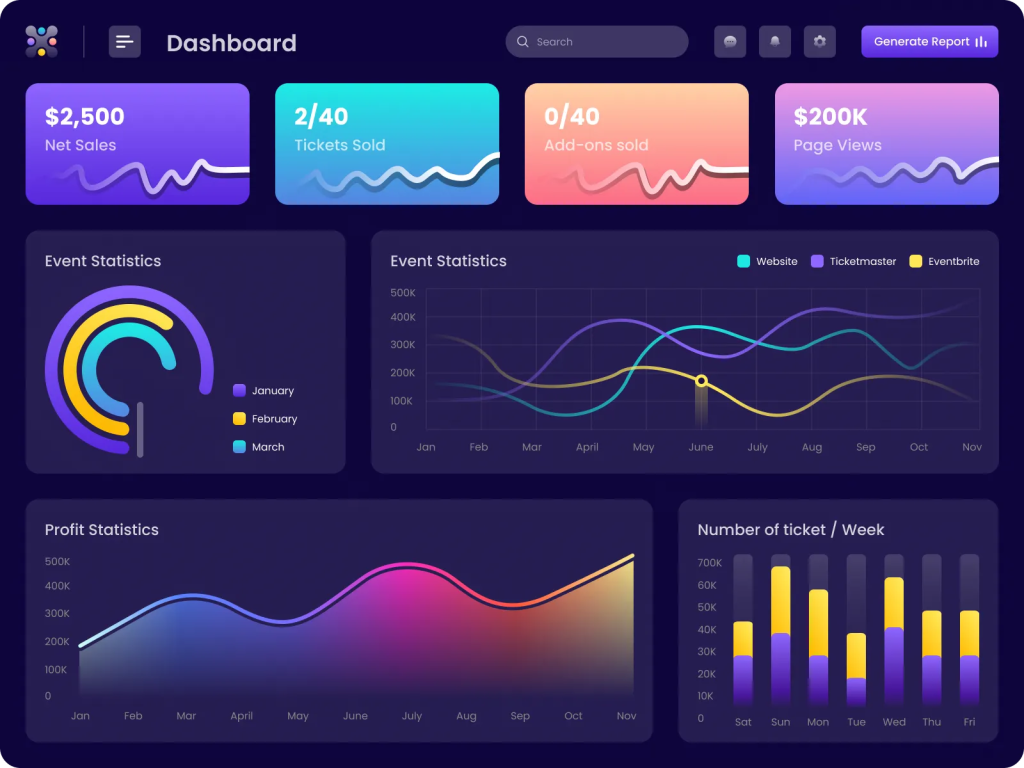
Analytics tools need fresh data constantly, but you don’t want the screen flickering every few seconds. TanStack Query updates data quietly in the background while keeping the UI stable.
Example:
In a system monitoring dashboard, performance stats refresh automatically every few seconds. Users can keep interacting with charts while the data stays up to date without manual refresh.
5. Enterprise Applications
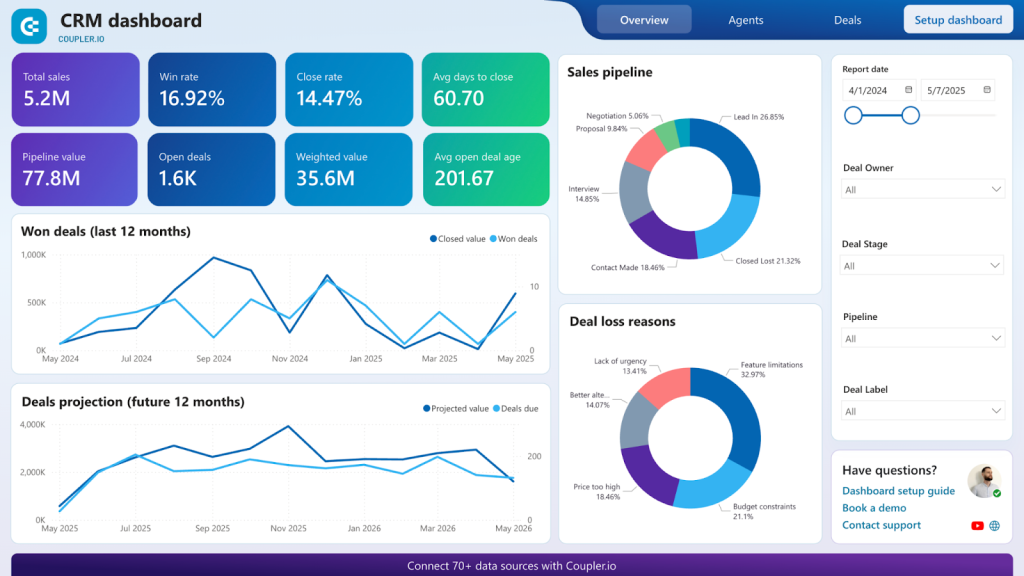
Enterprise apps often involve multiple teams, complex workflows, and connected modules. Managing server data manually across all of that can become overwhelming. TanStack Query simplifies it by handling caching, syncing, retries, and error states consistently.
Example:
In a CRM system, when a customer’s information is updated, related sections like orders or invoices stay in sync automatically — without extra manual refetch logic everywhere.












 Write us on:
  Business queries:
  HR:
HR: 


